




Introducing APK EXTRACTOR PRO!
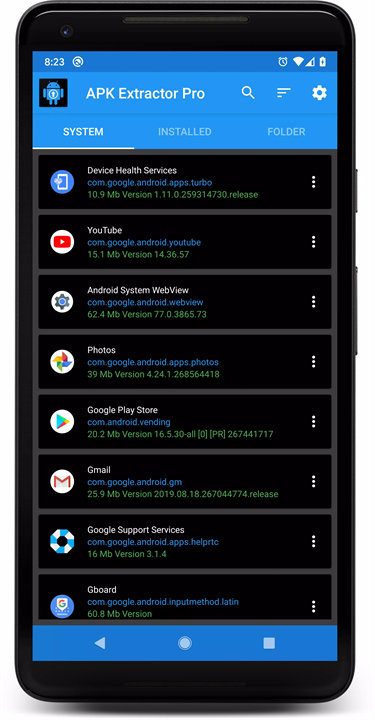
APK EXTRACTOR PRO by Magdalm is an Android app that allows users to extract and save APK files from apps installed on their device. This tool is useful for creating backups of apps, sharing APKs with others, or reinstalling apps without needing to re-download them. It offers a user-friendly interface and supports a range of features for managing and handling APK files.
Features:
1. APK Extraction: Easily extract APK files from installed apps on your device, enabling you to save them for future use or share them with others.
2. Batch Extraction: Supports the extraction of multiple APK files at once, saving time and effort when managing several apps.
3. Backup Creation: Create backups of your installed apps by extracting their APK files, which can be useful for reinstalling apps without re-downloading them from the Google Play Store.
4. App Management: Provides a list of installed apps with options to sort and search, making it easy to find and extract the APK of a specific app.
5. User-Friendly Interface: Features a simple and intuitive interface, making it easy for users to navigate, select apps, and perform APK extractions.
Top Five FAQs on APK EXTRACTOR PRO:
1. How do I extract an APK file using APK EXTRACTOR PRO?
- Open the app, navigate to the list of installed apps, select the app you wish to extract, and then tap the "Extract" button. The APK file will be saved to your device’s storage, where you can access or share it.
2. Can I extract APK files from system apps?
- APK EXTRACTOR PRO typically allows the extraction of APK files from both user-installed and system apps. However, access to system apps may require root permissions on your device.
3. Is APK EXTRACTOR PRO free to use?
- APK EXTRACTOR PRO is a paid app, but it may offer a free trial or lite version with limited features. Check the app's details in the Google Play Store for pricing and available options.
4. Where are the extracted APK files saved?
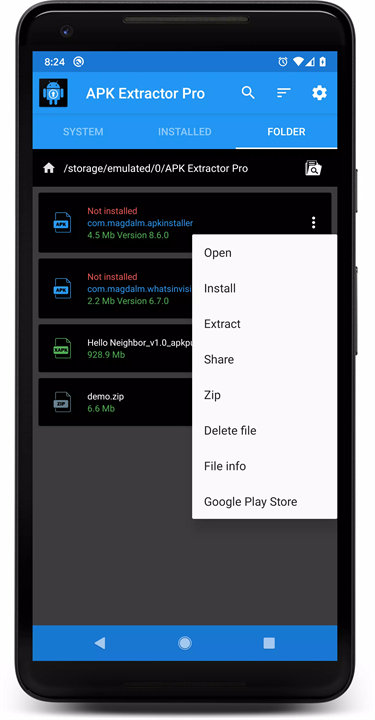
- Extracted APK files are saved to a specified directory on your device’s storage, often within a folder named "APK Extractor" or a similar name. You can access them through your file manager app.
5. Can I share APK files directly from the app?
- Yes, APK EXTRACTOR PRO allows you to share extracted APK files directly from within the app. After extracting an APK, you can use the share option to send the file via email, messaging apps, or other sharing methods.
--
What's New in the Latest Version 14.5.0
Last updated on Oct 25, 2019
* Added XAPK Installer
* Added, compact list view
* SD Card path improvements
* Design, colors and icons improvements
* Compatible with Android 10
* Updated libraries
* Bugs fixed









Ratings and reviews
There are no reviews yet. Be the first one to write one.