

Video Converter, Compressor APK
12.0.1
Video Converter, Compressor
Video Converter, Compressor APK
Download for Android
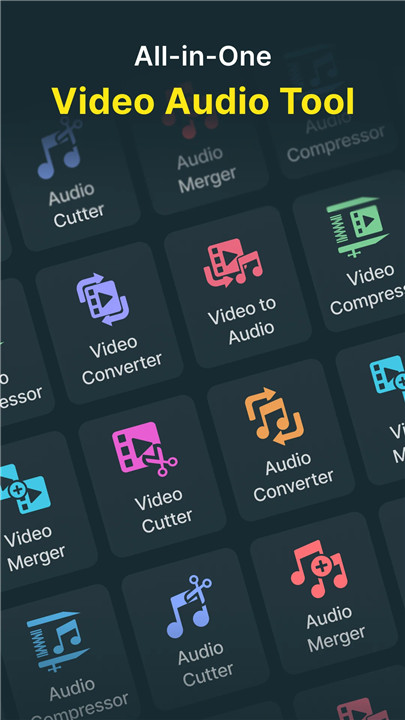
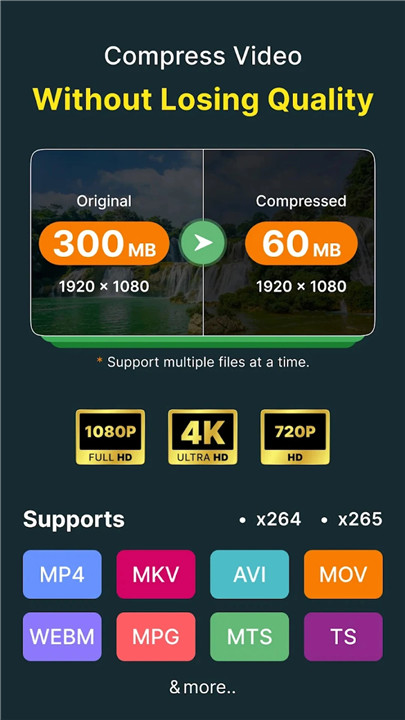
Introducing the fastest video converter and compressor available, compatible with nearly all video formats including MP4, MKV, AVI, 3GP, MOV, MTS, MPEG, MPG, WMV, M4V, VOB, FLV, and more. This versatile tool allows you to convert, compress, adjust resolution, frame rate (FPS), and bitrates of your video files. Additionally, it can transform video files into various audio formats such as MP3, AAC, AC3, OGG, M4A, and WAV.
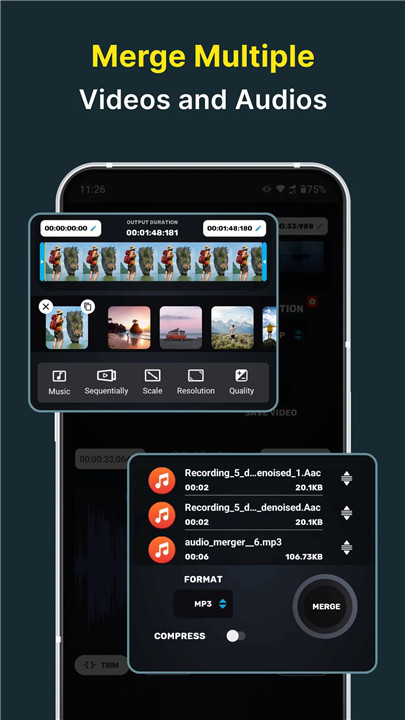
This video and audio editing application also enables you to trim or cut both audio and video, as well as merge your audio and video files seamlessly.
KEY FEATURES:
Video Converter
** Effortlessly convert and compress your videos into nearly any audio or video format.
+ Supported Formats:
MP4, MKV, AVI, 3GP, FLV, MTS, M2TS, TS, MPEG, MPG, WMV, M4V, MOV, VOB, F4V, WEBM, DAV, DAT, MOVIE, MOD, MXF, LVF, H264.
+ Resolution:
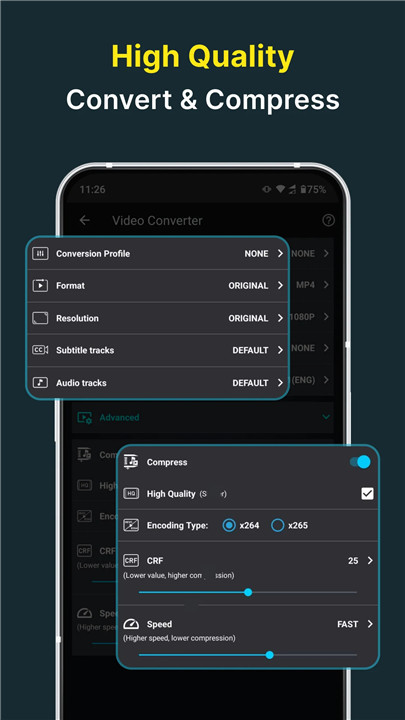
Select from preset resolutions ranging from 4K to 240P, or enter a custom resolution of your choice.
+ Frame Rate:
Pick from predefined frame rates or set a custom frame rate to suit your needs.
+ Subtitle Track:
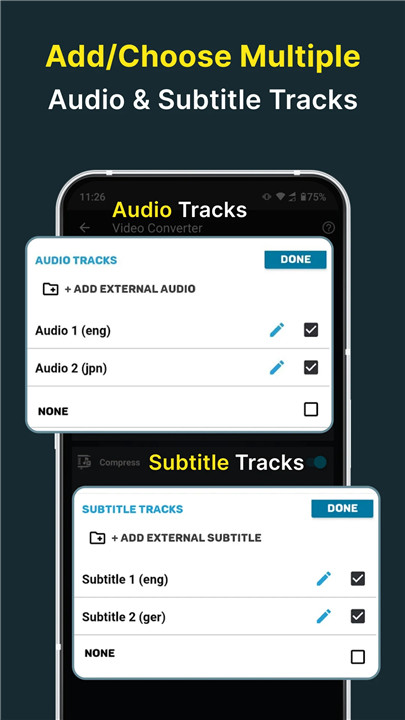
Choose from existing subtitle tracks or upload subtitles in formats like subrip, mov_text, srt, webvtt, or vtt.
+ Audio Track:
Select from the video’s existing audio tracks or add external audio tracks in formats such as MP3, AAC, M4A, or WAV.
+ Video & Audio Codecs:
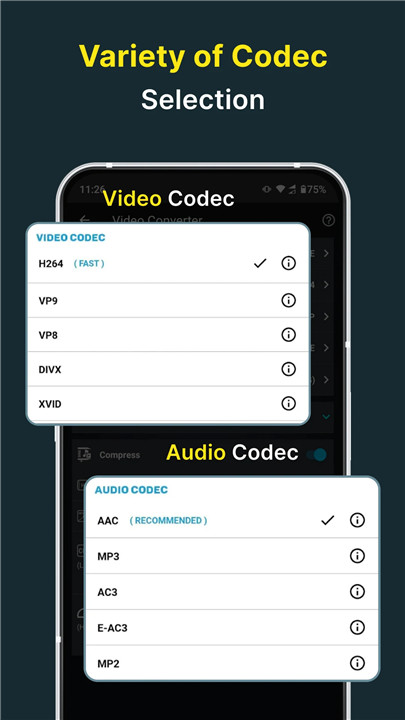
We support a wide range of codecs including h264, mpeg4, mpeg1, mpeg2, flv1, vp8, vp9, wmv1, wmv2 for video, and aac, mp3, mp2, ac3, opus, vorbis, flac, alac, wmav1, wmav2 for audio.
+ Rotate & Flip Video:
Rotate your videos 90 degrees clockwise or counterclockwise, or flip them vertically or horizontally.
Compression Options:
+ High Quality:
Utilize the X264 codec for compression that maintains nearly the original video quality.
+ Video Bitrate:
Adjust the video bitrate to achieve a specific file size.
Video Merger
** Combine multiple videos into a single video in sequential, Top-Bottom or Side-By-Side style.
Video Cutter
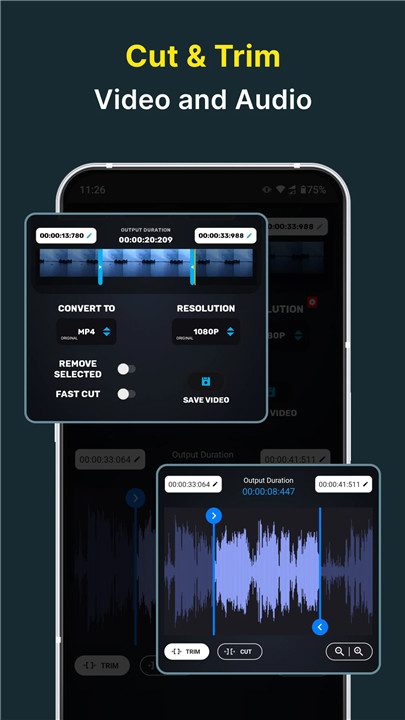
** Cut and trim your video files. You can input the exact starting and ending cutting time precise to the milliseconds.
+ Cut Video:
This option keeps part of the video you selected.
+ Video Trimming:
Activate the REMOVE SELECTED switch to eliminate the chosen segment of the video.
Video to Audio Conversion
** Transform videos into nearly any audio format while also compressing the audio.
Supported Formats: MP3, M4A(AAC), AC3, WAV, OGG, FLAC, as well as video formats like MP4, MKV, AVI, 3GP, FLV, MTS, M2TS, TS, MPEG, MPG, M4V, MOV, VOB, F4V, WEBM, WMV, DAV, DAT, MOVIE, MOD.
Audio Trimmer
** Edit and refine your audio files. You can specify the exact start and end times for cutting down to the millisecond.
+ Audio Cutting:
This feature retains the portion of the audio you select.
+ Audio Trimming:
By enabling the REMOVE SELECTED switch, you can discard the chosen segment of the audio.
+ Audio Bitrate:
Select any desired audio bitrate when saving your trimmed audio.
+ Output Formats:
MP4, MP3, M4A(AAC), AC3, WAV, OGG, FLAC.
Audio Conversion
** Convert and compress your audio files into nearly any format.
+ Supported Formats:
MP3, M4A(AAC), M4B(AAC), AC3, WAV, OGG, FLAC.
+ Channel Options:
Choose between mono and stereo channels.
Compression Features:
+ Encoding Options:
We offer both Constant Bitrate (CBR) and Variable Bitrate (VBR) encoding.
+ Sample Rate:
Select a sample rate ranging from 8K to 48K.
Audio Merger
** Combine audio files of various formats into any other format. We support input and output formats including MP3, M4A(AAC), M4B(AAC), AC3, WAV, OGG, FLAC.
Batch Processing Capability
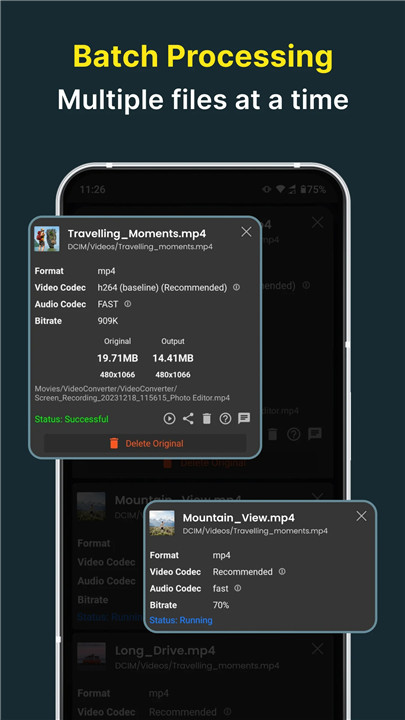
** Users can line up multiple files for processing. All features are compatible with batch processing.
This software utilizes the FFmpeg source code, which can be found here. Instructions for compiling and building the library are included in the readme file within the package.
FAQ
Q: Which video formats are supported by this tool?
A: The tool supports a comprehensive list of video formats, including MP4, MKV, AVI, 3GP, FLV, MTS, M2TS, TS, MPEG, MPG, WMV, M4V, MOV, VOB, F4V, WEBM, DAV, DAT, MOVIE, MOD, MXF, LVF, and H264.
Q: Can I convert video files to audio formats?
A: Yes, you can convert video files to various audio formats such as MP3, M4A (AAC), AC3, WAV, OGG, and FLAC.
Q: Can I adjust the resolution of my videos?
A: Yes, you can select from preset resolutions ranging from 4K to 240P, or you can enter a custom resolution of your choice.
Version History
v12.0.1——20 Mar 2025
Batch Convert, Compress Video to MP4, MP3, 3GP, MKV, AVI, MOV, MTS, WMV, VOB,AAC Download the latest version of Video Converter, Compressor 12.0.1 to enjoy new features and updates immediately!
- Processing is now 15% faster for improved performance.
- Fixed video darkness issue.
- Major crash and bug fixes.









Ratings and reviews
There are no reviews yet. Be the first one to write one.