

Tebari Player
Comprehensive Overview
• Tebari Player is a specialized utility application crafted specifically for the Android ecosystem, serving as a dedicated portal for high-definition video streaming.
• It distinguishes itself through a minimalist design philosophy, ensuring that the application remains exceptionally lightweight even on devices with limited hardware resources or older operating system versions.
• Unlike multi-purpose media players that often carry unnecessary bloatware and complex sub-menus, Tebari Player focuses on delivering one primary function: the seamless execution of video streams from external sources with maximum stability and speed.
Core Functionality and Link Integration
• The application is specifically engineered to handle the M3U8 protocol, which is current industry standard for HTTP Live Streaming.
• This narrow focus allows for superior optimization and stability during long-duration viewing sessions.
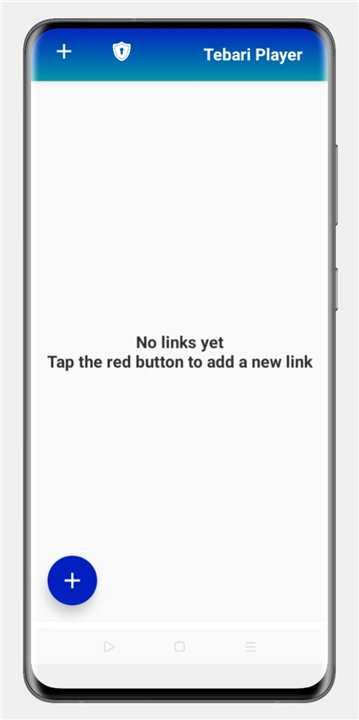
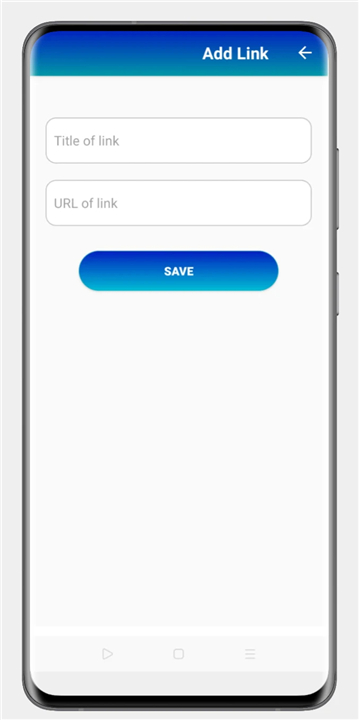
+ Direct URL input allows users to bypass local storage constraints by streaming content directly from the cloud.
+ The internal playback engine is optimized for rapid buffering and low-latency transitions.
+ Support for high-resolution playback ensures that visual quality is maintained regardless of the stream source.
+ A simplified navigation path reduces the total time between launching the app and initializing a video session.
Performance and Device Compatibility
• Speed is the cornerstone of the Tebari Player experience.
• By utilizing an efficient codebase, the application minimizes battery consumption and reduces the load on the device's CPU.
+ Rapid startup times ensure the interface is ready to process links within seconds of activation.
+ The responsive interface adjusts automatically to various screen sizes and orientations on both Android tablets and smartphones.
+ Background processes are kept to an absolute minimum to allow the player to utilize all available bandwidth for a smoother stream.
Essential Usage Guidelines
To achieve the best results with Tebari Player, users must adhere to specific technical requirements regarding their media sources.
• All video sources must be correctly formatted as M3U8 playlists to ensure full compatibility with the playback engine.
• Users are encouraged to verify the functionality and uptime of their stream links in a standard web browser prior to entering them into the application.
• A stable internet connection is required to maintain the high-performance, low-buffer environment the application is designed to provide.
FAQ
Q: Why is the minimalist design of Tebari Player considered a major benefit?
A: The minimalist design philosophy ensures that the application remains exceptionally lightweight, which is particularly beneficial for those using older devices or hardware with limited resources. By avoiding unnecessary bloatware and complex menus, the player uses very little memory and keeps the focus entirely on the video content.
Q: Which specific streaming protocols does the application support?
A: Tebari Player is specifically engineered to handle the M3U8 protocol, which is the current industry standard for HTTP Live Streaming. By focusing narrowly on this protocol, the developers have been able to achieve superior optimization and stability for long-duration viewing sessions.
Q: How does the application handle external video links and cloud storage?
A: The app features a direct URL input system that allows you to stream content directly from the cloud, which helps you bypass the storage constraints of your local device. Once a link is entered, the internal playback engine takes over to ensure the stream is processed with maximum stability.
Version History
v2.01——2 Mar 2026
Easy video player managing links. Download the latest version of Tebari Player to enjoy new features and updates immediately!
*2.01
Minor bug fixes and improvements. Install or update to the newest version to check it out!









Ratings and reviews
There are no reviews yet. Be the first one to write one.