

NextTraceroute
Overview and Key Features
• NextTraceroute is a sophisticated, root-free network diagnostic tool designed for the Android platform.
• By leveraging the advanced NextTrace API, it provides users with detailed visibility into the path data packets take across the internet to reach a destination.
• It is an essential utility for network administrators, developers, and power users who require reliable routing insights without the need for elevated system permissions.
Core Functionality
• Root-Free Operation: Unlike traditional diagnostic tools that often require system-level access, NextTraceroute functions seamlessly on standard Android devices, ensuring accessibility without compromising device security.
• Multi-Protocol Support: The application is highly versatile, supporting a wide range of input types, including IPv4 addresses, IPv6 addresses, hostnames, and full URLs.
• Streamlined Workflow: The user interface is built for efficiency. Simply input the desired target address, trigger the execution process, and the application generates a comprehensive route report.
Technical Advantages
• NextTrace Integration: By utilizing the NextTrace API, the application benefits from modern path-tracing algorithms that offer faster results and higher data accuracy compared to legacy traceroute methods.
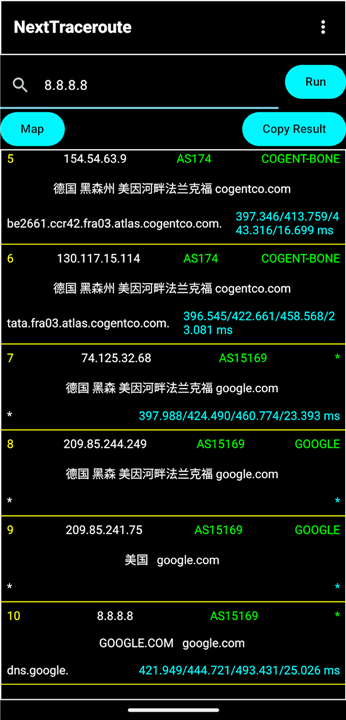
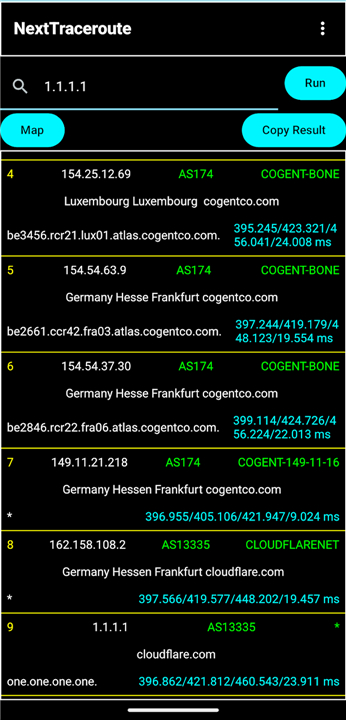
• Visualized Routing: Users can observe the specific hops and latency metrics between their local connection and the target server, making it easier to identify points of congestion or connectivity failure.
• Accessibility: Whether troubleshooting a web server or investigating regional connectivity issues, NextTraceroute provides a professional-grade experience directly from a mobile device.
Getting Started
• To utilize the application, simply launch the interface, enter the destination you wish to trace, and press the run button.
• The application will immediately begin mapping the intermediary nodes, displaying real-time updates as the trace progresses toward the target endpoint.
FAQ
Q: Do I need to root my Android device to use NextTraceroute?
A: No, the application is designed to work on any standard Android device, so you can run traces without modifying your device’s security settings or gaining root privileges.
Q: What types of targets can I trace with NextTraceroute?
A: You can enter IPv4 addresses, IPv6 addresses, hostnames, or full URLs, and the app will automatically resolve and trace the route to the specified destination.
Q: How does the user interface make tracing easier?
A: The interface is streamlined: you simply type the target address in the input field, press the run button, and watch real‑time updates as each hop is discovered, eliminating complicated command‑line steps.
Version History
v0.1.7——26 Aug 2026
Traceroute now using NextTrace API Download the latest version of NextTraceroute 0.1.6 to enjoy new features and updates immediately!
*0.1.7
Fix a crash caused by potential duplicated IPs in LazyColumn
Change default color preset
Update dependencies
*0.1.6
1. Update targetSDK to 36(Android 16)
2. minSDK increased to 23(Android 6) from 21 (Android 5)
3. Update dependencies
*0.1.5
Add theme support using the "Compose Color Picker" library.
Update gradle and kotlin
Update dependencies
Optimize code to match the new kotlin version
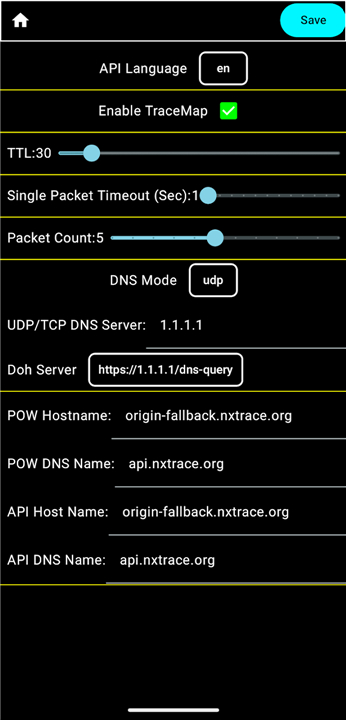
Add DNSPod's DoH to the settings











Ratings and reviews
There are no reviews yet. Be the first one to write one.