

droidVNC-NG VNC Server APK
2.20.1
droidVNC-NG VNC Server
droidVNC-NG VNC Server APK
Download for Android
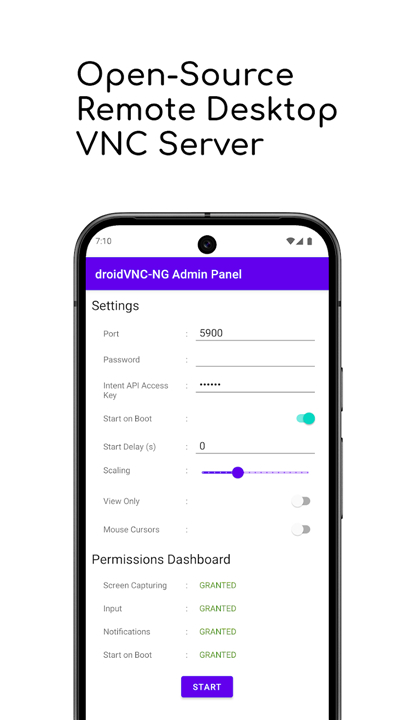
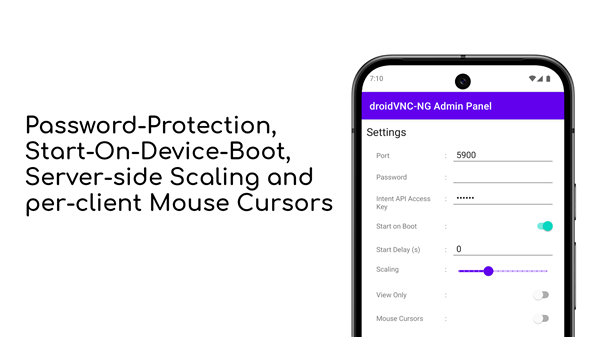
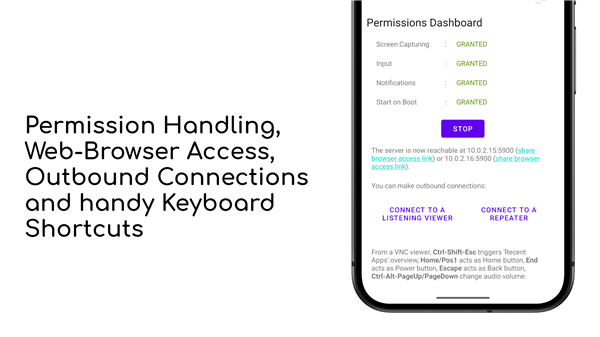
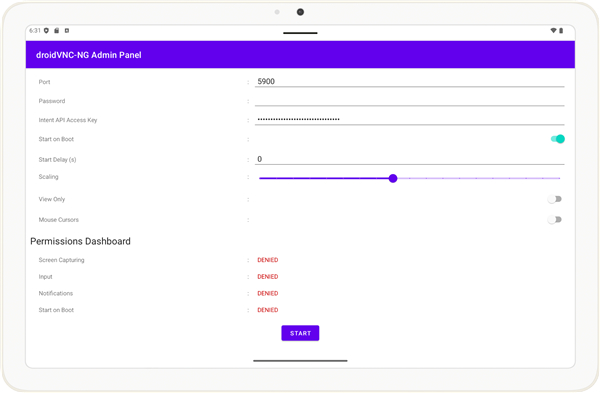
droidVNC-NG VNC Server
Overview
• Experience the ultimate freedom of managing your Android device from any computer.
• droidVNC-NG is a powerful, open-source VNC server that bridges the gap between your screens, giving you complete desktop control over your mobile world.
Here is how droidVNC-NG empowers your workflow:
1. Effortless Remote Control
• View your Android screen in real-time, with adjustable scaling options to ensure smooth performance.
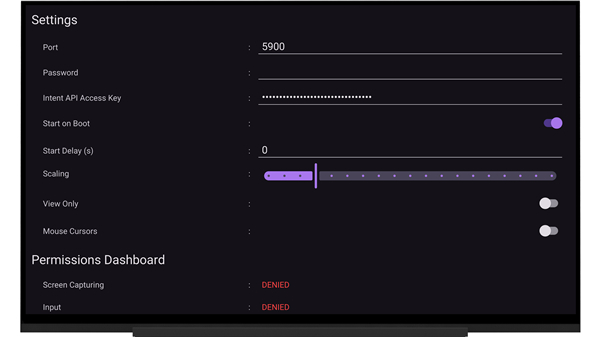
• Take command using your computer's mouse and keyboard by enabling the Android Accessibility Service.
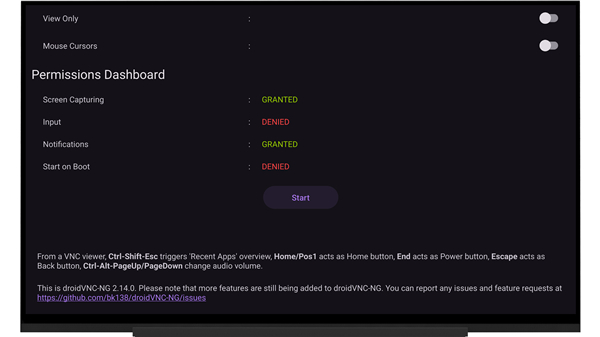
• Navigate instantly using custom keyboard shortcuts for the Home screen, Back button, Power, and volume controls.
• Track collaboration easily with dedicated, individual mouse pointers for every connected customer or client.
2. Seamless Information Sharing
• Copy and paste text instantly between your computer and Android device for uninterrupted productivity.
• Transfer files directly between your computer and Android device using compatible VNC viewers.
3. Flexible & Secure Connectivity
• Access your device directly through any web browser using the built-in noVNC client, completely eliminating the need for extra software.
• Secure your connection with custom passwords, facilitating seamless integration with macOS Screen Sharing.
• Locate your device instantly on local networks with automatic Zeroconf discovery.
• Configure the server to launch automatically upon device boot, even when operating in kiosk or locked-task modes.
• Establish hassle-free connections behind routers using reverse VNC connections or mediator servers.
• Pre-define your deployment settings easily using JSON configuration or Mobile Device Management (MDM).
Embrace a smarter, more connected way to work
• Because droidVNC-NG is an evolving open-source project, you can help shape its future.
• Share your ideas and report issues at: https://github.com/bk138/droidVNC-NG
FAQ
Q: How can I use my computer mouse and keyboard to interact with my Android screen?
A: To enable full mouse and keyboard control, you need to turn on the Android Accessibility Service within the application settings. This permission allows droidVNC-NG to translate your computer’s input signals into touch gestures and keystrokes on the Android device, so once this is active, you can click, drag, and type just as if you were holding the phone in your hand.
Q: Does droidVNC-NG support basic navigation like going home or back without using on-screen buttons?
A:The application supports a variety of custom keyboard shortcuts that make navigation incredibly fast and intuitive. You can use specific keys on your computer to trigger the Home button, go Back, access recent apps, or even adjust the device volume and power state, which ensures you have total control over the Android interface even if the navigation bar is hidden.
Q: Can I share text between my computer and my Android device easily?
A: One of the most convenient features of droidVNC-NG is its instant clipboard synchronization which works in both directions. You can simply copy a URL or a piece of text on your computer and paste it directly into an app on your Android device, or vice versa, which eliminates the need to manually type out long strings of text or send links to yourself via email.
Version History
v2.20.1——27 Jul 2026
Open-source VNC remote desktop server for local networks Download the latest version of droidVNC-NG VNC Server to enjoy new features and updates immediately!
*2.20.1
A description of the latest changes can be found at https://github.com/bk138/droidVNC-NG/releases
*2.20.0
A description of the latest changes can be found at https://github.com/bk138/droidVNC-NG/releases
*2.19.0
A description of the latest changes can be found at https://github.com/bk138/droidVNC-NG/releases











Ratings and reviews
There are no reviews yet. Be the first one to write one.