

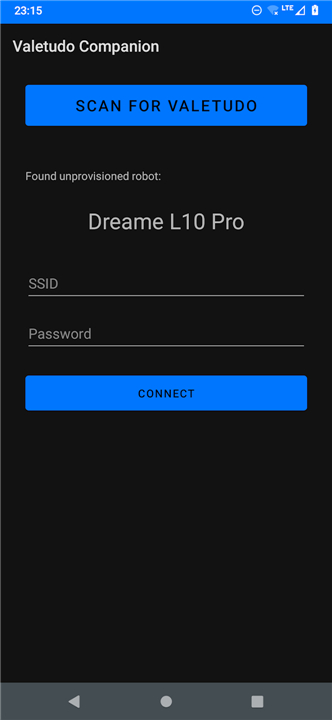
Valetudo Companion: Overview and Functionality
Discovery and Automation
• Bonjour/Zeroconf Integration:
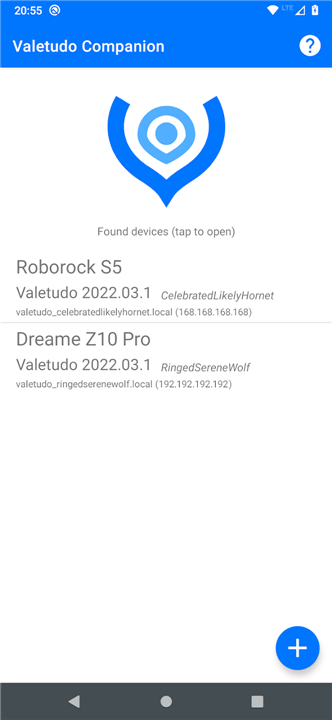
+ The app utilizes Apple’s Bonjour and Zeroconf protocols to automatically detect robot vacuums running Valetudo firmwareeware version 2021.07.0 or newer.
+ This eliminates manual input, streamlining the process of identifying compatible devices on your local network.
• Network Compatibility:
+ Devices must be on the same Wi-Fi network as the app for discovery to function.
+ The software prioritizes seamless integration with minimal user intervention.
Control Simplification
• User-Friendly Interface:
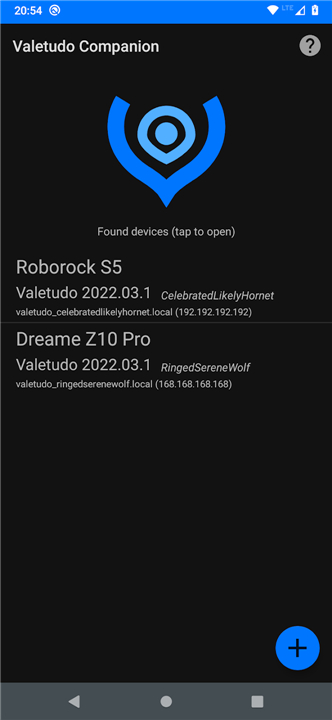
+ Discovered vacuums are displayed in a clear list view, simplifying selection.
+ Tapping an entry instantly opens the Valetudo control panel in a browser, bypass complex setup steps.
• Direct Access:
+ The app acts as a dynamic shortcut, resolving devices by hostname instead of IP addresses, ensuring consistent access even if IPs change.
Wi-Fi Setup Convenience
• Self-Contained Onboardinging:
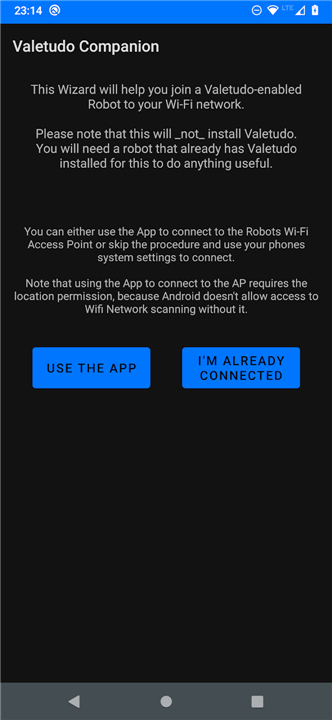
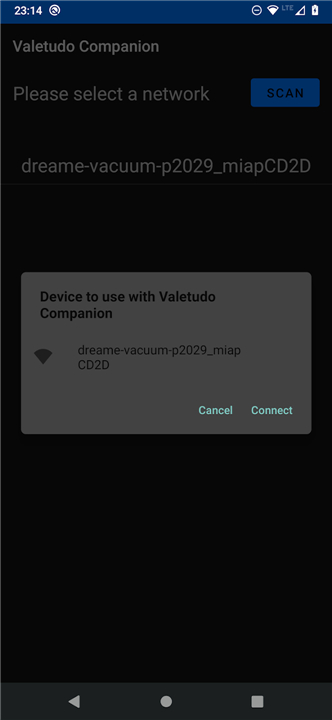
+ The app simplifies connecting a Valetudo-enabled robot to your Wi-Fi network.
+ Users avoid manually configuring mobile data settings or tracking IP addresses.
• Step-by-Step Wizard:
+ Guided instructions walk users through the Wi-Fi setup process, reducing technical barriers typically associated with older or unrooted robots.
Role and Limitations
• No Active UI During Operation:
+ The app does not interface with Valetudo during normal use.
+ Once the control panel is open, all interactions occur within the browser.
• Passive Companion Tool:
+ Designed as a convenience feature, it mirrors the functionality of a bookmark bookmark but enhances accessibility for less technical users.
App Utility and Purpose
• Optional and Accessibility-Focused:
+ While not a core component of Valetudo, the app reduces friction for users who prefer quick access or simplified integration.
• No Installation Role:
+ The app cannot install or root Valetudo. Users must follow official instructions (https://valetudo.cloud) for device-specific rooting and firmware installation.
Technical and Development Notes
• Source Code Transparency:
+ The app’s code is publicly available on GitHub under the Apache-2.0 license, encouraging community contributions and audits.
• Collaborative Development:
+ The repository (https://github.com/Hypfer/valetudo-companion) provides documentation for developers interested in extending its features or addressing compatibility issues.
Key Considerations
• The app is most beneficial for users who value streamlined device management but is not essential for operating Valetudo.
• Compatibility with future Valetudo versions depends on the maintainers of both projects.
• For troubleshooting or advanced configurations, direct interaction with the Valetudo dashboard remains the recommended approach.
FAQ
Q: Is this app the same as the main Valetudo software?
A: No, they are different. The main Valetudo firmware runs directly on your robot vacuum to replace the original cloud-based software. The Companion app is an optional tool you install on your smartphone to improve accessibility and streamline the connection process. You can operate Valetudo perfectly without this app, but it adds a layer of convenience.
Q: Do I need to pay for the Valetudo Companion?
A: Not at all! The app is completely free. It’s open-source software released under the Apache-2.0 license, which means anyone can use, modify, and share it without cost.
Q: Who should use the Valetudo Companion app?
A: This app is ideal for users who value convenience and a smoother setup experience. If you appreciate having a quick-access shortcut to your vacuum's controls or find the manual network configuration a bit tedious, the Companion will be very helpful. It’s particularly great for those who might not be deeply technical but still want to enjoy the benefits of local-only vacuum control.
Version History
v2025.08.0——20 Jan 2026
Easily find and connect Valetudo robot vacuums on and to your network Download the latest version of Valetudo Companion to enjoy new features and updates immediately!
*2025.08.0
Updated targetSdk to 35 because google said so
*2024.04.0
Fix display of mDNS hostnames
*2023.08.0
Bump target API level to 33









Ratings and reviews
There are no reviews yet. Be the first one to write one.