

TigerDuck | 臺科大學生的校園助手 APK
1.4.2
TigerDuck | 臺科大學生的校園助手
TigerDuck | 臺科大學生的校園助手 APK
Download for Android
TigerDuck | 臺科大學生的校園助手
The Comprehensive Campus Assistant for Taiwan Tech
• TigerDuck is a specialized Android application designed to serve as the unified digital hub for students at the National Taiwan University of Science and Technology (NTUST).
• Developed through a grassroots collaboration among fellow students, the project aims to bridge the gap between fragmented administrative portals and the daily needs of the student body.
• By providing a consolidated, high-performance native interface, TigerDuck eliminates the friction of navigating multiple disjointed university systems.
Core Functionalities
1. Centralized Academic Management:
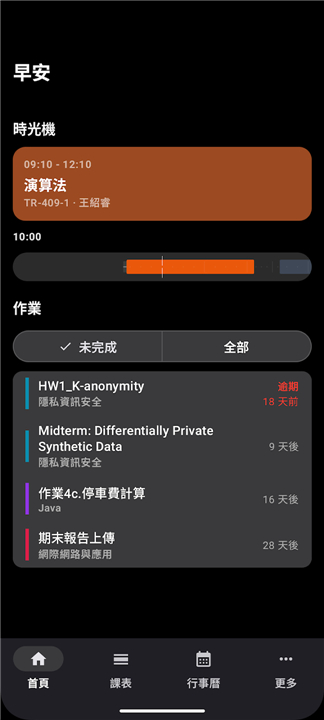
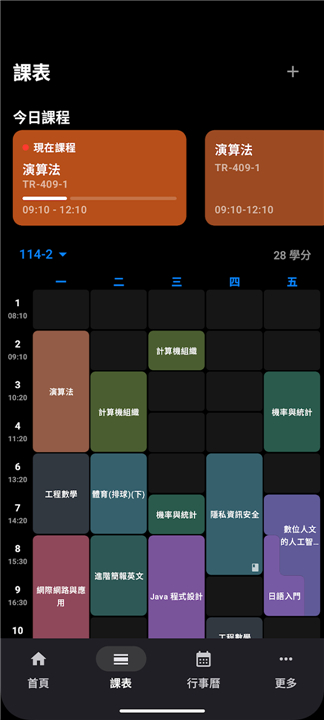
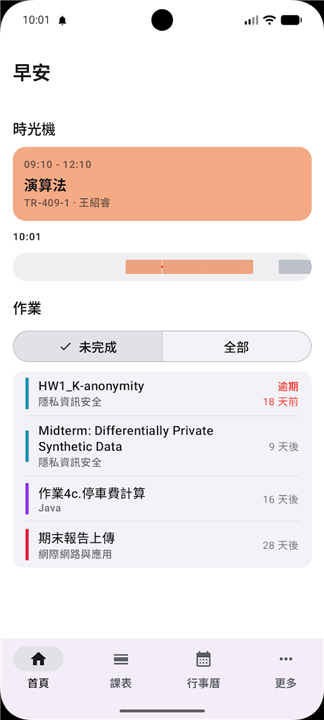
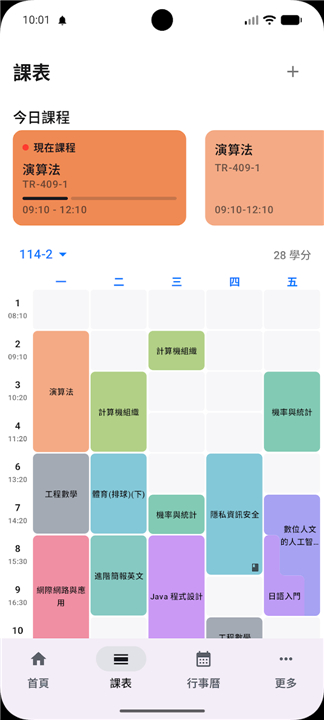
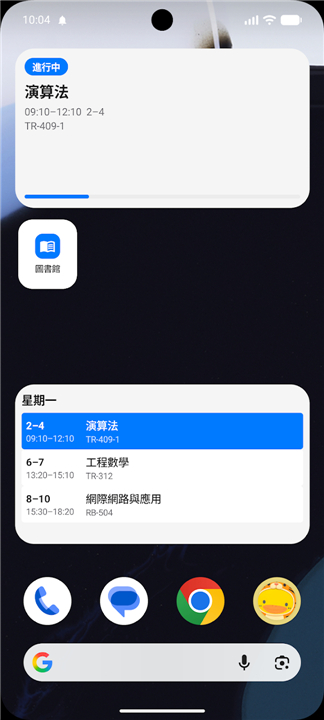
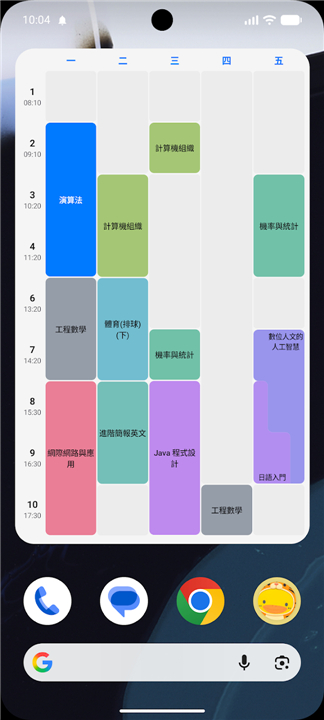
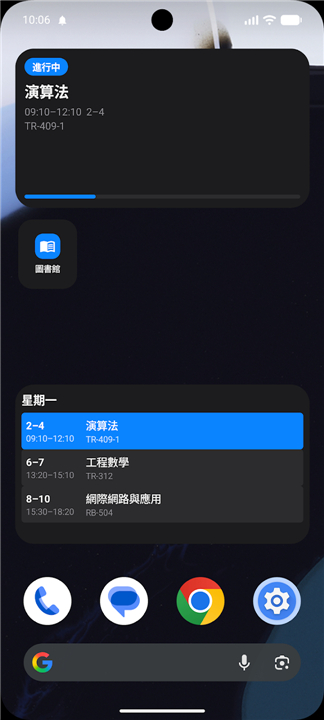
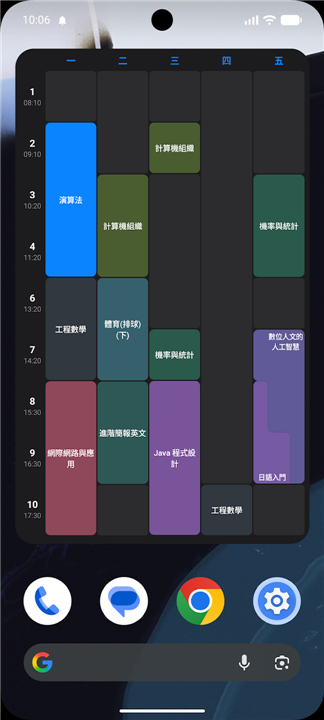
• Students can access their personal class schedules, track upcoming assignment deadlines, and manage academic calendars within a single dashboard.
2. Real-time Information Access:
• The app provides seamless integration with official university announcements, ensuring that students remain updated on campus news, events, and emergency notifications.
3. Library Integration:
• Users can check real-time seat availability, search the library catalog, and manage book loans directly from their mobile devices.
4. Optimized User Experience:
• Built as a native Android application, TigerDuck prioritizes speed, responsiveness, and an intuitive user interface tailored to the specific workflow of Taiwan Tech students.
Development Philosophy
1. Student-Led Innovation:
• By leveraging the technical talents of the student community, the project ensures that features are directly aligned with the actual requirements and pain points of the campus population.
2. Efficiency and Connectivity:
• The primary objective is to replace redundant login processes and scattered web-based interfaces with a streamlined, mobile-first experience.
3. Open Collaboration:
• The continuous evolution of TigerDuck relies on constant feedback loops, allowing the tool to adapt to the changing digital landscape of the university.
Campus Guide by Students for Students
• Through this initiative, TigerDuck simplifies the complex administrative requirements of university life, empowering students to focus more on their academic and personal growth rather than navigating cumbersome digital infrastructure.
FAQ
Q: Is TigerDuck an official application developed by the university administration?
A: TigerDuck is not an official university product but rather a grassroots initiative built by fellow students. This unique perspective ensures that the features are developed based on the actual needs, pain points, and workflows experienced by the student body every day.
Q: Which devices are compatible with TigerDuck?
A: Currently, TigerDuck is built as a native Android application designed to provide the best possible performance and responsiveness on Android devices. Whether you are using a smartphone or a tablet, the interface is optimized to give you a smooth, mobile-first experience.
Q: Can I access my personal class schedule through the app?
A: Absolutely, one of the core features of the app is centralized academic management. You can view your personal class schedule, keep track of upcoming assignment deadlines, and manage your academic calendar all within one convenient dashboard.
Version History
v1.4.2——14 Jul 2026
The National Taiwan University of Science and Technology Campus Assistant App for checking class schedules, Moodle deadlines, calendars, and more. Download the latest version of TigerDuck | 臺科大學生的校園助手 to enjoy new features and updates immediately!
*1.4.2
v1.4.2 is a feature release — introducing the Library QR on the watch, conflicting-class (衝堂) rendering across every schedule surface, per-period classroom resolution, a redesigned course-detail popup, plus a large batch of Wear OS / widget UX changes synced with Apple version.
Additionally, this version also fixed the issue where all the courses have same classroom but they should have separate ones.
*1.4.1
v1.4.1 is a hotfix for the v1.4.0 upgrade crash. v1.4.0 moved the Course model into :shared without a matching R8 keep rule, so users upgrading from v1.3.x crashed on first launch when Gson populated Course from the old cache with null non-null fields. This release adds the missing keep, wipes obfuscated v1.4.0 caches on upgrade, and layers runtime guards so the failure mode cannot resurface.
*1.4.0
v1.4.0 Upgrade Crash
:shared 套件補上 R8 keep 規則 — Course 在 v1.4.0 被搬到 :shared 卻沒有對應的 keep;R8 把 JVM 欄位重新命名後,Gson 從 v1.3.x 寫下的快取復原時所有欄位都變 null,第一次冷啟動就在 WearScheduleBridge$CourseDto.<init> 上 NPE
R8 keep for :shared — Course moved into :shared in v1.4.0 without a matching keep; R8 renamed its JVM fields, so Gson rehydrated v1.3.x cache files with every reference field null and the first cold start NPE'd inside WearScheduleBridge$CourseDto.<init>.
WearScheduleBridge$* 也補上 keep — 否則手機端會以混淆過的鍵推送到手錶,CourseWire 一個欄位都對不上
Keep for WearScheduleBridge$* — Otherwise the phone would push DataLayer payloads with obfuscated keys that the watch-side CourseWire couldn't recognize.











Ratings and reviews
There are no reviews yet. Be the first one to write one.