

ATAK Plugin: GeoCam APK
1.1 (0fea401d) - [5.6.0]
ATAK Plugin: GeoCam
ATAK Plugin: GeoCam APK
Download for Android
ATAK Plugin: GeoCam
Overview
• GeoCam is a specialized plugin designed for the Android Team Awareness Kit (ATAK) platform, enhancing situational awareness by enabling geotagged image capture with rich metadata.
• As an ATAK extension, it leverages existing capabilities within the core application to deliver precise, field-ready imaging functionality for military, emergency response, and survey operations.
Prerequisite: ATAK Baseline Installation
• ATTENTION: GeoCam is a plugin and requires the full ATAK baseline application to function.
• It cannot operate independently.
• Users must first install the base ATAK platform before deploying GeoCam.
• The official ATAK baseline is available for download via the Google Play Store at: https://play.google.com/store/apps/details?id=com.atakmap.app.civ
Preference Synchronization
• GeoCam integrates seamlessly with ATAK’s core settings.
• Many of its operational behaviors are controlled through corresponding ATAK preferences, ensuring consistency across the platform.
• Key synchronized settings include:
+ Coordinate Display format (e.g., MGRS, DMS, UTM)
+ Altitude Display and Altitude Units (feet or meters)
+ North Reference (True North, Magnetic North, Grid North)
+ Map datum and projection settings
• These dependencies mean changes made in ATAK’s main configuration will automatically apply to GeoCam, reducing redundancy and user configuration errors.
Image Metadata Capture
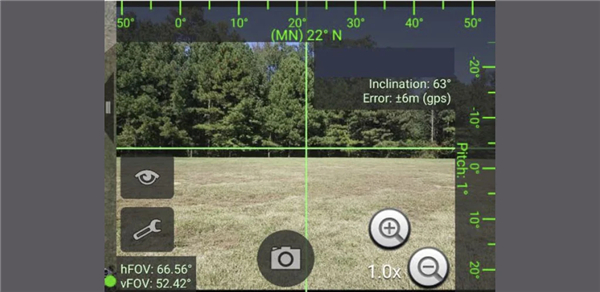
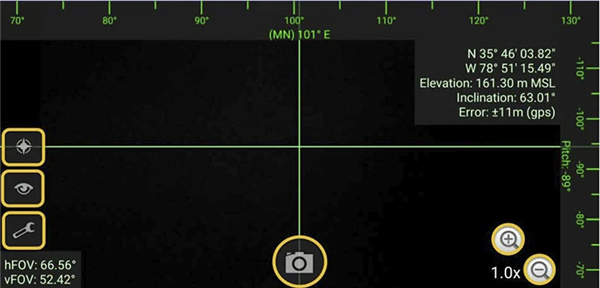
• When a photo is taken using GeoCam, it embeds comprehensive geospatial metadata directly into the image file, provided sensor and GPS data are available.
• Captured metadata includes:
+ Precise location (latitude, longitude) and altitude
+ Image direction (azimuth) relative to North
+ GPS details: track, speed, accuracy, timestamp, and datestamp
+ Device orientation: pitch, roll, and inclination
+ Camera field of view (horizontal and vertical FOV)
+ Derived street address based on geolocation (reverse geocoding when available)
This rich metadata enables accurate post-mission analysis, intelligence reporting, and integration with command-and-control systems.
GeoCam is ideal for reconnaissance, damage assessment, and real-time documentation in operational environments.
FAQ
Q: How does GeoCam synchronize with ATAK settings?
A: GeoCam automatically aligns with many of ATAK’s core preferences, such as coordinate display formats (MGRS, DMS, UTM), altitude units, and north reference settings. Changes made in ATAK's main configuration will apply to GeoCam, ensuring consistency across the platform.
Q: What kind of metadata does GeoCam embed in photos?
A: Photos taken with GeoCam include precise location (latitude, longitude, altitude), azimuth (image direction), GPS details (speed, accuracy, timestamp), device orientation (pitch, roll), camera field of view, and even a derived street address when reverse geocoding is available.
Q: Can I adjust how GeoCam records metadata?
A: Most metadata settings are inherited from ATAK’s core preferences. However, you can customize display formats (e.g., MGRS vs. UTM) in the main ATAK settings, which will then apply to GeoCam.
Version History
v1.1 (0fea401d) - [5.6.0]——5 Feb 2026
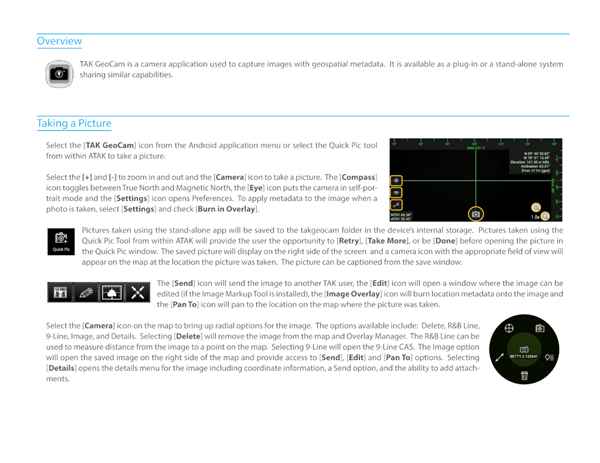
TAK GeoCam is a camera plug-in used to capture images with geospatial metadata. Download the latest version of ATAK Plugin: GeoCam to enjoy new features and updates immediately!
*1.1 (0fea401d) - [5.6.0]
Minor bug fixes and improvements. Install or update to the newest version to check it out!
*1.1 (20f6e764) - [5.4.0]
Minor bug fixes and improvements. Install or update to the newest version to check it out!
*1.1 (03fad317) - [5.3.0]
Minor bug fixes and improvements. Install or update to the newest version to check it out!









Ratings and reviews
There are no reviews yet. Be the first one to write one.