

Mirroring360 Sender Basic APK
1.1.8.1
Mirroring360 Sender Basic
Mirroring360 Sender Basic APK
Download for Android
Mirroring360 Sender Basic
Free for a limited time (regularly $9.99)
Experience Screen Mirroring Like Never Before
• Bring your Android screen to life on bigger displays and across multiple platforms — instantly and wirelessly.
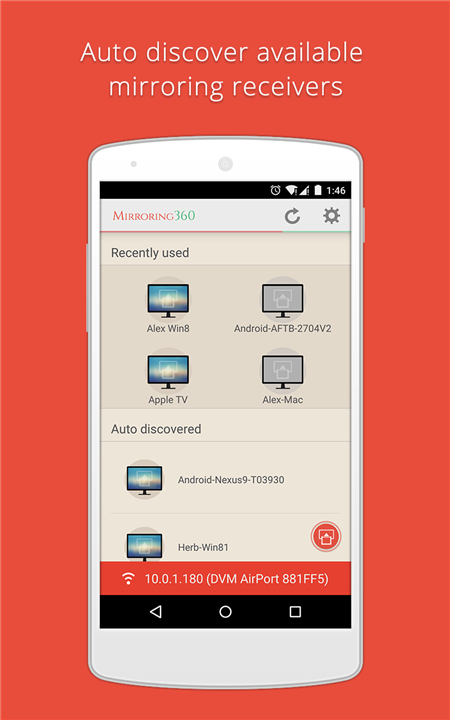
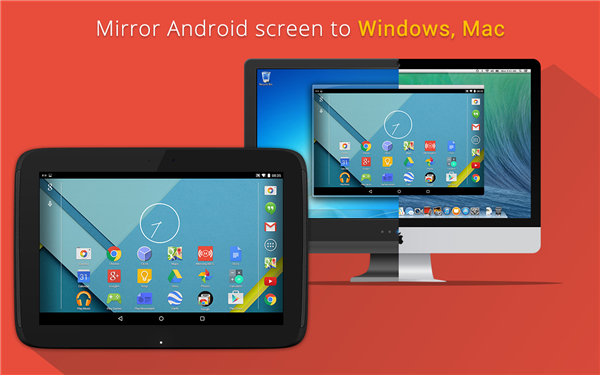
• Mirroring360 Sender Basic is the easiest way to cast what’s on your phone or tablet to Amazon Fire TV, Fire TV Stick, Windows PC, Mac, or even other Android devices.
• Unlike other tools, it mirrors exactly what you see — apps, games, videos, presentations — with no compromises.
Why You’ll Love It
1. Seamless Sharing Across Devices
• Cast your Android display to TVs, computers, and mobile devices
• Perfect for home, work, or on-the-go presentations
2. Made for Every Occasion
• Presentations: Display slides or documents directly from your Android device on Windows, Mac, or Android screens
• Education: Share your browser, whiteboard, or teaching apps to a classroom computer or big screen
• App Demos: Showcase your creations to clients or colleagues, even remotely, using tools like WebEx or Zoom equivalents
• Gaming & Recording: Stream your gameplay in real time; capture and share your best moments
• Entertainment: Instantly share photos, videos, and apps with friends and family
Compatible Receivers (sold separately)
• Mirroring360 for Windows & Mac – mirroring360.com
• Mirroring360 AirPlay Receiver for Android – Google Play Store Link
• Mirroring360 AirPlay Receiver for Amazon Fire TV / Fire TV Stick – Amazon Link
*Note: Apple TV with tvOS 10 is not supported.
Requirements
• Android 5.0 or newer
• System audio streaming requires root access
Discover More
• www.mirroring360.com
• www.splashtop.com
• Facebook: /splashtop
• Twitter: @splashtop
• YouTube: /SplashtopInc
FAQ
Q: Which devices can receive the mirrored display?
A: Mirroring360 Sender Basic works with a variety of receivers that you can purchase separately. You can mirror to Windows or Mac computers running Mirroring360 Receiver, to Amazon Fire TV and Fire TV Stick devices equipped with the Mirroring360 AirPlay Receiver, or even to other Android devices using the Mirroring360 AirPlay Receiver app available on Google Play. This broad compatibility ensures you can share your screen wherever you need it.
Q: Can I mirror audio as well as video?
A: Yes, you can mirror system audio from your Android device along with the video. To stream audio you’ll need to have root access on your device, as Android’s security model normally restricts system-level audio capture. Once you have root permissions, enable audio streaming in the Mirroring360 Sender Basic settings and enjoy both sound and picture on your target display.
Q: What Android versions are supported?
A: Mirroring360 Sender Basic requires Android 5.0 or newer. This ensures compatibility with a wide range of modern smartphones and tablets. If your device is running an older Android version, you may want to check for a system update or consider using a secondary device for mirroring.
Version History
v1.1.8.1——14 Jan 2026
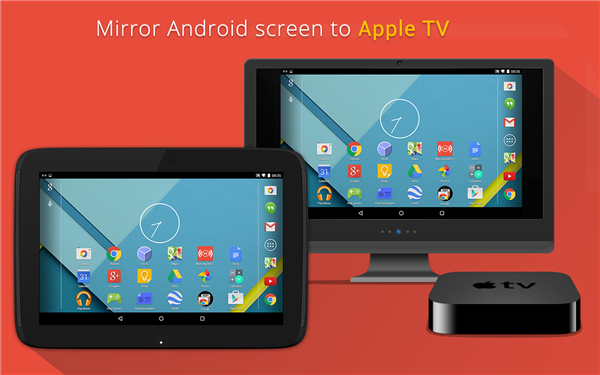
Mirror Android screen to AppleTV, FireTV or any Computer. Even apps and games. Download the latest version of Mirroring360 Sender Basic to enjoy new features and updates immediately!
*1.1.8.1
* Upgrade to API 35
* Bug fixes and other optimizations
*1.1.7.5
* Bug fixes
*1.1.7.3
* Android 14 supported
* Generic improvements and bug fixes









Ratings and reviews
There are no reviews yet. Be the first one to write one.