



Easy Screen Time Management: Set schedules and limits for your child’s device usage.
Customizable Controls: Block specific apps and content based on your family’s needs.
Location Tracking: Keep track of your child’s location for added peace of mind.
Cross-Platform Compatibility: Available on Android, iOS, Windows, and Mac.
No Advertisements: Enjoy an ad-free experience.
How Does It Work?
Kidslox is a versatile app that provides comprehensive control over your child’s digital experience. Here’s a closer look at its features:
Instant Lock
Function: Quickly block apps on Android and iPhone remotely.
Benefit: Useful for immediate restrictions or breaks.
Screen Time Schedules
Function: Set fixed times when your child can use their smartphone, such as bedtime curfews.
Benefit: Helps establish healthy digital habits by enforcing structured usage.
Daily Time Limits
Function: Set daily time limits for app usage. The app will lock or block access once the limit is reached.
Benefit: Ensures that your child does not exceed the allotted screen time.
Screen Time Rewards
Function: Award extra screen time for completing chores or homework.
Benefit: Motivates children to complete tasks while teaching responsibility.
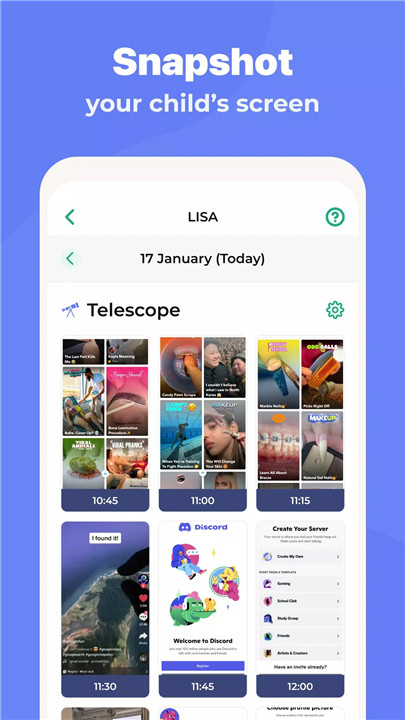
Monitor Activities
Function: Track app usage, web surfing, sites visited, and screen time.
Benefit: Provides insights into your child’s digital behavior and online activities.
Custom Modes
Function: Block or allow specific apps based on time of day, like educational apps during study time and games during leisure time.
Benefit: Tailors app access to support appropriate behavior and learning.
Location Tracking with Parental Monitor
Kidslox offers robust location tracking features:
GPS Tracking: Know your child's location at all times.
Geo-Fencing Notifications: Receive alerts when your child enters or leaves predefined areas.
Location History: View past locations to track your child’s movements.
Easy Parental Lock & Content Blocking
Kidslox helps you manage what your child sees online:
Content Filtering: Block pornography and other adult content.
In-App Purchases: Prevent unauthorized purchases within apps.
Safe Search: Enable safe search settings for Google and other search engines.
Full Internet Blocker: Block internet access when necessary.
Family Parental Controls on All Platforms
Kidslox is compatible with a range of devices:
Mobile Devices: Available for Android phones, iPhones, and iPads.
Desktop: Works on Windows and Mac computers.
Online Access: Manage controls through a web browser, including turning off devices remotely.
Setting Up Kidslox
To start using Kidslox, follow these steps:
Download the App: Install Kidslox on each device you want to control.
Configure Settings: Set up screen time schedules, content filters, and tracking options according to your preferences.
Monitor and Adjust: Use the app to track usage, adjust settings, and manage app access as needed.
What's New in the Latest Version 9.7.1
Last updated on Aug 14, 2024
1. SOS, panic button - make it easy for your child to alert you & get your attention in case of emergencies;
2. Help bot improvements - talk to the in-app chat bot to resolve issues & get the most out of Kidslox;
3. Minor bug fixes and UI changes.









Ratings and reviews
There are no reviews yet. Be the first one to write one.