

LockMyPix is the ultimate solution for securing your private photos, videos, and documents. With award-winning AES encryption, LockMyPix ensures that your files remain invisible to anyone but you. Take full control over your privacy and ensure your secrets are safe, all while enjoying a user-friendly interface that makes securing your files a breeze.
Unbreakable AES Encryption
LockMyPix uses government-grade AES encryption to protect your private files. Unlike other apps that merely hide your content, LockMyPix encrypts your photos, videos, and documents, ensuring they are completely secure. This level of protection is the same technology used by banks and government agencies. With just one tap, you can add your files to your private vault and keep them safe from prying eyes.
Multiple Login Options
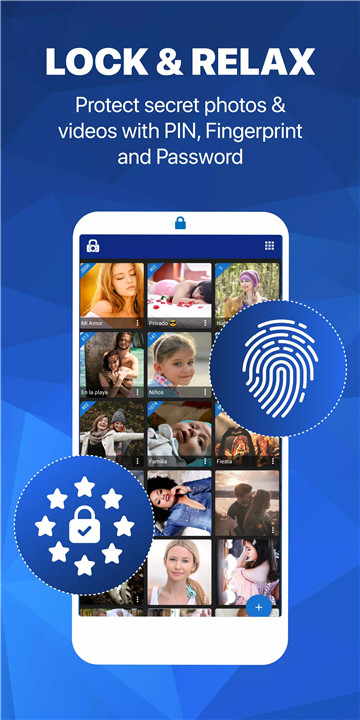
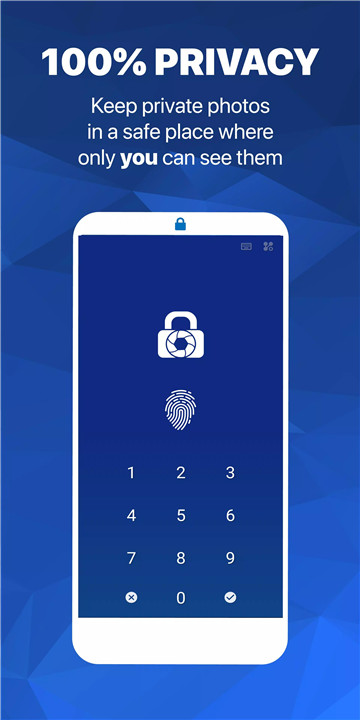
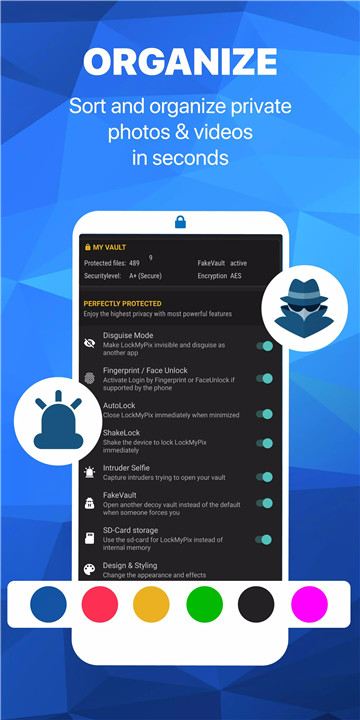
To ensure your security, LockMyPix offers multiple login methods. You can choose from a PIN, face recognition, fingerprint, password, or even a pattern lock. This multi-layered security system gives you the flexibility to choose the level of protection that works best for you.
Hide Photos, Videos, and Files
With LockMyPix, you can easily hide any photos, videos, or documents you want to keep private. The app provides a secure folder for you to store your most sensitive files, and it’s completely organized, allowing you to create multiple albums and sub-albums. You can even personalize your vault with custom themes and album covers.
Fake Vault & Decoy Options
LockMyPix provides a unique Fake Vault feature, which allows you to create a decoy vault with a separate code. This is perfect for situations where you need to protect your privacy in front of others. Additionally, you can disguise the app to look like a different app, such as a calculator or a radio, so only you know the secret.
Intruder Selfie & Disappearing Vault
If someone tries to break into your vault, LockMyPix will take a selfie of the intruder. You’ll also have the option to make your vault disappear, further protecting your privacy.
Premium Features
LockMyPix Premium offers exclusive features like Face Unlock, SD card support, and the ability to hide the app entirely. You can also use the Fake Vault for added privacy and store your private files on an external SD card to free up internal storage. Additionally, Premium users can enjoy an ad-free experience and customizable themes.
FAQs
1. What does LockMyPix do for me?
LockMyPix encrypts and secures your private photos, videos, and documents using AES encryption, keeping them safe from unauthorized access. It offers multiple login options and allows you to organize your private files into custom albums.
2. What extra features do I get with Premium?
Premium users gain access to features like Face Unlock, Fake Vault for added security, SD card support, the ability to disguise the app, and an ad-free experience. These features provide even more control over your privacy.
3. How does LockMyPix protect my privacy?
LockMyPix uses AES encryption to protect your files and offers multiple security features like Intruder Selfie, Fake Vault, and app disguise. Your files are fully encrypted and cannot be accessed without your password or authentication.
--------------------
What's New in the Latest Version 5.2.9.4 Gemini
Last updated on Nov 26, 2024
We appreciate your all feedback to constantly improve LockMyPix Private Photo Vault.
We do always optimize to maximize your privacy and protection.
Anything we can do for you? Check our Helpdesk https://docs.lockmypix.com
or reach out to us for suggestions and assistance









Ratings and reviews
There are no reviews yet. Be the first one to write one.