

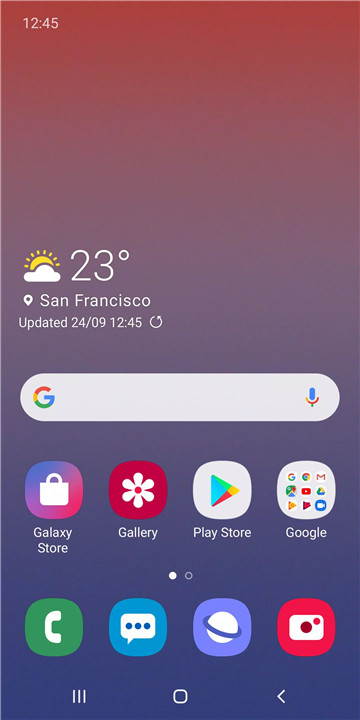
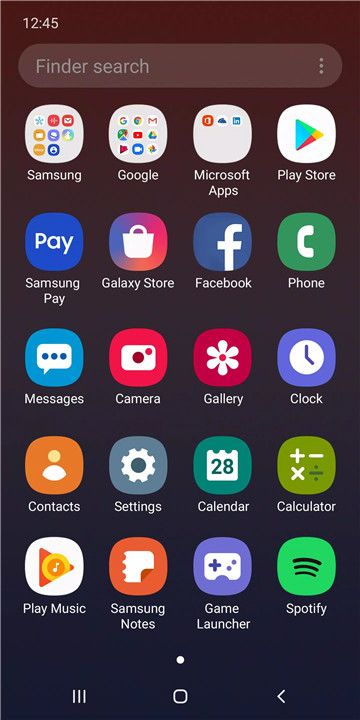
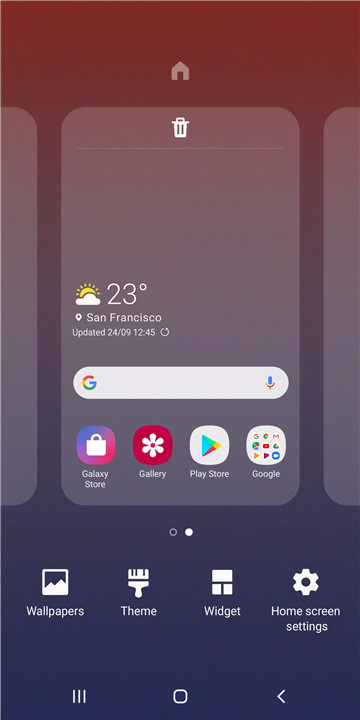
Experience the new and improved Samsung One UI Home, a refreshed version of the Samsung Experience Home. Designed to provide a cleaner and more intuitive interface, One UI Home combines simplicity with modern features. With a streamlined screen layout and a focus on user-friendly navigation, this update is aimed at improving overall usability and aesthetics.
Full-Screen Gestures for Easier Navigation
One of the standout features of One UI Home, available from Android Pie onwards, is the full-screen gesture support. This feature allows you to hide the navigation buttons at the bottom of the screen, creating a larger home screen space. With gestures enabled, you can quickly switch between apps.
Lock the Home Screen Layout
For those who prefer a more organized and secure home screen, One UI Home introduces the ability to lock the home screen layout. After arranging your app icons the way you like, you can lock the layout to prevent any accidental repositioning or removal of icons.
Quick Access to App Info and Widget Settings
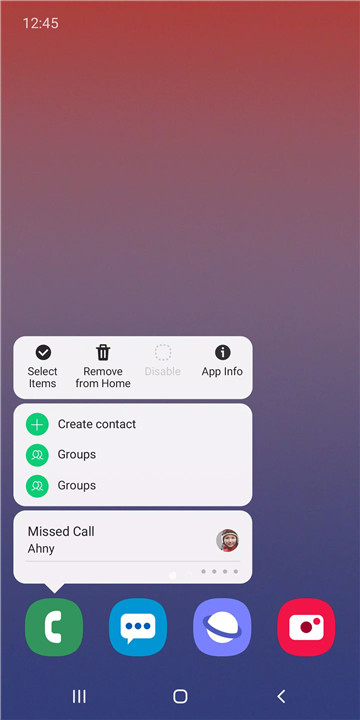
Samsung One UI Home offers a convenient way to access app information or widget settings. By simply touching and holding an app icon or widget, you can easily navigate to the relevant settings screen without needing to dive through multiple menus. This feature saves time and makes managing apps and widgets much more efficient.
Compatibility with Android Pie and Later Versions
One UI Home requires Android 9.0 Pie or a later version for full functionality. This ensures that users with newer Galaxy devices benefit from the latest features and improvements. As Samsung continues to update and refine its software, One UI Home will evolve, offering more advanced features with each new release.
Optional Permissions for Customization
While One UI Home doesn’t require any mandatory permissions, it does offer optional ones to enhance functionality. For example, enabling storage permission allows users to restore home screen layout data, and granting access to contacts allows for a smoother experience when using widgets.
FAQs
1. What is Samsung One UI Home?
Samsung One UI Home is the updated version of Samsung’s previous Experience Home. It features a refreshed layout with easier navigation, better organization, and new customization options.
2. How can I enable full-screen gestures?
To enable full-screen gestures on One UI Home, go to the Home screen settings and toggle the option to hide the navigation buttons. Once activated, you can swipe to switch between apps.
3. How do I lock my home screen layout?
To lock your home screen layout, navigate to the Home screen settings and enable the "Lock Home Screen Layout" option. This prevents accidental changes to your app icons or pages.
4. Do I need to update to Android Pie to use One UI Home?
Yes, One UI Home requires Android 9.0 Pie or a later version to use all the new features. If your device is running an older version, consider updating to take full advantage of the latest enhancements.
5. Are there any permissions required for One UI Home?
One UI Home doesn’t require mandatory permissions, but optional permissions like storage and contacts can enhance the user experience by allowing data restoration and widget management.
Version History
v16.0.00.203—17 Dec, 2024
• The issue that wallpaper on Home screen does not return to portrait mode after turning into landscape mode has been fixed
• The issue that made the notification panel inaccessible when using Task Changer has been fixed
• The issue that made the app list disappear from the Apps screen has been fixed
• The issue that prevented shortcuts in a folder from being backed up has been fixed
• Other issues have been fixed.









Ratings and reviews
There are no reviews yet. Be the first one to write one.