

Happy birthday photo frame APK
1.13.0
Happy birthday photo frame
Happy birthday photo frame APK
Download for Android

Happy birthday photo frame
Celebrate Birthdays in Style – All in One App
• Make every birthday unforgettable with the Birthday Photo Frame – Photo Collage Maker app.
• Whether you want to surprise a loved one or create lasting memories, this tool gives you everything you need in one place.
1. Birthday Photo Frames
• Choose from a wide selection of frames featuring cakes, balloons, confetti, and more.
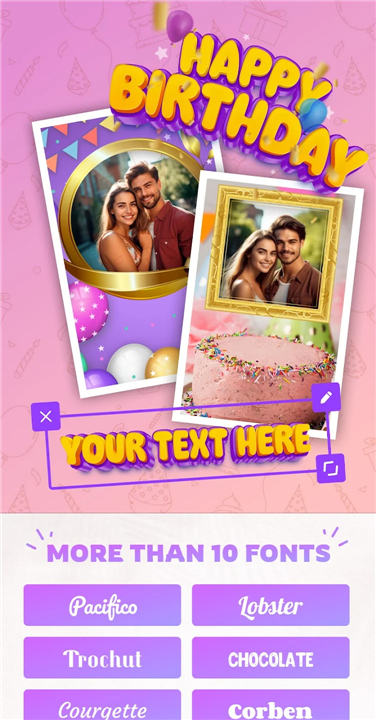
• Personalize by adding the birthday person’s name directly onto the frame.
• Select from vertical, horizontal, or square designs – perfect for social media sharing.
• Use single or double photo frames to suit your style.
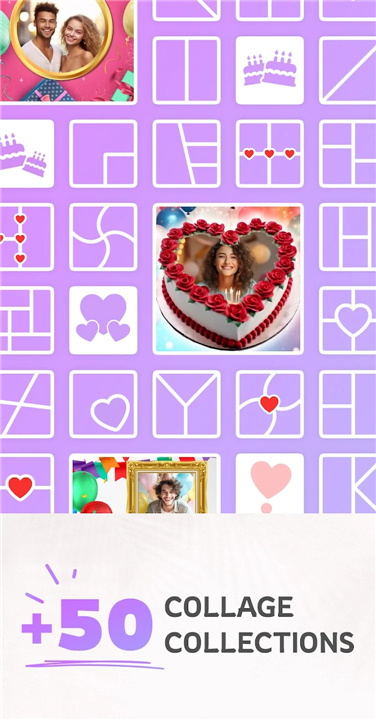
2. Creative Birthday Collages
• Arrange photos using ready-made templates and layouts.
• Customize borders with your choice of colors.
• Create in any format: square, vertical, or horizontal.
• Ideal for photo stories to surprise and delight the celebrant.
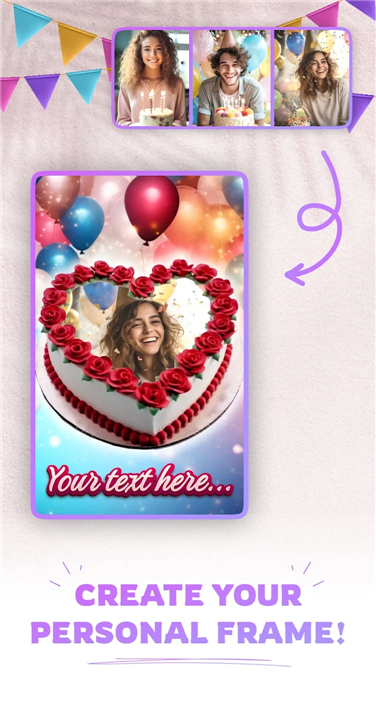
3. Name & Photo on Birthday Cake
• Add the celebrant’s name and photo directly onto a cake design.
• Enhance with stickers, text, and decorative elements.
• Give the most personalized birthday greeting possible.
4. Easy Photo Editing Tools
• Add text in a variety of fonts and styles.
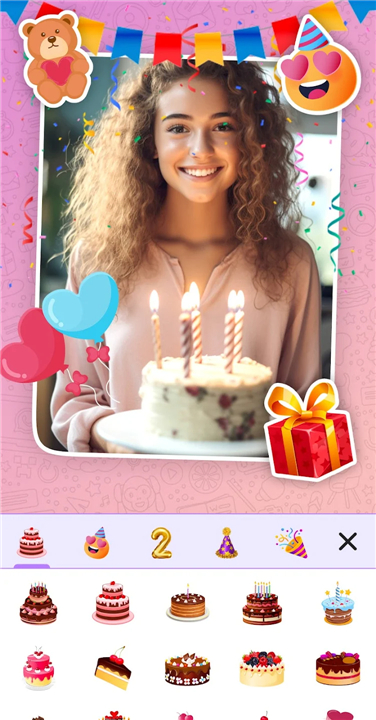
• Decorate with fun stickers and creative elements.
• Make every photo unique and visually stunning.
Why Choose This App?
With the Birthday Photo Frame – Photo Collage Maker, you can:
• Create heartfelt and creative birthday greetings in minutes.
• Personalize every detail for a truly special celebration.
• Share instantly across social media or with friends and family.
Turn simple photos into unforgettable birthday memories – start creating today.
FAQ
Q: How do I change the aspect ratio for social media posts?
A: After selecting your frame or collage layout, look for the “Format” option. There you can switch between vertical, horizontal, and square ratios to match your target platform, whether it’s Instagram, Facebook, or Snapchat. The app automatically adjusts your design elements to fit the new dimensions.
Q: Are there additional stickers and decorative elements I can use?
A: Yes, the app includes a wide variety of stickers, ribbons, confetti, and balloons. In the editing interface, tap the sticker icon, browse the categories, and tap any sticker to add it to your design. You can resize, rotate, and layer these elements to make your birthday greeting as festive as you like.
Q: Do I need an internet connection to use the Birthday Photo Frame app?
A: The core editing and design features work entirely offline, so you can craft your frames and collages even without Wi-Fi. However, sharing your creations to social media or downloading additional sticker packs may require an internet connection.
Version History
v1.13.0——5 Jan 2026
Create stunning birthday photo frames & collages with names on cakes. Personalize & share instantly. Download the latest version of Facemoji AI Emoji Keyboard to enjoy new features and updates immediately!
*1.13.0
Birthday photo frames - photo collages
Place your photo on a cake!
New photo frames added!
Performance improvements for a better experience.









Ratings and reviews
There are no reviews yet. Be the first one to write one.