

Google AI Edge Gallery APK
1.0.9
Google AI Edge Gallery
Google AI Edge Gallery APK
Download for Android
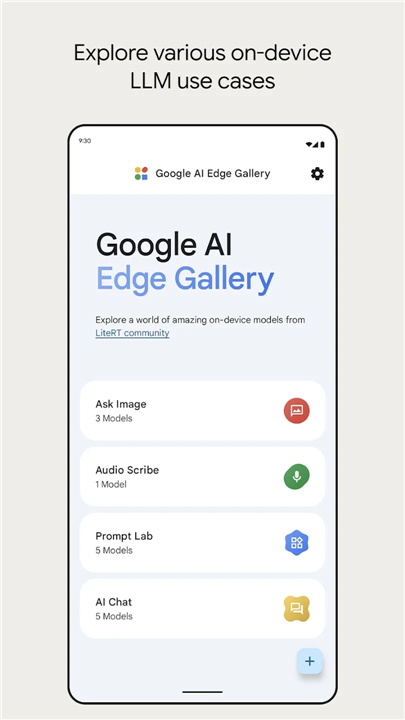
Google AI Edge Gallery
Overview
• The Google AI Edge Gallery is an interactive showcase designed to highlight the capabilities of on‑device Machine Learning (ML) and Generative AI (GenAI).
• It enables users to explore, test, and experience different AI models directly on their own devices, without relying on cloud processing.
• This approach emphasizes privacy, speed, and accessibility by running all tasks locally.
Key Features
1. Run Locally, Fully Offline
• All AI processing takes place directly on the user’s device.
• No internet connection is required after download.
• Ensures privacy and security by keeping data on the device.
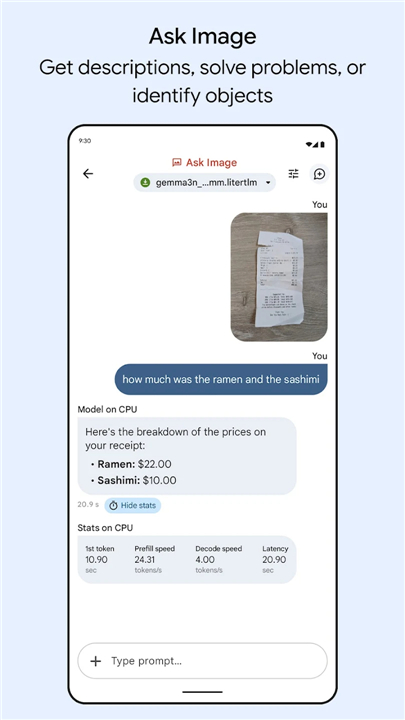
2. Ask Image
• Upload an image and ask natural language questions about it.
• Generate descriptions, identify objects, or solve visual problems.
• Works entirely offline for quick and private results.
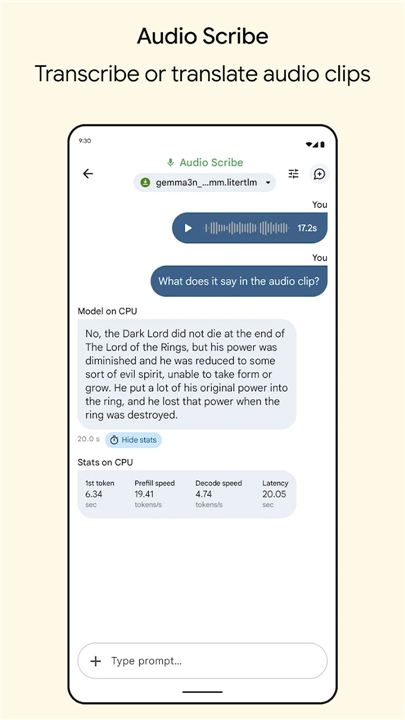
3. Audio Scribe
• Transcribe audio clips into text from uploaded or recorded files.
• Translate audio content into different languages.
• Designed for accessibility and offline use.
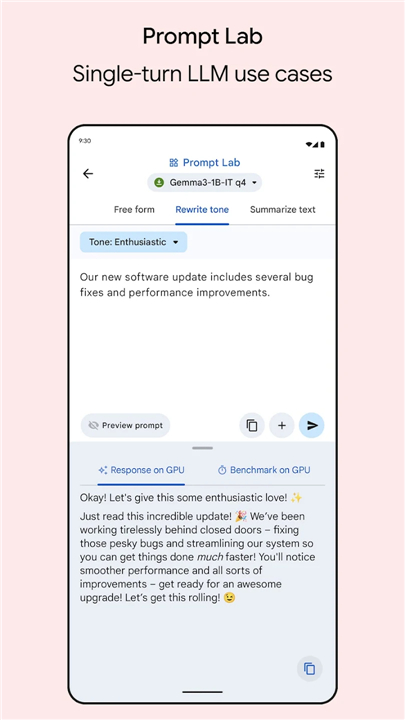
4. Prompt Lab
• Experiment with single‑turn Large Language Model prompts.
• Summarize text, rewrite content, generate code, or use freeform inputs.
• Useful for quick creative or technical tasks.
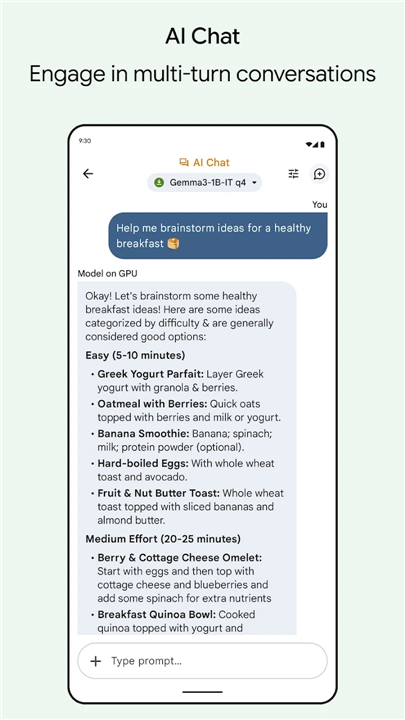
5. AI Chat
• Engage in multi‑turn conversations with an AI model.
• Maintain context across messages for more natural dialogue.
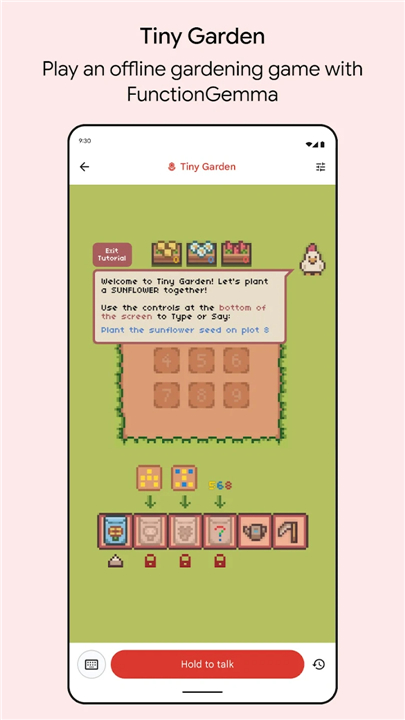
6. Tiny Garden
• Play a small experimental offline game.
• Use natural language to plant, water, and harvest flowers.
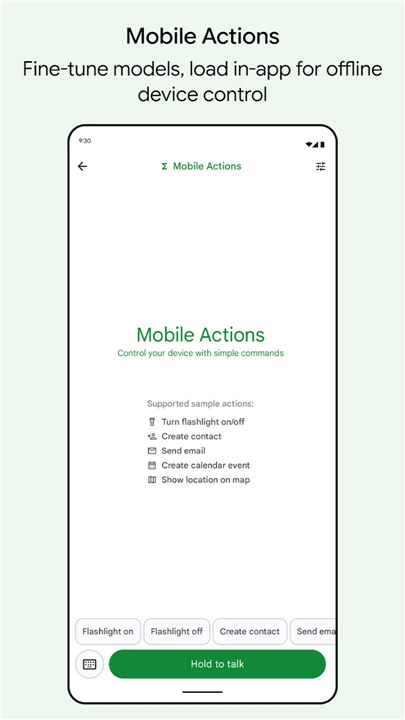
7. Mobile Actions
• Learn model fine‑tuning through the open‑source recipe.
• Load custom models into the app to enable offline device control features.
Open Source Access
• Full source code available at: https://github.com/google-ai-edge/gallery
Feedback and Development
• The app is actively evolving.
• If you encounter crashes, email google-ai-edge-gallery-android-feedback@google.com with:
+ Your phone model
+ The ML model in use
+ Whether running on CPU or GPU
• Your feedback helps improve performance, stability, and user experience.
FAQ
Q: How does the app process data fully offline?
A: After you download and install the Gallery, all AI computations take place locally, which means you won’t need an internet connection to try out features. Images, audio clips, and text prompts are handled on your device’s CPU or GPU, ensuring that nothing leaves your phone or tablet. This offline workflow not only speeds up responses but also keeps your content private and secure.
Q: What can I do with the Ask Image feature?
A: Ask Image lets you upload a photo or take one live, then pose natural language questions about its contents. You can generate captions, identify objects, ask for color or spatial relationships, and even solve visual puzzles. Because everything happens on your device, you get immediate responses without sharing your images with any external servers.
Q: How does Audio Scribe work and which languages does it support?
A: Audio Scribe gives you the ability to transcribe recorded or uploaded audio clips into text, and to translate that text into other languages. The feature is designed for accessibility and convenience, letting you work offline. Supported languages cover many of the world’s most widely used tongues, and ongoing updates continually expand transcription accuracy and translation options.
Version History
v1.0.9——20 Jan 2026
The power of AI on your Android device Download the latest version of Google AI Edge Gallery to enjoy new features and updates immediately!
*1.0.9
New Demos: See FunctionGemma in action!
• Tiny Garden: Play an experimental and fully offline mini game that uses natural language to plant, water, and harvest flowers.
• Mobile Actions: Use our open-source recipe to learn model fine-tuning, then load it in app to unlock offline device controls.
*1.0.8
• The app is now accessible.
• Migrated to the LiteRT-LM Kotlin API. Check out the doc here.
• Added Qwen2.5-1.5B-Instruct, Phi-4-mini-instruct, and DeepSeek-R1-Distill-Qwen-1.5B litertlm models for you to try in AI Chat and PromptLab.
• Bug fixes about broken scrolling on long messages and partial message copying, and other minor fixes and improvements.
*1.0.7
• Fix NPE crash due to failure to download.
• Remove object instead of index to avoid potential crash.
• Update splash screen with animated icon. Also make the "failed to load allowlist" dialog dismissable.
• [gallery] fix a crash on user providing invalid text value for a number
• Add animation for audio recording and simplify audio recording ui.
• Hide keyboard after sending a prompt; Scroll to bottom when a new prompt is sent; Show warning when user tries to import a web model.
• [gallery] allow download model using a git reference
• Fixes a typo
• Moro auto-scrolling related fix.









Ratings and reviews
There are no reviews yet. Be the first one to write one.