

NFC Quick Settings
Overview
• A lightweight, open‑source Android utility whose sole purpose is to let you see the current NFC state and change it with the minimum number of taps.
• Distributed under the GPL‑v3 license, with all source code hosted publicly on GitHub.
How it appears on the device
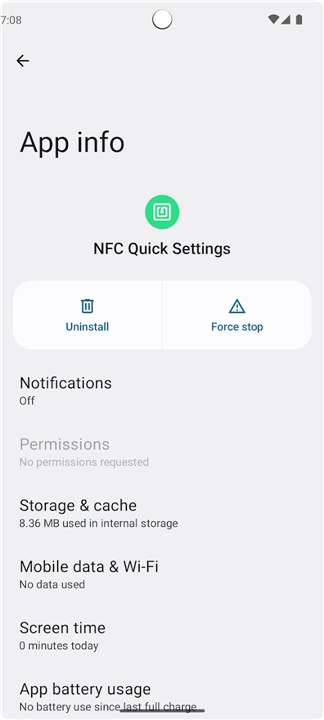
• The app does not provide its own standalone UI.
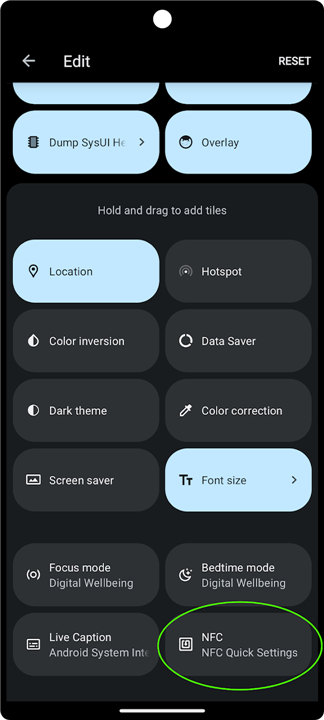
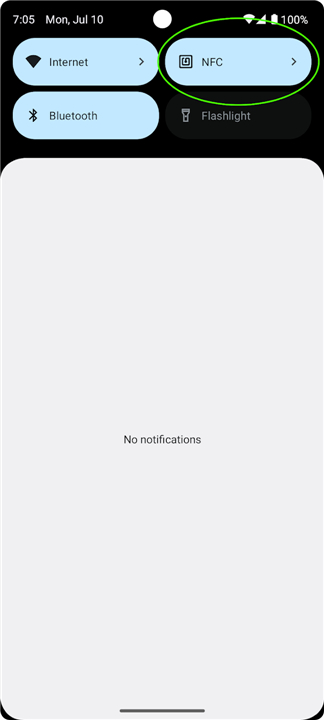
• After installation, a new tile labeled “NFC” becomes available for addition to the Quick Settings panel.
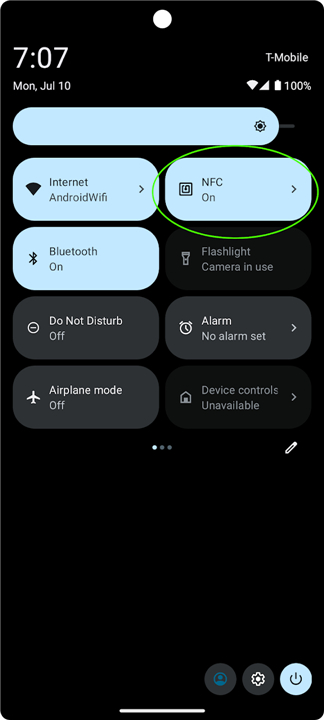
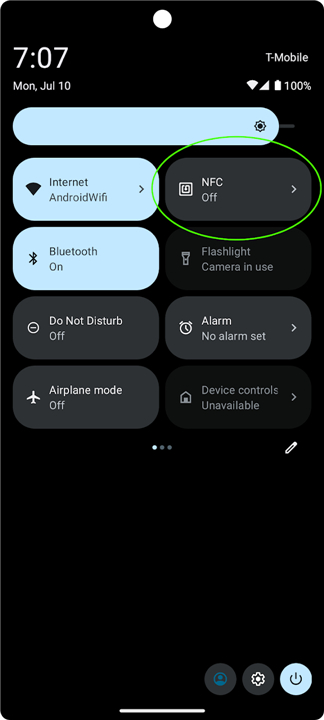
• The tile displays “On” or “Off” reflecting the device’s present NFC status.
Adding the tile
• Pull down the notification shade and open Quick Settings.
• Tap the pencil‑icon (or “Edit”) to modify the panel.
• Locate the “NFC” tile in the list of available tiles and drag it into the active area.
• For full instructions, see Android Help’s “Add, remove, or move a setting”:
https://support.google.com/android/answer/9083864?hl=en#customize_settings
Normal operation
• Because Android’s security model blocks third‑party apps from toggling NFC directly, tapping the tile opens the system NFC Settings screen (if the device supplies one).
• From that screen you can manually enable or disable NFC as required.
Advanced Mode (direct toggle)
• An optional mode lets the tile switch NFC on or off without leaving Quick Settings.
• Activation requires elevated permissions that can only be granted via ADB (Android Debug Bridge) from a connected computer.
• Detailed steps and the rationale are documented here:
https://github.com/pcolby/nfc-quick-settings?tab=readme-ov-file#advanced-mode
Installation & getting the code
• Download the APK from the GitHub releases page or compile the project yourself.
• Repository containing the full source, issue tracker, and contribution guidelines:
https://github.com/pcolby/nfc-quick-settings
Licensing
• Released under the GNU General Public License version 3 (GPL‑v3), allowing free use, modification, and redistribution under the same terms.
FAQ
Q: How do I open the app after installing it?
A: The app does not provide its own standalone user interface. After installation, it functions entirely as a tile labeled "NFC" that you can add directly to your Android device's Quick Settings panel.
Q: How can I add the NFC tile to my active Quick Settings panel?
A: To add the tile, pull down your notification shade to open the Quick Settings panel, and tap the pencil icon or "Edit" button to modify your setup. From there, locate the "NFC" tile in the list of available tiles and drag it up into your active area.
Q: Why does tapping the tile open my device's settings page instead of toggling NFC immediately?
A: Under normal operation, Android's security model actively prevents third-party apps from toggling NFC directly. Because of this restriction, tapping the tile opens your system's built-in NFC Settings screen—if your device supplies one—so you can manually toggle it.
Version History
v1.5.4——20 Aug 2026
View NFC status, and quickly access NFC settings, from the Quick Settings menu Download the latest version of NFC Quick Settings to enjoy new features and updates immediately!
*1.5.4
Minor bug fixes and improvements. Install or update to the newest version to check it out!
*1.5.3
Minor bug fixes and improvements. Install or update to the newest version to check it out!
*1.5.2
Minor bug fixes and improvements. Install or update to the newest version to check it out!











Ratings and reviews
There are no reviews yet. Be the first one to write one.