

Clear Scan - PDF Scanner App APK
10.2.18
Clear Scan - PDF Scanner App
Clear Scan - PDF Scanner App APK
Download for Android
Clear Scan - PDF Scanner App
Your Pocket‑Size PDF Scanner
• Turn any smartphone into a high‑resolution scanner with a single tap.
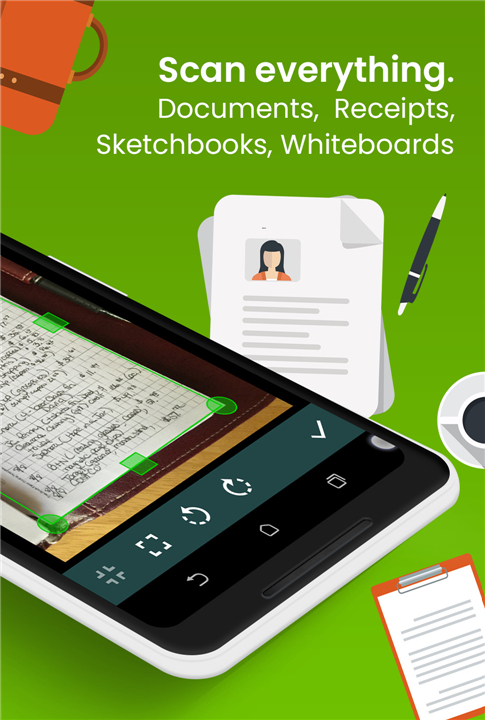
• Clear Scan lets you capture documents, receipts, books, photos, and notes instantly, then export them as crisp PDFs or JPEGs ready to share.
Why Choose Clear Scan?
• All‑in‑One Powerhouse – Perfect for students, professionals, and anyone who needs fast, reliable digitisation.
• Crystal‑Clear Results – Automatic edge detection, perspective correction, and brightness‑adjustment guarantee legible, professional‑grade scans.
• Lightning‑Fast Processing – Scan, edit, and share in seconds.
Core Features
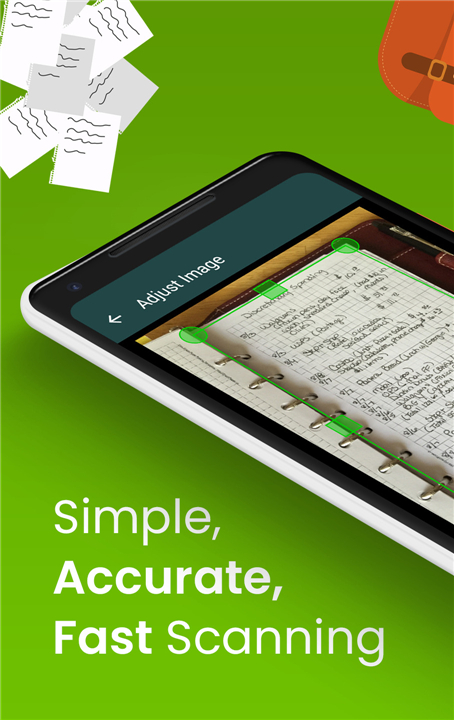
• Smart Edge Detection & Auto‑Crop – The app finds document borders and trims away excess background.
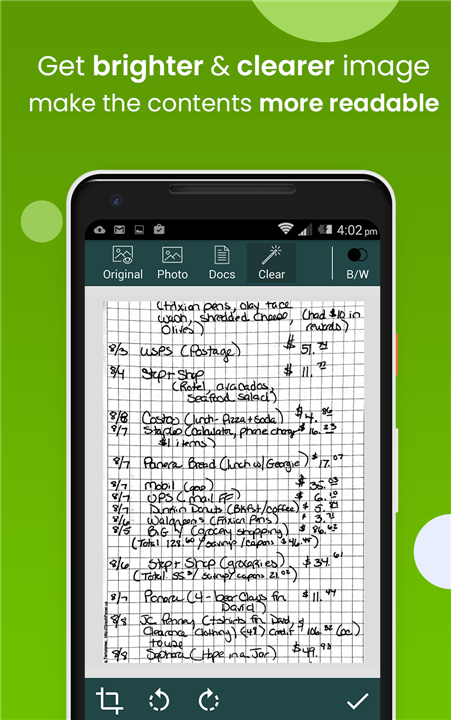
• Advanced Image Enhancements – Removes shadows, straightens pages, and balances exposure with a single tap.
• Multiple Export Formats – Save as PDF (choose page size: Letter, Legal, A4, etc.) or JPEG.
• Built‑In Editing – Apply filters (photo, document, clear, colour, B&W), reorder pages, add or delete pages after saving.
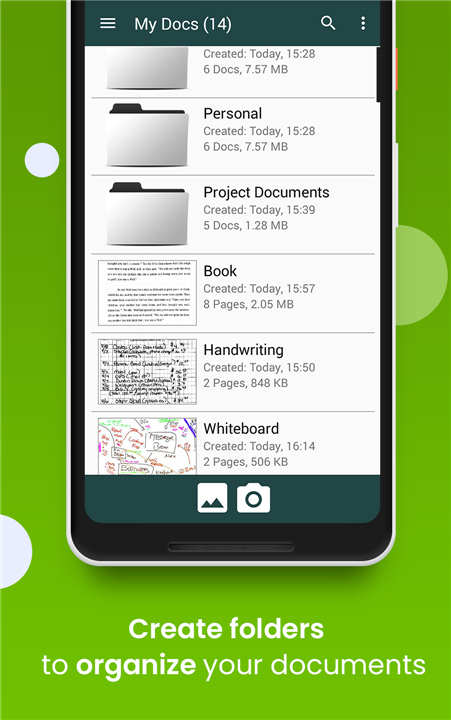
• Organised Library – Create folders/sub‑folders, name files, and search instantly.
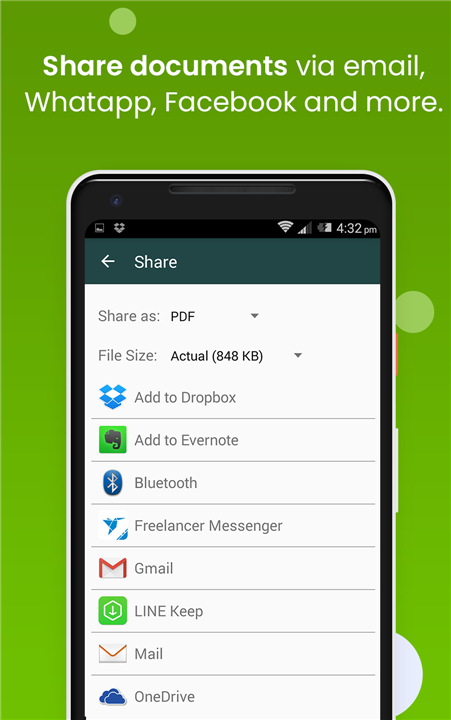
• Seamless Sharing – Email scans, upload to Dropbox, OneDrive, Google Drive, Evernote, or print via Cloud Print.
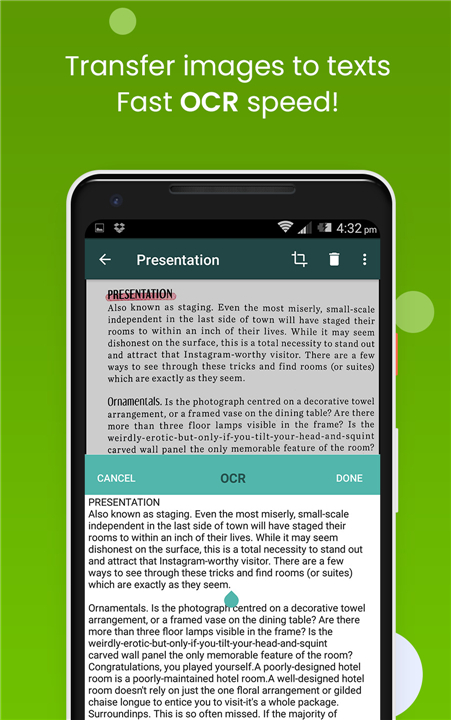
• OCR Text Extraction – Convert scanned text into searchable, editable content.
• Backup & Restore – Export a backup file to protect your scans and restore them on a new device.
• Tiny Footprint – Full‑featured scanner in a lightweight app.
Benefits at a Glance
• Save Time & Money – No need for a bulky desktop scanner.
• Stay Organized – All documents are stored where you want them, with clear naming and folder structures.
• Share Anywhere – Instantly send files to colleagues, classmates, or family regardless of location.
• Work Anywhere – Scan on the go—at the office, classroom, or coffee shop.
Get Started in Three Simple Steps
• Open the app & point the camera at the document.
• Tap “Scan” – the app auto‑detects edges and enhances the image.
• Choose a format (PDF or JPEG), edit if needed, then share or save.
We’d Love to Hear From You
• Your feedback fuels our improvements.
• If you have questions, suggestions, or just want to say hello, email us anytime.
• Enjoying Clear Scan? Please rate us on the Play Store and help others discover the best mobile scanner.
Download Clear Scan now
• Turn every page into a perfect digital copy—anytime, anywhere.
FAQ
Q: Does the app help me if I don't align the camera perfectly with the paper?
A: Yes, the app is equipped with smart edge detection and perspective correction features that automatically find the borders of your document. It trims away excess background and straightens the image so that your final scan looks like it was made on a professional flatbed scanner.
Q: What kind of image enhancements can I apply to make my scans look better?
A: Clear Scan offers advanced enhancement tools that allow you to remove distracting shadows, straighten crooked pages, and balance exposure with a single tap. These adjustments guarantee that your documents are always legible and look clean enough for official use.
Q: Are there different viewing modes or filters available for different types of documents?
A: You have access to a variety of built-in filters designed for different needs, including specific settings for photos and documents. You can choose from color, black and white, or a "clear" filter that optimizes text contrast to ensure maximum readability.
Version History
v10.2.18——3 Sep 2026
Scan images into PDF Documents using mobile camera with high quality Download the latest version of Clear Scan - PDF Scanner App to enjoy new features and updates immediately!
*10.2.18
- Updated the app to target Android 16 (API 36) to meet the latest Google Play requirements.
- Updated core libraries for improved compatibility.
- General UI improvements, performance enhancements, and stability fixes.
*10.1.92
- Library updates, minor UI improvements, and fixes for issues found in previous versions.
*10.1.70
- New optional Custom Watermark feature: add your own text or image watermarks to PDFs before sharing.











Ratings and reviews
There are no reviews yet. Be the first one to write one.