

The ROCK Jobsite App is your go-to construction calculator that meets all your job site requirements. With features like integrated cut lists, automatic measurement sharing, PDF markups, over 50 construction calculators, and a built-in fractional calculator, the ROCK App sets the bar high in the construction industry. You can easily share it with anyone, and all your data is securely saved and backed up in the cloud. It supports both English and metric units.
MEASUREMENT LISTS
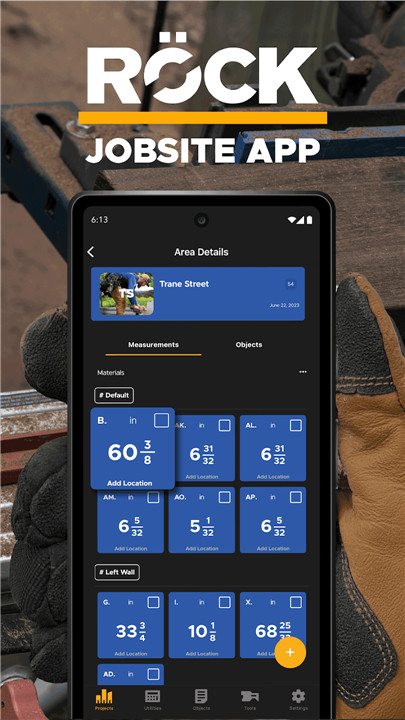
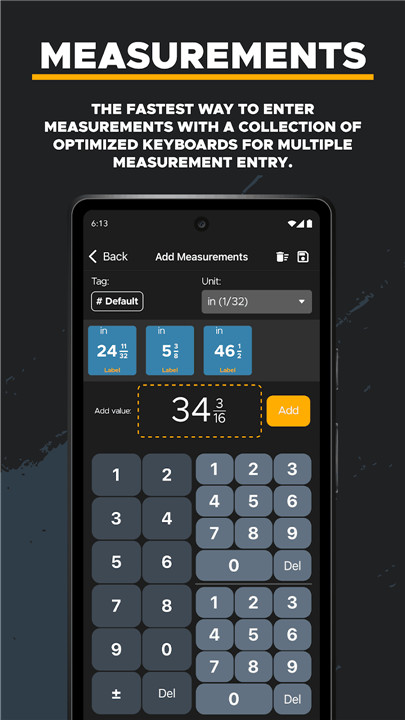
You can create measurement lists, organize them by project and labels, and track when they were created, completed, by whom, and where. Measurements can be manually entered in any English or metric units or imported directly from connected REEKON Tools. You can also organize these measurements for use in various construction calculations, including marking miter cuts.
ANNOTATIONS
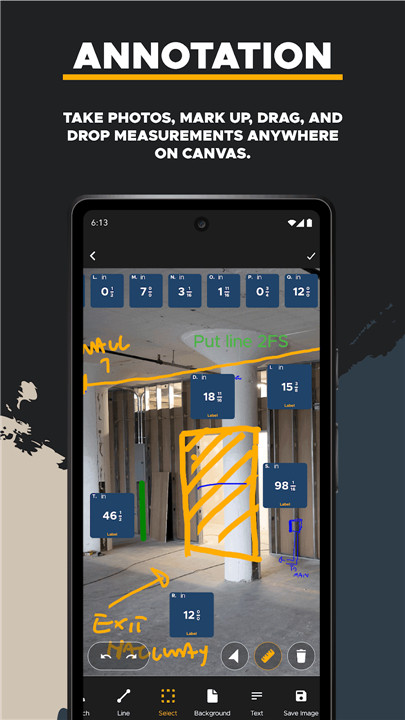
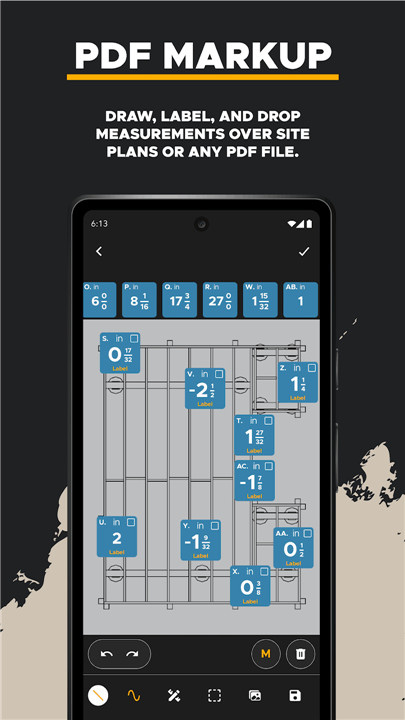
Capture photos, sketch over them, and drag measurements anywhere on the canvas. It’s super easy to mark up and draw shapes or notes. You can annotate any PDF, image file, or SVG, and with pinch-to-zoom functionality, you can add vectorized markups wherever you need on the canvas.
CONSTRUCTION CALCULATORS
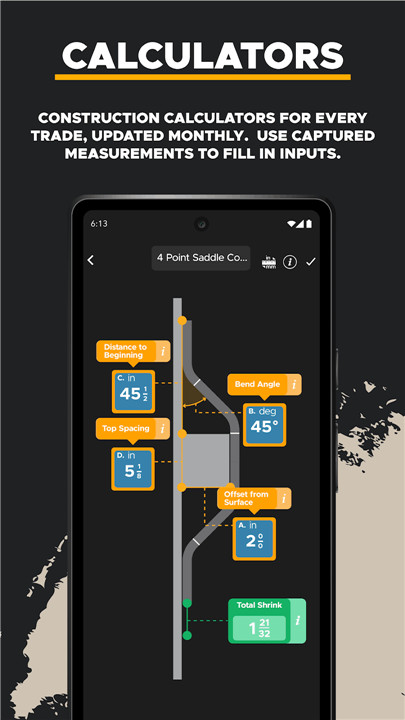
Get access to construction calculators for every trade, updated every month. Use your captured measurements to fill in inputs on user-friendly graphic displays. The calculators cover a wide range of trades, including areas, volumes, stairs, roofs, electrical, HVAC, sheet metal, plumbing, framing, finish carpentry, hardscaping, landscaping, concrete, material estimation, and more.
CUSTOM CALCULATORS
You can create your own calculators with dynamic input and output fields, making them available for your team to use. Design templates for structured inputs, custom calculations, and diagrams. These templates can be shared to ensure data is collected in a consistent way. You can also create multiple tabs to manage different instances of using a template for future reference.
REEKON TOOLS INTEGRATION
Easily integrates with REEKON Tools hardware for automatic measurement capture from the T1 Tomahawk Digital Tape Measure. It’s a perfect sidekick for the M1 Caliber cutlist and lets you print labels straight from the P1-L Tagger Construction Printer.
CONVERSIONS
Quickly convert various units like lengths, areas, volumes, mass, temperature, force, pressure, angles, energy, time, and more. You can save the results for later review.
FRACTIONAL CALCULATOR
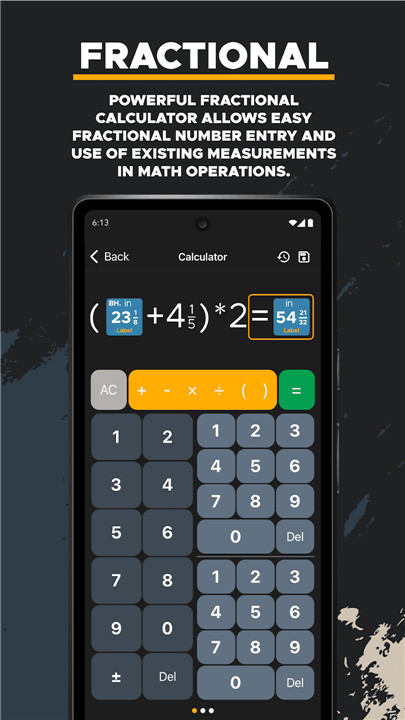
Do math with fractions effortlessly and incorporate existing measurements into your calculations. Switch between fractional and standard entries with ease, and view the whole equation at once. You can also save the result as a new measurement.
PDFS, NOTES, OUTPUTS, PHOTOS, AND MORE
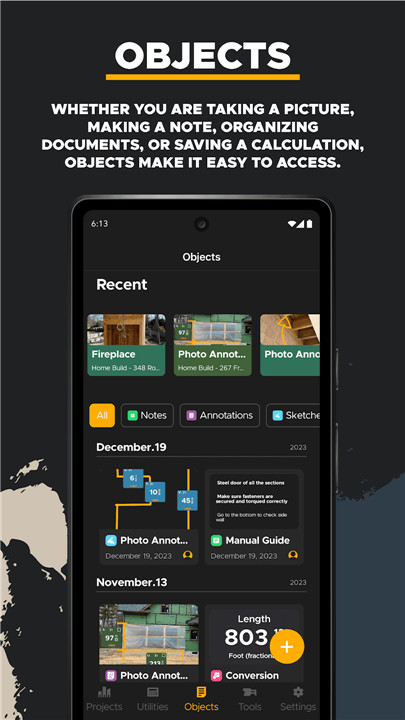
Whether snapping a photo, jotting down notes, organizing files, or saving calculations, it’s super easy to access and share everything. You can sort by location and relevance to your jobsite in a timeline format.
PROJECTS ORGANIZATION
Keep your measurements and items organized into Projects, Spaces, and Areas that reflect the actual layout of your jobsite.
LABELING
Easily create text and QR code labels for things like measurements, locations, problems, notes, and more, ready for printing. You can even customize labels and QR codes for any web URL you want.
SHARING
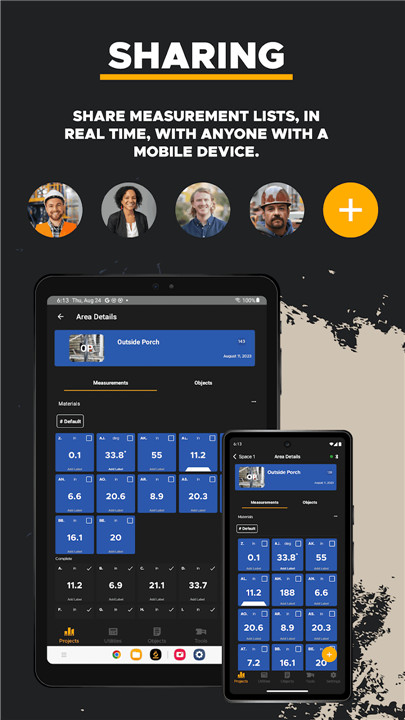
Collaborate and share all your data in real time across mobile devices and tablets. You can capture measurements on one side of the job site while cutting on the other. Plus, everything is synced to the cloud and saved for you.
FAQ
Q: Can I annotate the image I capture?
A: Simply capture your site and start your annotation of the site changes.
Q: What function do the calculator provides?
A: The powerful fractional calculator allows easy fractional number entry and use of existing measurements.
Q: Can I annotate on PDF file?
A: Simply draw, label and drop measurements over site plans or any PDF file.
-----------------
What's New in the Latest Version 1.1.33.prod
Last updated on Oct 12, 2024
The premier construction calculator with measurement lists, PDF markup, and more Download the latest version of ROCK Jobsite 1.1.33.prod to enjoy new features and updates immediately!
- Login Enhancements
- Bluetooth Synchronization Stability









Ratings and reviews
There are no reviews yet. Be the first one to write one.