

Calendar Pad
Overview
• Calendar Pad is a comprehensive productivity tool designed for individuals who require a clear, text-based overview of their upcoming commitments.
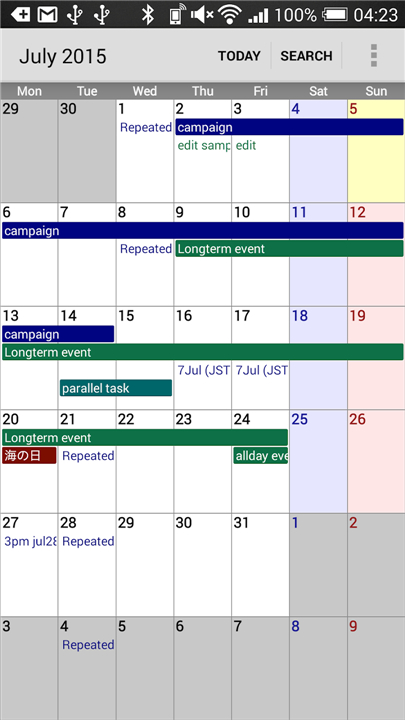
• While many mobile calendar applications rely on abstract icons or color-coded dots that can be difficult to interpret at a glance, Calendar Pad prioritizes readability by displaying event titles directly within the calendar grid.
• This layout ensures that you can manage your professional and personal life with maximum efficiency.
Seamless Integration and Synchronization
One of the core strengths of Calendar Pad is its ability to integrate with your device’s existing infrastructure.
• The application automatically syncs with the stock calendar app on your smartphone.
• It pulls data from various accounts, including Google Calendar, Exchange, and Outlook, without requiring manual data entry.
• Any updates made in Calendar Pad are reflected across all synced platforms, ensuring your schedule remains consistent across every device.
Comprehensive Viewing Options
The app provides multiple perspective modes to suit different planning styles, allowing you to zoom in on specific hours or look at the broader month.
• Month View: A traditional grid layout that displays text labels for every event, providing a high-level summary of your monthly availability.
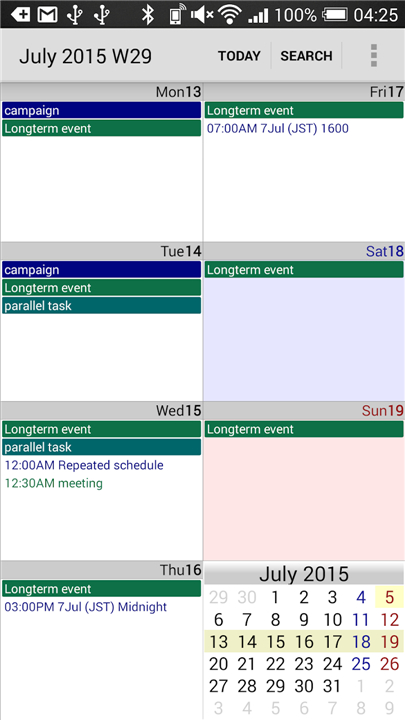
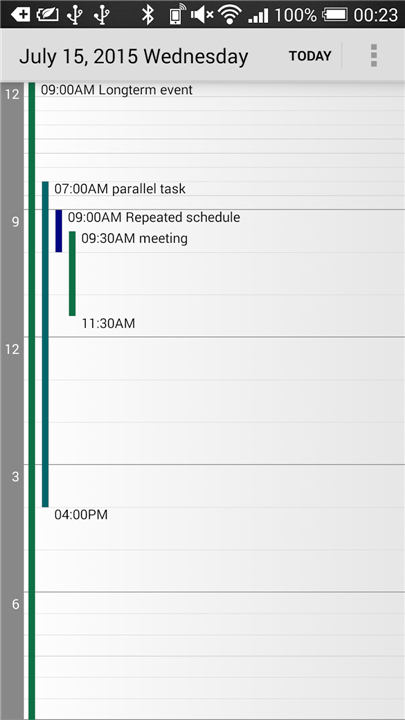
• Week and Day Views: These modes offer a more granular look at your schedule, perfect for managing back-to-back appointments and hourly tasks.
• Agenda View: A streamlined, chronological list of your upcoming events, which is ideal for those who prefer a straightforward scrollable checklist of their day.
Dynamic Home Screen Widgets
To help you stay organized without even opening the application, Calendar Pad offers a variety of customizable widgets.
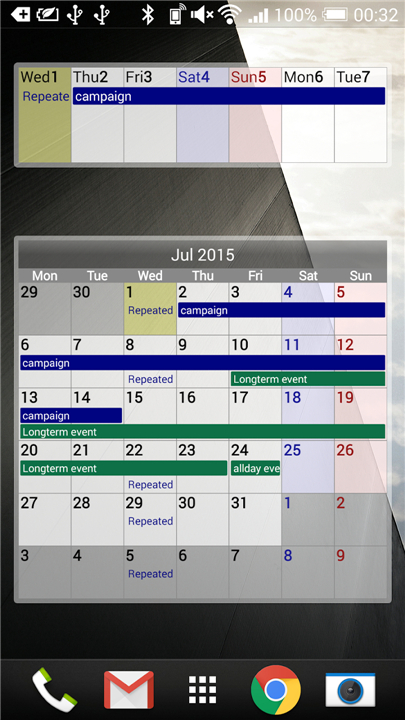
• The Month and Week widgets provide a broad overview of your future plans directly on your home screen.
• The Today and Day widgets focus on immediate tasks to keep you on track throughout the morning and afternoon.
Efficiency and Support
• Navigating a busy schedule is made easier with a robust search function that allows you to locate specific past or future events by entering keywords.
• If you encounter any technical difficulties, help is readily available through detailed online documentation or direct email support.
• For those seeking an ad-free experience and advanced customization settings, a Pro version is also available for purchase.
FAQ
Q: How does Calendar Pad differ from the standard calendar on my phone?
A: The primary difference lies in the emphasis on readability and immediate information. While stock apps often require you to click on a specific day to see what is happening, Calendar Pad prioritizes high-visibility text labels, allowing you to manage your professional and personal commitments with greater efficiency and less guesswork.
Q: Do I have to manually import my events into the app?
A: You don’t have to worry about manual entry because the app features seamless integration with your device’s existing infrastructure. It automatically synchronizes with the stock calendar application already on your smartphone, ensuring that all your current data is ready to use as soon as you open the app.
Q: Which account types are compatible with Calendar Pad?
A: Calendar Pad is designed to work harmoniously with a wide range of platforms to keep your life organized. It pulls data from various services including Google Calendar, Microsoft Exchange, and Outlook, so you can see all your different schedules in one consolidated view.
Version History
v3.4.7——23 Feb 2026
Simple calendar viewer. Download the latest version of Calendar Pad to enjoy new features and updates immediately!
*3.4.7
- fix: widgets are not updated.
*3.4.6
- fix: the cases where the app crashes.
*3.4.5
- fix: widgets are not updated when the app is inactive.









Ratings and reviews
There are no reviews yet. Be the first one to write one.