

ntfy - PUT/POST to your phone APK
1.25.2
ntfy - PUT/POST to your phone
ntfy - PUT/POST to your phone APK
Download for Android
ntfy - PUT/POST to your phone
Overview
• ntfy is a free and open-source communication utility designed to bridge the gap between automated scripts and mobile devices.
• It operates as an HTTP-based publish-subscribe service, allowing users to receive real-time push notifications on their Android devices without complex configurations.
Core Functionality
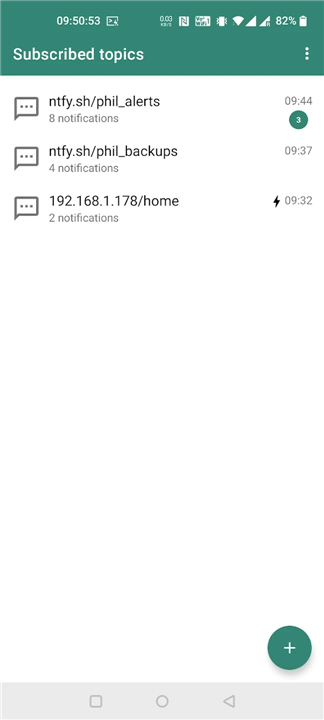
• The system uses an Android client to connect to the ntfy.sh backend.
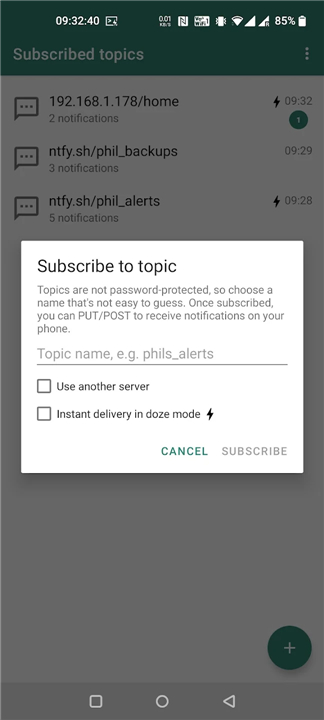
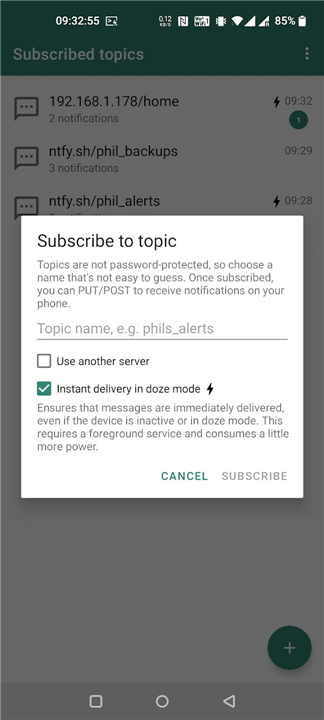
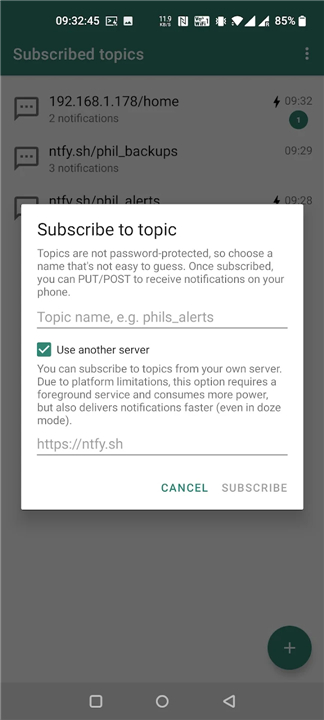
• Users subscribe to specific, unique topics within the application to listen for incoming data.
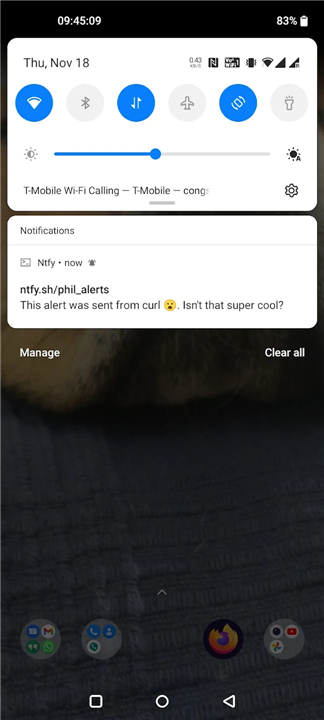
• Messages are published to these topics using standard HTTP PUT or POST requests.
• The service eliminates the need for proprietary notification SDKs or forced registration processes.
Integration Methods
• Bash Scripts: Easily integrate alerts into Linux automation using the curl command.
• PowerShell: Utilize the Invoke-WebRequest function to send notifications from Windows environments.
• Custom Applications: Incorporate notification features into any programming language that supports native HTTP libraries.
Practical Applications
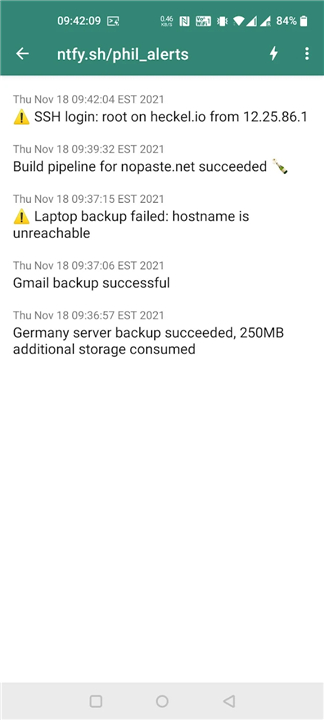
• Process Monitoring: Receive an alert the moment a long-running script, data export, or code compilation finishes.
• System Health: Establish automated pings to notify your phone immediately if a critical system backup fails.
• Security Auditing: Configure server triggers to alert you the moment a user logs into a remote server via SSH.
• IoT Status: Track sensor triggers or hardware state changes from home automation devices.
Technical Implementation
• Sending a notification is as simple as making a request to the ntfy.sh domain followed by your chosen topic name.
• For example, to send a message to a topic named mytopic, you can execute the following command in a terminal:
+ curl -d "Your backup is done" ntfy.sh/mytopic
• Detailed usage instructions and advanced API features can be found at the official website.
FAQ
Q: How does the core publish-subscribe system work?
A: It operates on a simple, HTTP-based publish-subscribe model. You use the ntfy Android app to subscribe to a specific, unique topic name of your choice, and then any external device, script, or server can publish messages to that exact topic using standard HTTP PUT or POST requests.
Q: Can you show me a quick example of how to send a notification using the command line?
A: Sending a notification is incredibly simple and can be done with a single line of code. All you need to do is open your terminal and run a command like curl -d "Your backup is done" ntfy.sh/mytopic where you replace "mytopic" with your own secret topic name, and the alert will pop up on your phone instantly.
Q: How can I integrate ntfy alerts into my Windows PowerShell scripts?
A: If you work in a Windows environment, you can easily integrate ntfy by utilizing the native Invoke-WebRequest function. This allows you to smoothly send HTTP POST requests directly to your chosen ntfy topic right from your PowerShell automation scripts, making Windows system alerts a breeze to set up.
Version History
v1.25.2——12 Aug 2026
Send notifications to your phone from any script or app using PUT/POST requests Download the latest version of ntfy - PUT/POST to your phone to enjoy new features and updates immediately!
*1.25.2
Connection lost alerts are now off by default and configurable in Advanced settings.
ntfy now handles offline states better: it avoids retries in flight mode or without network, shows “Waiting for network,” and resumes automatically.
It also reconnects faster when switching between Wi-Fi and cellular, and uses a longer WebSocket ping interval to improve battery life.
*1.24.0
Features:
* Show notification when connection to server has been lost for 15+ minutes, with dismiss, snooze and never-show-again actions
Bug fixes + maintenance:
* Fix crash in settings when fragment is detached during backup/restore or log operations
*1.23.0
Features:
* Search within a topic
* Add "reconnecting to N topics ..." to foreground notification
* Default server dialog with full-screen UI and stricter URL validation
* Show last notification time for UnifiedPush subscriptions
* Support "copy" action button to copy a value to the clipboard
And lots of bug fixes.











Ratings and reviews
There are no reviews yet. Be the first one to write one.