

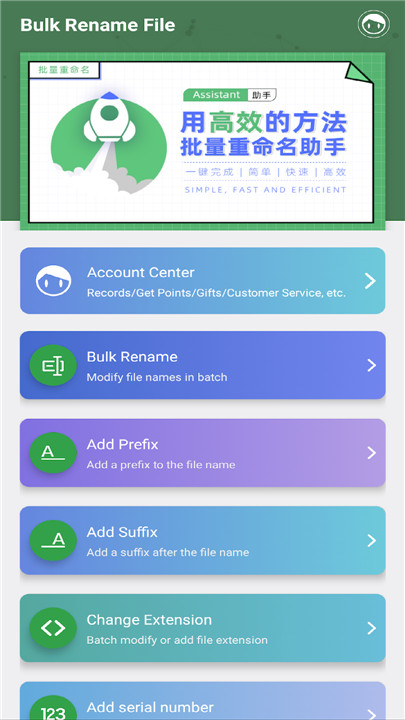

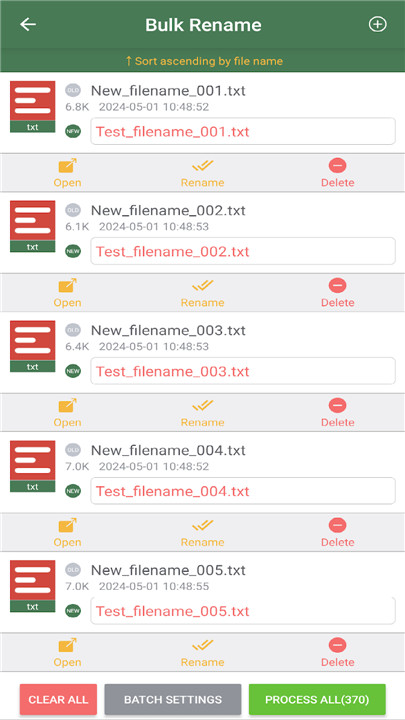
Bulk Rename File is a robust and compact tool tailored for users who require bulk file name modifications. This efficient application simplifies the renaming process, enabling you to handle all your renaming tasks with ease. With Bulk Rename File, you can escape the tedious chore of renaming files individually, a task that can consume a lot of your time. Wave goodbye to the drudgery of manual renaming—thanks to its batch mode, you can save at least 80% of your time!
The software comes packed with a remarkable set of features to address various renaming needs.
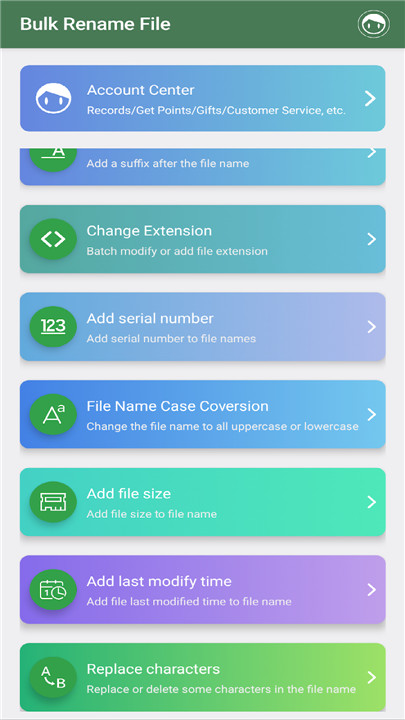
These capabilities include:
- Batch Renaming:
Seamlessly rename multiple files simultaneously, eliminating the need to edit each file one by one.
- Batch Adding Prefixes:
Instantly add a designated prefix to the start of file names in bulk, perfect for organizing files by category or project.
- Batch Adding Suffixes:
You can also append suffixes to file names in batch mode, which is useful for distinguishing between different file versions or types.
- Batch Changing File Extensions:
Modify the file extensions of numerous files at once, simplifying the process of converting file types as required.
- Batch Add Serial Numbers:
Automatically insert sequential numbers into file names, making it ideal for organizing lists or documents.
- Batch Add Last Modified Time:
Attach the last modified date and time to your file names, ensuring you have essential information readily available.
- Batch Add File Size:
Include the size of each file in the file name, giving you quick insight into file sizes without needing to open them.
- Batch Replace Characters:
Effortlessly replace or remove specific characters within file names, allowing for swift corrections or formatting changes.
- Batch Conversion of File Name Case:
Change the case of file names—whether you want them all in uppercase, lowercase, or a specific format, this feature makes it easy.
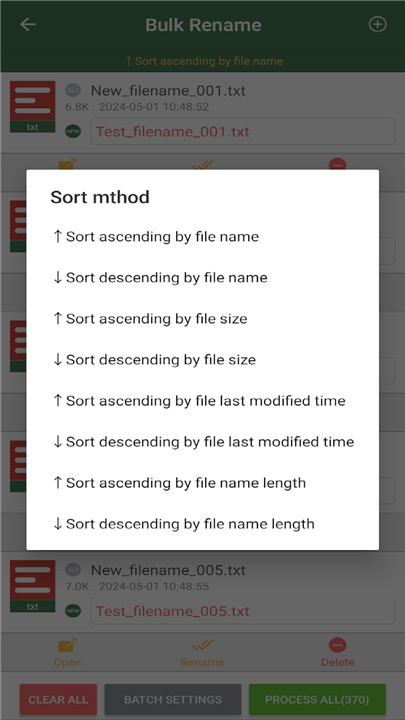
Bulk Rename File also provides the ability to organize files that need renaming, offering various sorting options like file name, file size, last modified date, or even custom arrangements through a convenient drag-and-drop feature.
Every action can be executed with just a click, making the software not only intuitive but also incredibly effective. In just a few moments, you can complete tasks that might otherwise consume hours of your time, allowing you to focus on more enjoyable pursuits.
In conclusion, Bulk Rename File is the perfect solution for anyone aiming to enhance their file management experience with powerful batch renaming features. Embrace the ease and speed this application brings! ^_^
FAQ
Q: What is Bulk Rename File?
A: Bulk Rename File is a powerful and compact tool designed for users who need to modify multiple file names quickly and efficiently. It simplifies the renaming process, allowing you to handle all your renaming tasks with ease, saving you a significant amount of time.
Q: How does Bulk Rename File save time?
A: By enabling batch renaming, you can rename multiple files at once, eliminating the need to edit each file individually. This feature can save you up to 80% of the time you would otherwise spend on manual renaming.
Q: Can I add a prefix to multiple files using Bulk Rename File?
A: Yes, Bulk Rename File allows you to add a designated prefix to the start of multiple file names in bulk. This is particularly useful for organizing files by category or project.
-----------------
What's New in the Latest Version 1.4.5
Last updated on Dec 15, 2024
Rename all files with one click Download the latest version of Bulk Rename File 1.4.5 to enjoy new features and updates immediately!
- Fix some crash bug









Ratings and reviews
There are no reviews yet. Be the first one to write one.