
OvrC (Oversee)
Overview
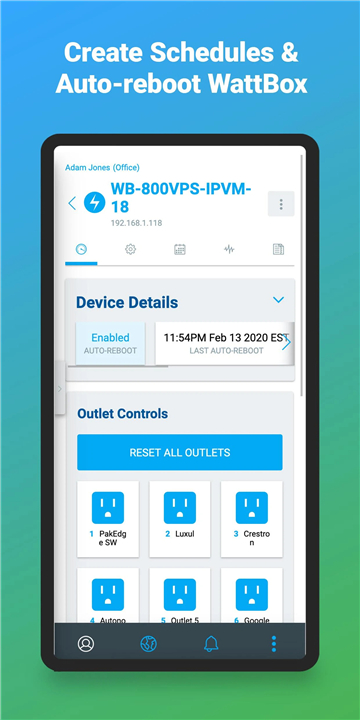
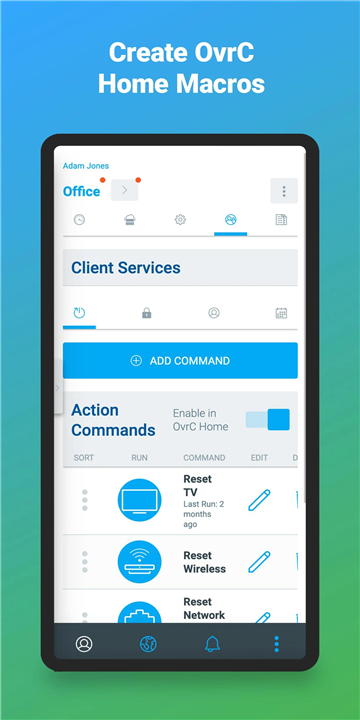
• OvrC is a comprehensive remote management and monitoring platform designed specifically for professional installers and integrators working with power, audio/visual, networking, and surveillance solutions.
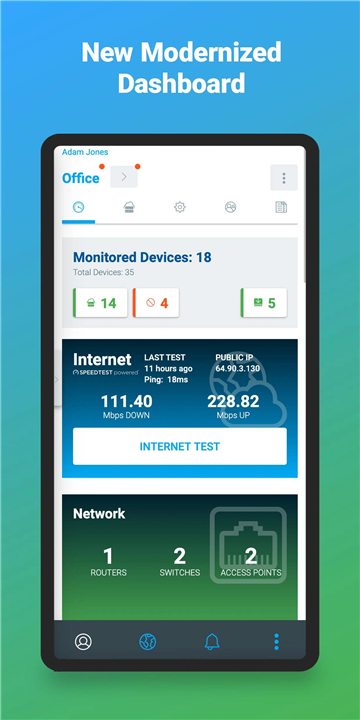
• Developed to streamline maintenance and support, OvrC brings a unified interface that connects all supported devices under one convenient dashboard.
• The system is compatible with major brands such as WattBox, Araknis Networks, and Luma, allowing integrators to monitor and control a wide range of equipment from anywhere in the world.
• With OvrC, professionals can reduce downtime, avoid unnecessary service visits, and deliver better customer experiences through proactive system management.
Key Capabilities and Benefits
1. Proactive Monitoring and Notifications
• OvrC constantly tracks the performance of connected devices, alerting you the moment an issue arises.
• Automatic notifications help you identify failing hardware, connectivity interruptions, or configuration problems before they impact the end user.
• This real-time awareness allows you to act quickly, often resolving issues before your customer even notices a disruption.
2. Remote Troubleshooting and Control
• Through OvrC, you can instantly access device controls from your computer or mobile device.
• Rebooting equipment or cycling networks takes just a click, eliminating the need for physical site visits.
• This capability minimizes downtime, reduces truck rolls, and helps maintain efficient service operations.
3. Organized Customer and Device Management
• OvrC simplifies the way you handle multiple clients and installations.
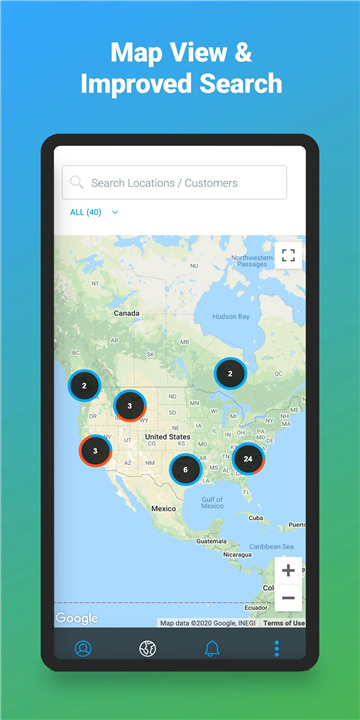
• You can group devices by customer name or location, store phone numbers and notes, and assign labels for quick identification.
• These features make ongoing maintenance and support more efficient and well-documented.
4. Streamlined Device Setup and Configuration
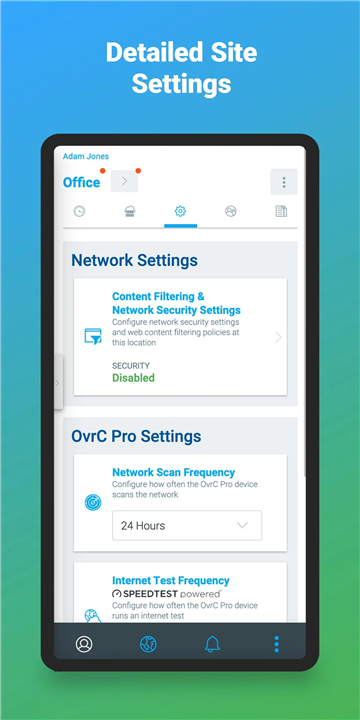
• Installation is fast and straightforward: plug in a compatible device, claim it in your OvrC account, and start monitoring immediately.
• This ease of setup shortens deployment time and ensures consistent performance across all managed projects.
OvrC ultimately empowers integrators to deliver proactive service, increase reliability, and enhance customer satisfaction through intelligent remote management.
FAQ
Q: Which brands and devices can I manage through OvrC?
A: The platform supports a growing list of major manufacturers, including WattBox power modules, Araknis networking gear, and Luma lighting and control solutions. If a device is listed as “compatible” in the OvrC catalog, you can claim it to your account and start monitoring it right away. New brand integrations are added regularly, so it’s worth checking the latest compatibility list in the app.
Q: How does OvrC alert me when something goes wrong?
A: OvrC runs continuous health checks on every connected device. When it detects a deviation—such as a power loss, a network timeout, or a configuration error—it instantly generates a notification. You can receive those alerts via email, push notification on the mobile app, or even SMS if you prefer, allowing you to act before the end user experiences any impact.
Q: Can I troubleshoot problems without traveling to the site?
A: Absolutely. From either a desktop browser or the OvrC mobile app, you can log into the dashboard and perform actions like rebooting a power module, resetting a network switch, or toggling a surveillance camera on and off. Those remote controls are just a click or tap away, which means you often resolve issues without ever stepping foot on the customer’s premises.
Version History
v2.116.0——14 Oct 2025
A remote management and monitoring service for technology products. Download the latest version of OvrC to enjoy new features and updates immediately!
*2.116.0
Thanks for using OvrC! This update includes bug fixes and performance improvements.
*2.113.2
Thanks for using OvrC! This update includes bug fixes and performance improvements.
*2.109.1
Thanks for using OvrC! This update includes bug fixes and performance improvements.









Ratings and reviews
There are no reviews yet. Be the first one to write one.