

Markleaf — Markdown Notes APK
2.32.6
Markleaf — Markdown Notes
Markleaf — Markdown Notes APK
Download for Android
Markleaf — Markdown Notes
A Simple, Local‑First Markdown Notebook for Android
• Markleaf is a calm, fast‑launching note‑taking app that stores your writing as plain Markdown files right on your device.
• It isn’t a heavyweight knowledge‑management system; it’s a notebook you’ll actually open every day.
Core Features
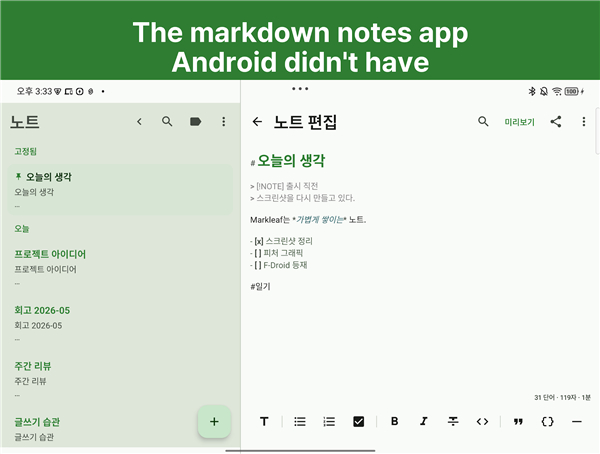
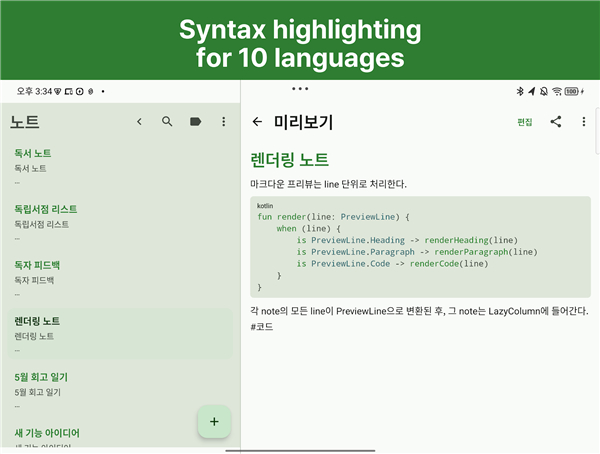
• Markdown‑native editor – live syntax highlighting for over 10 languages inside fenced code blocks.
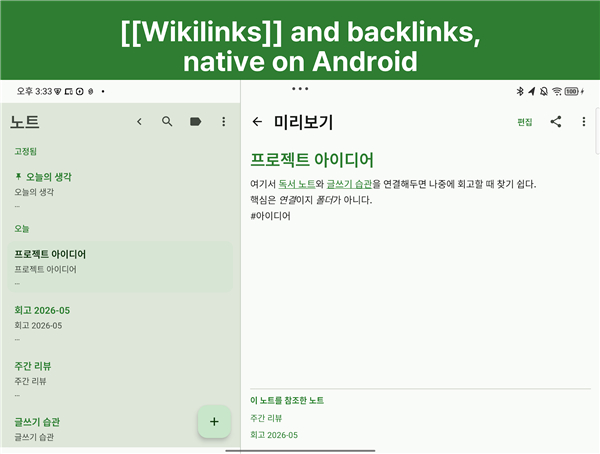
• Wikilinks & automatic backlinks – interconnect notes effortlessly.
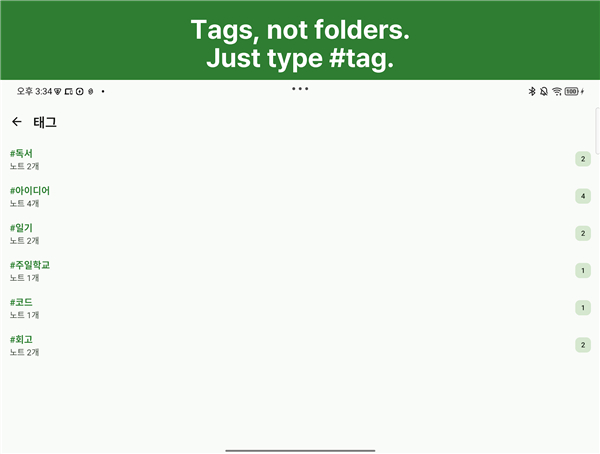
• Inline #tags – tag anywhere in the text and manage them from a dedicated tags screen.
• Quick Switcher – jump to any note by title (Ctrl + K on a keyboard).
• Find & replace – edit within a note without leaving the app.
• Responsive layout – two‑pane view on tablets, single‑pane on phones.
• Convenient integrations – home‑screen widget, share‑sheet support, biometric lock, screenshot protection.
Built‑In Privacy
• No Internet permission → the app can’t “phone home.”
• No accounts, analytics, ads, or tracking.
• No Markleaf servers; nothing to contact.
• Excluded from Android Auto Backup.
• Open‑source (GNU GPL v3) and available on F‑Droid.
Your Data, Your Folder
• Markleaf does not run its own sync service.
• You choose a folder and the app stores each note as an ordinary .md file.
• Any external sync tool you trust—Drive, Dropbox, Syncthing, OneDrive, a NAS, etc.—can keep that folder in sync across devices.
• The files remain clean Markdown, readable by any editor or even a simple cat note.md in a terminal.
• If Markleaf ever vanished, your notes would still be there, untouched, in a folder you control.
Optimized for Android Tablets
• Split view: note list on the left, editor on the right.
• Typography and line‑width tuned for comfortable reading at arm’s length.
• Touch‑first toolbar; no hidden gestures to discover.
Extra‑Professional Touches
• YAML front‑matter, CommonMark/GitHub‑Flavored Markdown preview.
• Hierarchical tags, attachments, pinned notes.
• All the subtleties you expect from a serious Markdown editor—without the accounts, telemetry, or push notifications you don’t.
Open Source Notes App
• If you’ve been waiting for an Android Markdown editor that respects your time and your data, Markleaf is the notebook you’ve been looking for.
+ Source code: GITHUB_URL
+ F‑Droid: https://f-droid.org/packages/com.markleaf.notes
FAQ
Q: How does Markleaf keep my notes private?
A: From the moment you install it, Markleaf asks for no Internet permission, creates no accounts, and never reaches out to any server. All data stays in a folder you choose on your device, and the app is excluded from Android’s Auto Backup. Because the source code is open‑source under GPL v3, you can verify for yourself that nothing is being sent elsewhere.
Q: Where are my notes actually stored?
A: When you open Markleaf for the first time you pick a directory on your internal storage or SD card. Every note you create becomes a regular .md file in that folder. You can browse the folder with any file manager, open the files in another editor, or even view them in a terminal with cat.
Q: Can I sync my notes across multiple devices?
A: Markleaf does not provide its own sync service, but because the notes live in ordinary files you can use any sync tool you trust—Google Drive, Dropbox, OneDrive, Syncthing, a self‑hosted Nextcloud, or a NAS. As soon as the folder is synchronized, the same notes appear in Markleaf on each device.
Version History
v2.32.6——19 Aug 2026
Markleaf – a local‑first Android Markdown notebook with wikilinks, tags, split‑view, no internet tracking. Open‑source & privacy‑focused. Download the latest version of Markleaf — Markdown Notes to enjoy new features and updates immediately!
*2.32.6
Minor bug fixes and improvements. Install or update to the newest version to check it out!
*2.32.5
Minor bug fixes and improvements. Install or update to the newest version to check it out!
*2.32.4
Minor bug fixes and improvements. Install or update to the newest version to check it out!











Ratings and reviews
There are no reviews yet. Be the first one to write one.