

CanIWebView - WebView Test App APK
1.1.0
CanIWebView - WebView Test App
CanIWebView - WebView Test App APK
Download for Android
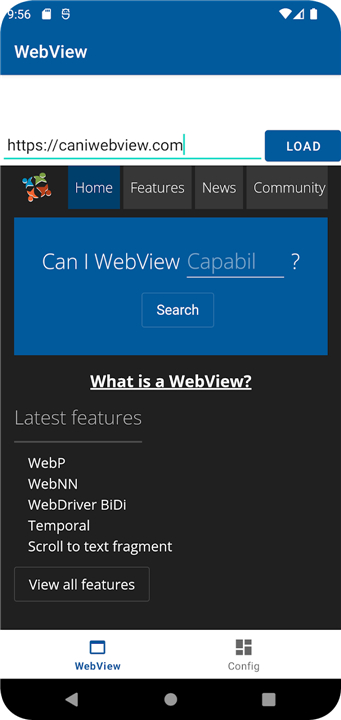
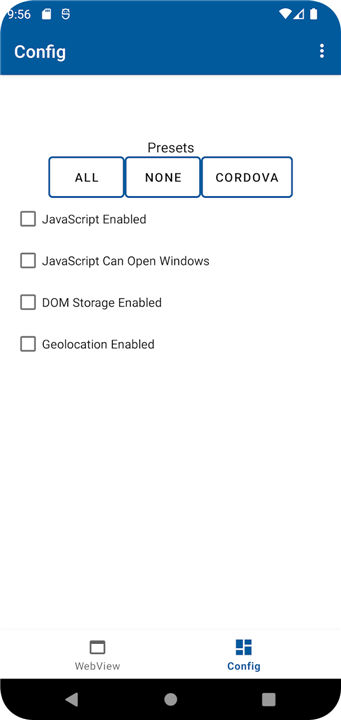
CanIWebView - WebView Test App
Overview
• CanIWebView is a lightweight Android application designed specifically for developers who need to experiment with and validate the behavior of WebViews in their apps.
• It provides a controlled environment where different WebView configurations can be applied, observed, and documented without the distractions of a full‑featured browser.
Primary Functions
• Configuration Testing – Switch between JavaScript enabled/disabled, set custom user‑agent strings, enable remote debugging, and adjust caching policies with a few taps.
• Issue Reproduction – Load local HTML or trusted remote URLs to reproduce rendering glitches, JavaScript errors, or security warnings.
• Logging & Reporting – Capture console output, network requests, and WebView callbacks, then export the logs for further analysis or bug reports.
Intended Use Cases
• Verify that a WebView displays content correctly after updating the Android SDK or WebView library.
• Confirm that security settings (e.g., mixed‑content handling, file‑access restrictions) behave as expected.
• Perform regression testing on UI‑thread interactions and lifecycle events (onCreate, onDestroy, etc.).
What It Is Not
• The app is not a general‑purpose internet browser; it should only be pointed at trusted, test‑specific resources.
• It does not provide bookmarking, tab management, or content discovery features found in consumer browsers.
Open‑Source Nature & Support
• The source code is publicly available under an MIT‑style license, encouraging community contributions and transparency.
• No official support is provided by any organization affiliated with the WebView Community Group; developers rely on community forums, issue trackers, and pull‑request reviews for assistance.
Getting Started
1. Install the APK from the official GitHub releases page.
2. Open the app, select a test URL or load a local HTML file.
3. Use the settings panel to modify WebView options, then observe the results.
Reporting Problems
• Export the generated log file via the “Share” button.
• File a detailed issue on the project’s GitHub repository, attaching the log and describing the steps to reproduce.
• By keeping its scope narrow and its tools focused, CanIWebView streamlines WebView experimentation while safeguarding users from unintended web browsing.
FAQ
Q: Who is CanIWebView designed for?
A: It is made for Android developers, testers, and web designers who want to ensure their web content renders smoothly and functions properly inside an Android WebView component.
Q: Can I use CanIWebView as my regular web browser?
A: No, CanIWebView is not meant to replace your daily browser. It intentionally leaves out consumer features like bookmarks, tabs, and discovery feeds so you can focus entirely on testing, and it should only be used to view trusted test content.
Q: What kind of settings can I adjust in the app?
A: You can quickly tweak several important settings with just a couple of taps. For example, you can enable or disable JavaScript, apply custom user-agent strings, toggle remote debugging, and change how caching is handled.
Version History
v1.1.0——24 Aug 2026
Test your code with different WebView configurations Download the latest version of CanIWebView - WebView Test App to enjoy new features and updates immediately!
*1.1.0
Minor bug fixes and improvements. Install or update to the newest version to check it out!
*1.0.1
Minor bug fixes and improvements. Install or update to the newest version to check it out!
*1.0.0
Minor bug fixes and improvements. Install or update to the newest version to check it out!











Ratings and reviews
There are no reviews yet. Be the first one to write one.