

Cleartray — GTD Inbox & Tasks APK
1.0.2
Cleartray — GTD Inbox & Tasks
Cleartray — GTD Inbox & Tasks APK
Download for Android
Cleartray — GTD Inbox & Tasks
Reclaim Your Focus, Master Your Day
• Stop letting unfinished tasks drain your mental energy.
• Cleartray brings the power of the proven Getting Things Done (GTD) methodology straight to your device.
• It is entirely free, private, and designed to help you turn psychological clutter into immediate, decisive action.
The Built-In Five-Step GTD System
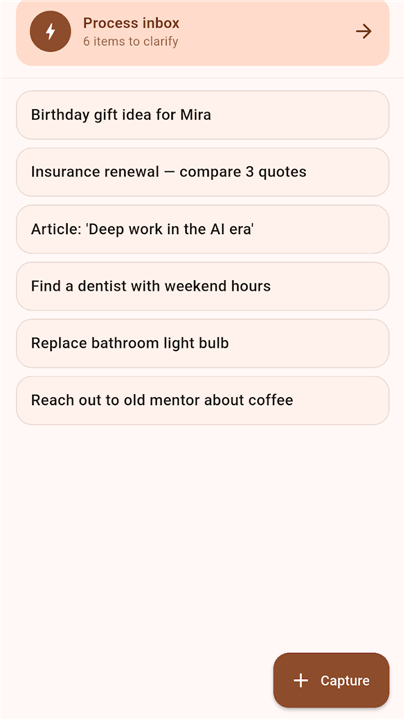
• Capture Instantly: Seize ideas the moment they strike using the floating capture button, home-screen widget, or hands-free voice-to-text tool.
• Clarify Effortlessly: Process your inbox one item at a time with a guided decision-tree interface designed to help you reach inbox-zero faster than ever.
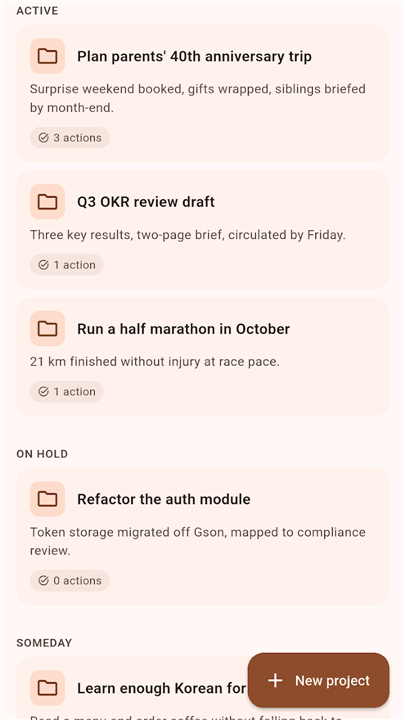
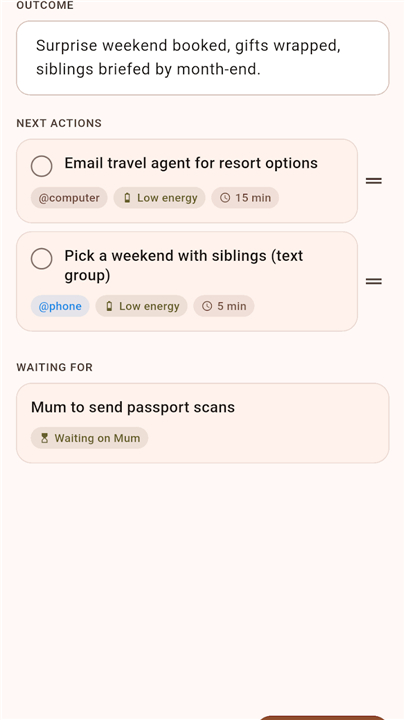
• Organize Dynamically: Categorize your life with dedicated GTD lists, customizable contexts, multi-step projects, and high-level Areas of Responsibility.
• Reflect Consistently: Maintain momentum with a step-by-step weekly review wizard that keeps your system fresh and aligned with your goals.
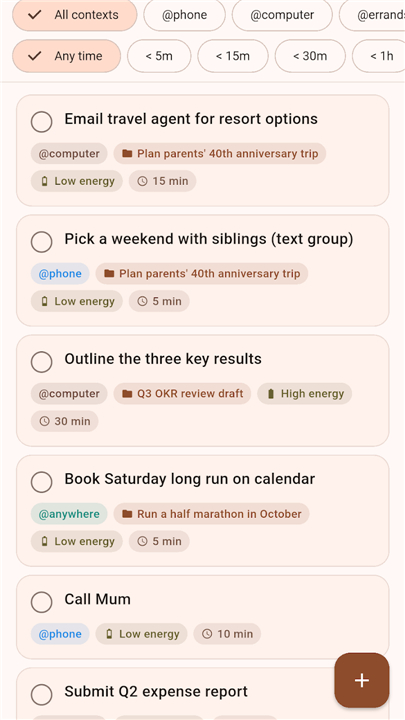
• Engage Strategically: Instantly filter your next actions by your current energy levels, location, and available time so you always take the right step at the right moment.
Smart Tools for Daily Momentum
• Interactive Reminders: Take action directly from your notifications to snooze, complete, or reschedule tasks instantly.
• Two-Way Calendar Sync: Keep your schedule aligned by mirroring dated tasks with your device's native calendar.
• Rich Media Capture: Add critical context to any task by attaching photos, audio notes, and voice memos.
• Refined Interface: Navigate smoothly with a distraction-free, highly accessible Material 3 design that supports both light and dark modes.
Uncompromising Privacy
• On-Device Storage: Your data belongs to you. Everything is stored locally on your device with absolutely no cloud-syncing or external servers.
• Zero Friction: Start organizing immediately with no accounts to create, no registration forms, and no advertisements.
• Complete Ownership: Export and back up your data at any time in a clean, universal format.
Who This Is For
• Productivity enthusiasts who want a pure, faithful implementation of the GTD methodology.
• Privacy-conscious individuals who refuse to host their personal data on third-party servers.
• Anyone ready to trade daily overwhelm for structured clarity and execution.
Disclaimer:
• Cleartray is an independent application inspired by the Getting Things Done methodology.
• It is not affiliated with, endorsed by, or sponsored by the David Allen Company.
• "Getting Things Done" and "GTD" are registered trademarks of the David Allen Company.
FAQ
Q: Do I need to create an account or sign up to start using Cleartray?
A: No account, no registration forms, and no ads. You can download the app, open it, and begin capturing tasks immediately. All of your data stays on your device, so you’re in full control from the first tap.
Q: How does the “Capture Instantly” feature work?
A: Cleartray offers a floating capture button that hovers over any screen, a home‑screen widget for one‑tap entry, and a hands‑free voice‑to‑text option. Whether you’re on the go, in a meeting, or just thinking about something, you can quickly record the thought without leaving your current app.
Q: What is the “decision‑tree” interface mentioned in the Clarify step?
A: When you process items in your inbox, Cleartray guides you through a series of simple questions—Is it actionable? If yes, what’s the next action? If no, should it be archived or referenced later? This step‑by‑step flow helps you reach inbox‑zero faster and with less mental effort.
Version History
v1.0.2——24 Aug 2026
A Getting Things Done inbox — capture, clarify, engage. On-device, no account. Download the latest version of Trayzero — GTD Inbox & Tasks to enjoy new features and updates immediately!
*1.0.2
The full GTD inbox: Capture, Clarify, Organize, Reflect, Engage. Process Inbox decision-tree flow, Weekly Review wizard, projects with next-action warnings, @-contexts, Areas. Reminders with Done/Snooze/Move action buttons. Opt-in two-way calendar sync. Home-screen capture widget. 100% on-device, no account, JSON backup/restore.











Ratings and reviews
There are no reviews yet. Be the first one to write one.