

Auto Clicker Pro - Auto Tapper APK
1.2.3
Auto Clicker Pro - Auto Tapper
Auto Clicker Pro - Auto Tapper APK
Download for Android
Auto Clicker Pro - Auto Tapper
Overview
• Tired of tapping your screen so much that your thumbs are considering early retirement?
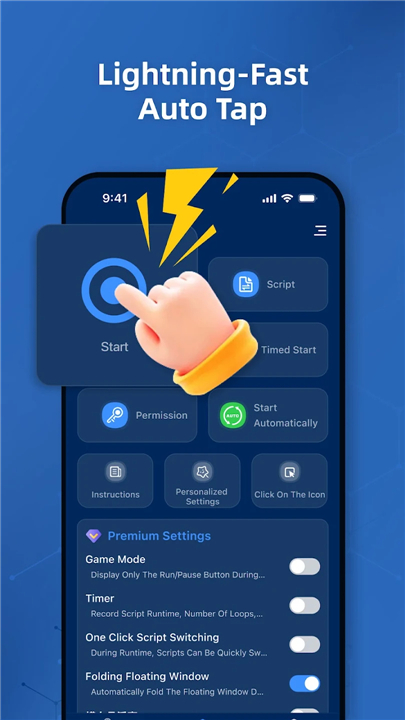
• Meet Auto Clicker Pro - Auto Tapper, the ultimate tool for anyone who believes life is too short for repetitive screen tapping.
• Whether you are a casual swiper or a master strategist, this app adapts to your workflow so you can sit back and let your phone do the heavy lifting.
Choose Your Automation Vibe
1. Easy Mode:
• Perfect for beginners or anyone who wants quick results without a headache.
• Set up basic tap sequences and swipe paths in seconds to breeze through daily tasks.
2. Advanced Mode:
• Designed for power users who demand total tactical dominance.
• Gain access to custom gesture recording, synchronized multi-point taps, and precise timing adjustments for complex routines.
Superpowers Included
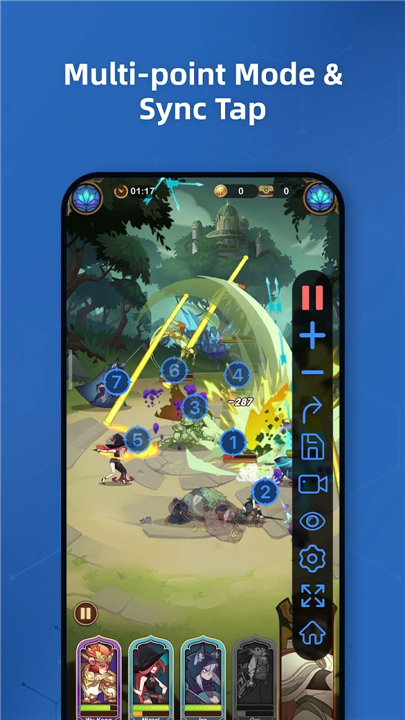
1. Multi-Point Magic:
• Set up a chain of taps and swipes to run in a specific order, or blast them all at the exact same moment.
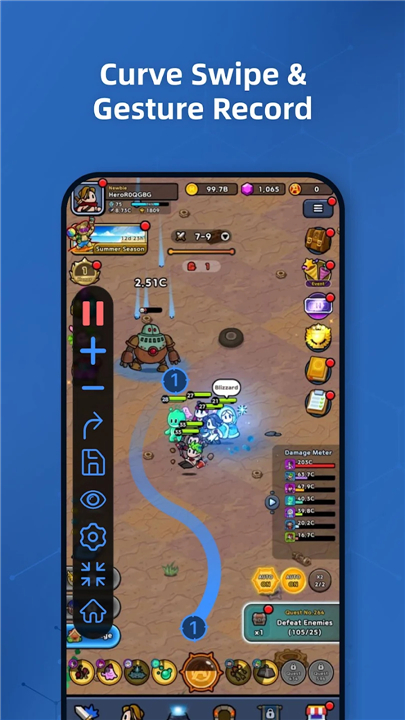
2. Gesture Recorder:
• Simply perform your sequence of taps, swipes, and long presses once, hit save, and let the app repeat your exact moves whenever you want.
3. Synchronized Tapping:
• Trigger multiple points on your screen simultaneously because a single tap is rarely enough.
4. Curve Swipe Support:
• Mimic natural human movement with smooth, curved swipe trajectories instead of rigid straight lines.
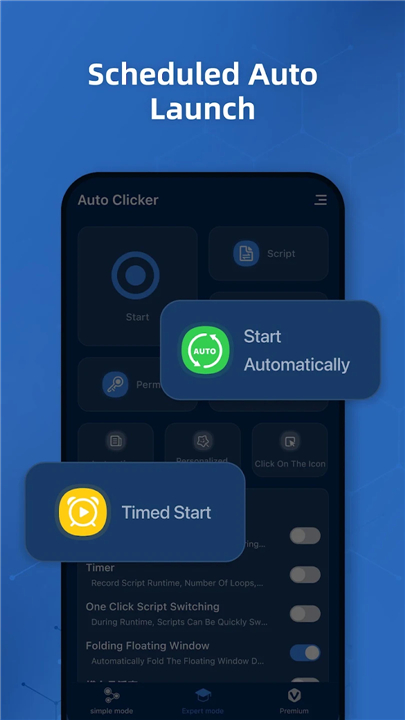
5. Scheduled Auto-Start:
• Set a target time for your routines to begin automatically, allowing you to automate tasks while you sleep or pretend to work.
6. Floating Control Panel:
• Easily resize, fade, or move the overlay menu so it stays out of your way while remaining instantly accessible.
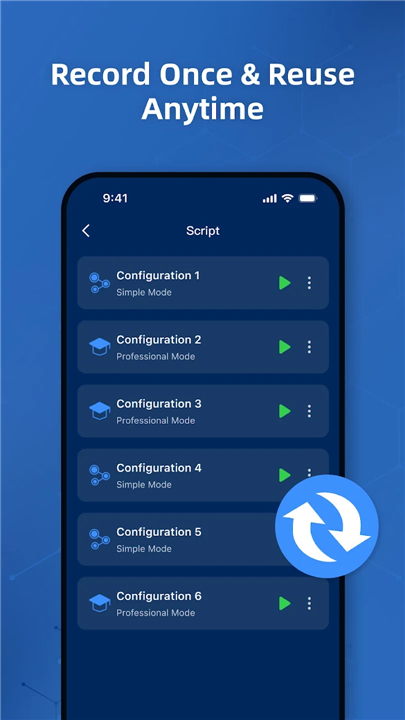
7. Setup Preset Vault:
• Save your custom tapping profiles for different games or apps, and switch between them with a single click.
Privacy and Permissions
1. Purpose-Driven Access:
• This app uses Android Accessibility Services strictly to perform the screen actions you configure, such as tapping and swiping.
2. Android Compatibility:
• Accessibility permission is optional and only required to execute your automated gestures on Android 12 and above.
3. Total Privacy:
• Your data belongs to you.
• The app does not collect, track, or share any personal or sensitive information.
Give your fingers a well-deserved break
• Download Auto Clicker Pro today, pick the mode that suits your style, and let true automation handle the boring stuff!
FAQ
Q: What is the difference between Easy Mode and Advanced Mode?
A: Easy Mode is built for beginners or anyone wanting quick results without a headache, allowing you to set up basic tap sequences and swipe paths in seconds. Advanced Mode caters to power users, granting access to custom gesture recording, synchronized multi-point taps, and precise timing adjustments for complex routines.
Q: How does the Gesture Recorder feature work?
A: The Gesture Recorder lets you create routines effortlessly by recording your actual actions. You simply perform your sequence of taps, swipes, and long presses once, hit save, and the app will repeat your exact moves whenever you want.
Q: Can I perform multiple screen taps at the exact same time?
A: Yes, the app includes Synchronized Tapping, which allows you to trigger multiple target points on your screen simultaneously whenever a single tap is not enough.
Version History
v1.2.3——22 Jul 2026
Boost your speed with smart auto tapping! High-speed taps & precise swipes. Download the latest version of Auto Clicker Pro - Auto Tapper to enjoy new features and updates immediately!
*1.2.3
Minor bug fixes and improvements. Install or update to the newest version to check it out!
*1.2.2
Minor bug fixes and improvements. Install or update to the newest version to check it out!
*1.2.1
Minor bug fixes and improvements. Install or update to the newest version to check it out!











Ratings and reviews
There are no reviews yet. Be the first one to write one.