

PDF Expert: PDF Editor, Reader APK
V2.1.3
PDF Expert: PDF Editor, Reader
PDF Expert: PDF Editor, Reader APK
Download for Android


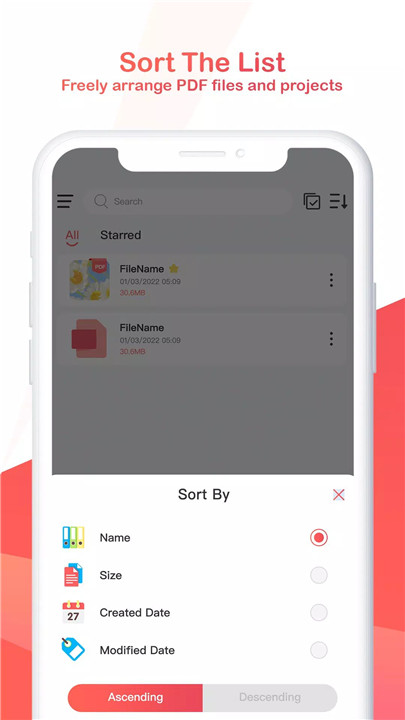
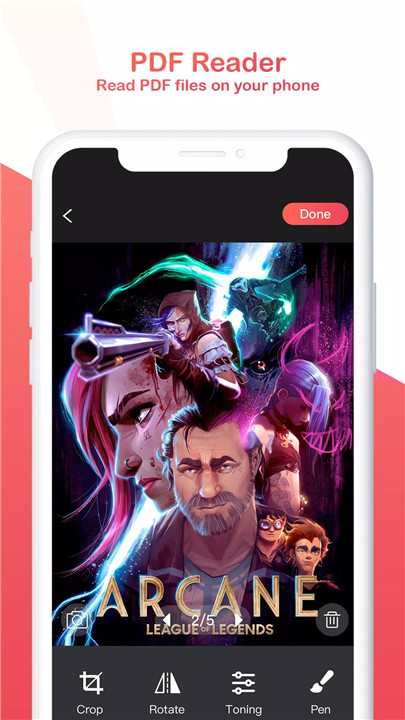
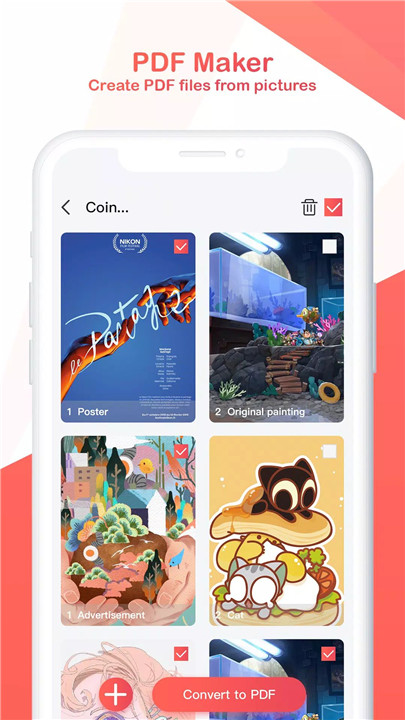
PDF Expert is a robust and versatile app that provides both scanning and PDF reading capabilities. With its easy-to-use features, you can scan documents, edit images, and even encrypt files for enhanced security. Whether you're at home, at work, or on the go, PDF Expert makes managing your PDFs a breeze.
PDF Maker - Scan and Create PDFs
With PDF Expert, turning physical documents into digital PDFs is a simple task. You can easily take photos and scan documents directly within the app or choose pictures from your album to create PDFs. The app allows you to edit the scanned images as well, giving you the ability to crop, rotate, and adjust the colors to your preference.
Automatic Saving
One of the standout features of PDF Expert is its auto-save function. Once you start a project, the app will automatically save your progress, so you never have to worry about losing your work due to an unexpected shutdown or network issue. This means you can confidently continue your work without the fear of data loss.
PDF Reader - Seamless PDF Viewing
PDF Expert provides a seamless reading experience for all your PDF files. You can read any PDF file, and it includes features like keyword search, bookmarking, and viewing directories.
Encrypt and Decrypt PDFs
For those who need added security for sensitive documents, PDF Expert allows you to encrypt your PDFs during export. If you need to make a file secure before sharing, the app’s encryption function ensures that only authorized users can access it. Additionally, you can decrypt encrypted files with ease if necessary.
Organize and Star Important Files
PDF Expert also lets you star important PDF files, allowing you to quickly access and organize your documents. This feature is especially useful when dealing with a large volume of PDFs, as it helps you locate key files faster, saving you time and effort.
FAQs
1. Can I create PDFs with PDF Expert?
Yes, PDF Expert allows you to easily
scan documents or select images from your gallery to create PDFs. You can also
edit the images before saving them as PDFs.
2. Does PDF Expert support editing of scanned images?
Absolutely! PDF Expert
provides several editing options for scanned images, including cropping,
rotating, and adjusting colors to your liking.
3. Can I save my work automatically in PDF Expert?
Yes, PDF Expert
automatically saves your projects as you work, ensuring you never lose your
progress.
4. Is it possible to encrypt a PDF in PDF Expert?
Yes, PDF Expert allows you
to encrypt PDF files when exporting, providing added security for sensitive
documents.
5. Can I organize my PDFs in PDF Expert?
Yes, you can star important PDF
files in PDF Expert, making it easier to locate and organize your documents
quickly.
Version History
V2.1.3—5 Jan, 2023
Minor bug fixes and improvements. Install or update to the newest version to check it out!
V2.1.2—5 Jan, 2023
Last updated on Jan 5, 2023
Minor bug fixes and improvements. Install or update to the newest version to check it out!









Ratings and reviews
There are no reviews yet. Be the first one to write one.