

MinCal Widget
Overview
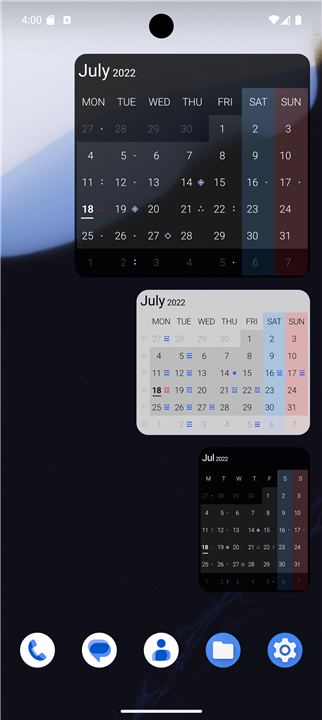
• MinCal Widget is a minimalist calendar application designed for your home screen that automatically stays synchronized with the current date's month, ensuring you never have to manually flip pages or scroll to find today.
Core Features
• Always on current date's month: Automatically updates to display the present month without requiring manual intervention.
• Event integration: Displays all scheduled events directly from your connected calendars using a clean symbol set, transitioning to a generic indicator when daily event volume is high.
• Dual interaction zones: Access native widget configuration settings instantly by tapping the top-right corner, or open your default calendar application by pressing anywhere else on the widget.
Customization and Display
• Resizable dimensions: Comes in a standard 3x2 grid size that can be easily adjusted to fit your layout preferences.
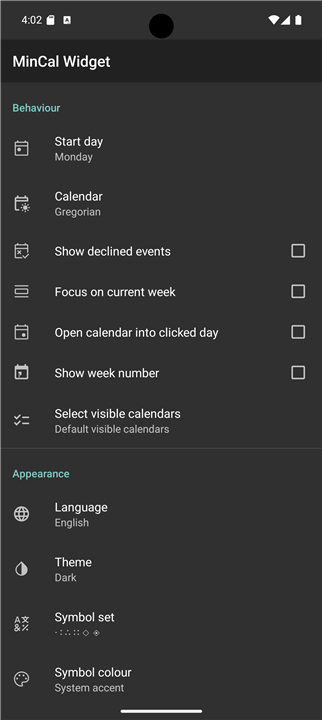
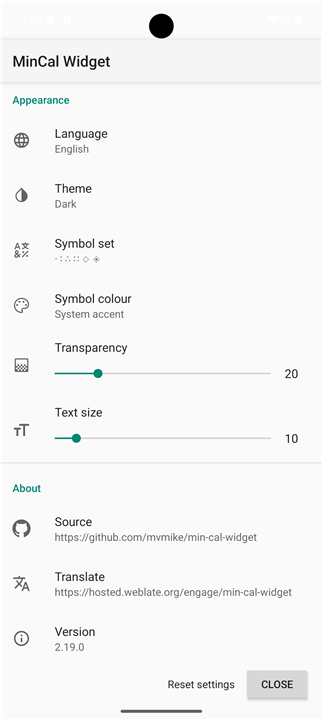
• Highly configurable: Personalize your experience by adjusting the start day of the week, theme, symbol set, symbol set color, background transparency, text size, and the visibility of week numbers.
Privacy and Accessibility
• Free and open source: Completely transparent development model with accessible source code.
• Completely ad-free: Contains no advertisements, in-app purchases, hidden fees, or data-tracking mechanisms.
Community and Development
• Translation contributions: Help translate the application into more languages by visiting the official Weblate project page at https://hosted.weblate.org/engage/min-cal-widget.
• Source code access: View the repository, report issues, or contribute to development on GitHub at https://github.com/mvmike/min-cal-widget.
FAQ
Q: What happens when I tap on different parts of the widget?
A: The widget is designed with dual interaction zones to help you navigate quickly. If you tap on the top-right corner, you will instantly open the native widget configuration settings, while pressing anywhere else on the widget will immediately open your default calendar application.
Q: What are the default dimensions of the widget, and can I change them?
A: The widget comes in a standard three-by-two grid size when you first place it on your screen. However, it features fully resizable dimensions, so you can easily stretch or shrink it to perfectly fit your preferred home screen layout.
Q: What aspects of the widget's appearance can I customize?
A: You have a wide variety of configuration options to make the widget match your style. You can easily adjust the start day of the week, choose your preferred theme, pick a custom symbol set and symbol set color, tweak the background transparency, change the text size, and even toggle the visibility of week numbers.
Version History
v2.20.0——21 Sep 2026
Minimal Calendar Widget Download the latest version of MinCal Widget to enjoy new features and updates immediately!
*2.20.0
Minor bug fixes and improvements. Install or update to the newest version to check it out!
*2.19.0
Minor bug fixes and improvements. Install or update to the newest version to check it out!
*2.18.6
Minor bug fixes and improvements. Install or update to the newest version to check it out!











Ratings and reviews
There are no reviews yet. Be the first one to write one.