

NFC Radio
Overview
• NFC Radio is an innovative, tactile audio playback system designed to simplify how users of all ages interact with digital media.
• By merging digital audio files with physical Near Field Communication (NFC) technology, it provides a screen-free, intuitive way to control music and audio content.
Core Functionality
• NFC Triggered Playback: Users can link specific NFC tags, stickers, or cards to individual songs, custom playlists, podcasts, or audiobooks.
• Tap-to-Control Gestures: Placing a registered NFC tag near a compatible smartphone or device instantly triggers the system to play, pause, or change the audio track.
• Broad Compatibility: The system operates using standard, widely available rewritable NFC tags and any smartphone equipped with an NFC reader.
Key Benefits for Different Audiences
• Children: Offers a safe, screen-free entertainment experience, allowing kids to independently select and listen to their favorite stories and songs without needing parental device supervision.
• Adults and Seniors: Recreates the nostalgic, physical sensation of playing vinyl records or CDs, while providing a highly simplified control scheme for those who find modern digital menus overwhelming.
• Accessibility Support: Serves as a useful tool for visually or cognitively impaired individuals, enabling seamless audio control through physical touch and recognizable objects rather than touchscreen navigation.
Practical Use Cases
• Interactive Storytime: Parents can stick NFC tags onto physical books or toy figures to play corresponding audiobooks and sound effects.
• Bedtime Routines: Program an NFC sticker on a bedside table to automatically launch relaxing sleep playlists or white noise.
• Custom Physical Mixtapes: Create physical music albums by assigning digital music links to collectible, personalized cards.
FAQ
Q: Do I need any special hardware to use NFC Radio?
A: You only need a smartphone or tablet that has built‑in NFC capability and any standard rewritable NFC tag, sticker, or card. No extra dongles, adapters, or proprietary hardware are required.
Q: How do I link an NFC tag to a piece of audio content?
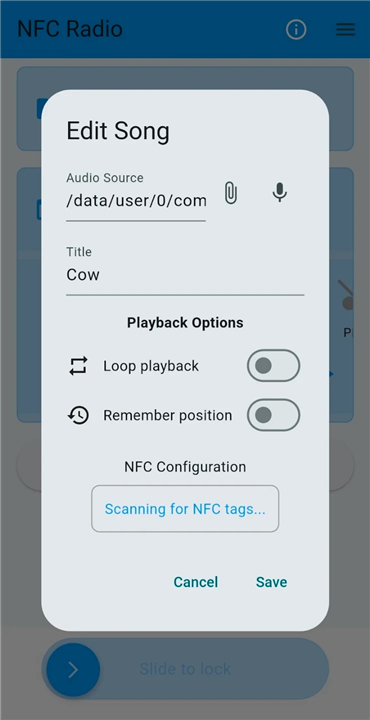
A: First, install the NFC Radio companion app from your device’s app store. Open the app, select the audio file or playlist you want to assign, then tap the “Write to Tag” option and bring the blank NFC tag close to the phone’s NFC antenna. The app will store a reference to the audio on the tag, completing the link.
Q: Can I reuse or reprogram an NFC tag after it’s been set?
A: Yes, standard rewritable NFC tags can be overwritten many times. Simply open the app, choose the tag you wish to update, and write a new audio reference onto it. The previous data will be replaced instantly.
Version History
v0.20.1——26 Aug 2026
Discover NFC Radio: the screen-free tactile audio system. Tap NFC tags to play music, playlists, and audiobooks instantly. Download the latest version of NFC Radio to enjoy new features and updates immediately!
*0.20.1
Minor bug fixes and improvements. Install or update to the newest version to check it out!
*0.19.0
Minor bug fixes and improvements. Install or update to the newest version to check it out!
*0.18.1
Minor bug fixes and improvements. Install or update to the newest version to check it out!











Ratings and reviews
There are no reviews yet. Be the first one to write one.