

RuneAudio Remote Control APK
1.2.3
RuneAudio Remote Control
RuneAudio Remote Control APK
Download for Android
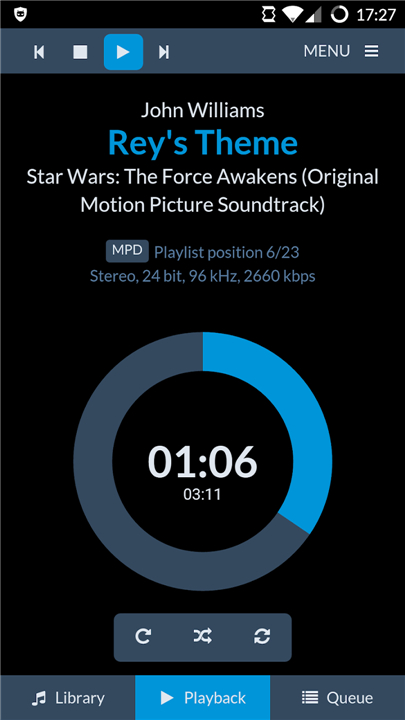
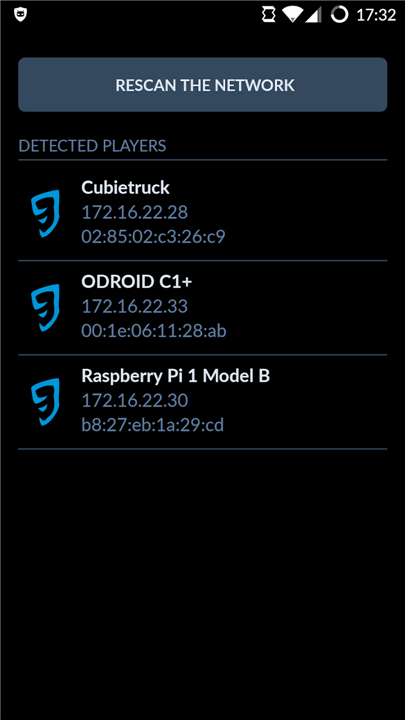
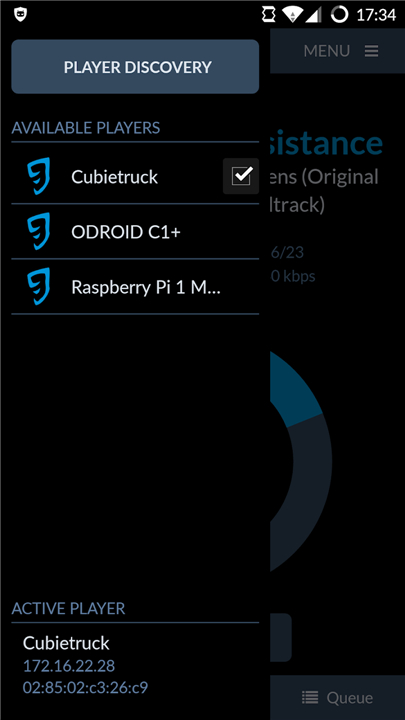
RuneAudio Remote Control
Overview
• RuneAudio Remote Control is a dedicated Android™ application designed to simplify and enhance the way you manage your RuneAudio music players.
• By transforming your Android device into a powerful remote, it enables seamless control over one or multiple RuneAudio systems connected to your local network.
• Whether you're streaming high-fidelity audio in a single room or managing a whole-home audio setup, this app delivers intuitive, real-time access to your music experience.
Key Features
1. Player Discovery:
• The app automatically scans your local network to detect all connected RuneAudio-compatible devices.
• This plug-and-play functionality eliminates the need for manual configurations in most cases, making setup quick and hassle-free.
2. Manual Player Addition:
• If a player isn’t discovered automatically, you can manually add it using its IP address.
• This feature is accessible via the "Support and Credits" section under the "Manual Add" option, offering flexibility for advanced network setups.
3. Player Management:
• Easily edit or remove saved players by performing a long press on any listed device.
• This allows you to keep your player list updated and organized.
4. Fullscreen User Interface:
• RuneAudio Remote Control provides a clean, immersive experience with a true fullscreen display of RuneUI.
• Unlike web browser access, the app removes unnecessary browser bars and toolbars, offering a distraction-free control interface.
5. Volume Control Integration:
• Adjust audio levels directly using your Android device’s physical volume buttons, ensuring smooth and natural volume adjustments without navigating through menus.
Important Information
• Before using the app, users are strongly advised to review the official RuneAudio documentation.
• It contains essential details regarding system requirements, device compatibility, and troubleshooting tips.
• Visit http://www.runeaudio.com/documentation/development/runeaudio-remote-control/ for comprehensive guidance and support.
FAQ
Q: Do I need to have a RuneAudio player set up to use this app?
A: Absolutely. The app is designed to communicate with and control an existing RuneAudio device that is already installed on a compatible hardware platform like a Raspberry Pi and connected to your local network. The app itself is just the remote control, not the music player.
Q: How does the app find my RuneAudio player on the network?
A: The app features a convenient automatic discovery function. When you first open it, it will scan your local Wi-Fi network to find any available RuneAudio-compatible devices. This plug-and-play approach means it should find your player without any manual setup in most home environments.
Q: What should I do if the app can't find my player automatically?
A: If your player isn't discovered, don't worry! You can add it manually. Head over to the "Support and Credits" section within the app and select the "Manual Add" option. There, you can enter the player's specific IP address to connect to it directly.
Version History
v1.2.3——9 Feb 2026
Easily control one or more RuneAudio music players from your Android™ device Download the latest version of RuneAudio Remote Control to enjoy new features and updates immediately!
*1.2.3
Minor bug fixes and improvements. Install or update to the newest version to check it out!
*1.2.2
Minor bug fixes and improvements. Install or update to the newest version to check it out!
*1.2.0
Minor bug fixes and improvements. Install or update to the newest version to check it out!









Ratings and reviews
There are no reviews yet. Be the first one to write one.