
Brother Print Service Plugin APK
1.16.0
Brother Print Service Plugin
Brother Print Service Plugin APK
Download for Android
Brother Print Service Plugin: Because Even Your Phone Deserves to Print Like a Pro
What It Does
• Tired of emailing yourself files just to print them from a computer?
• The Brother Print Service Plugin saves you from that digital circus.
• It allows Android devices (version 5.0 or higher) to send documents directly to any compatible Brother printer over Wi-Fi.
• No wires, no drama—just tap Print and let technology do its thing.
Where It Works
• This plugin quietly hides in the background until you need it.
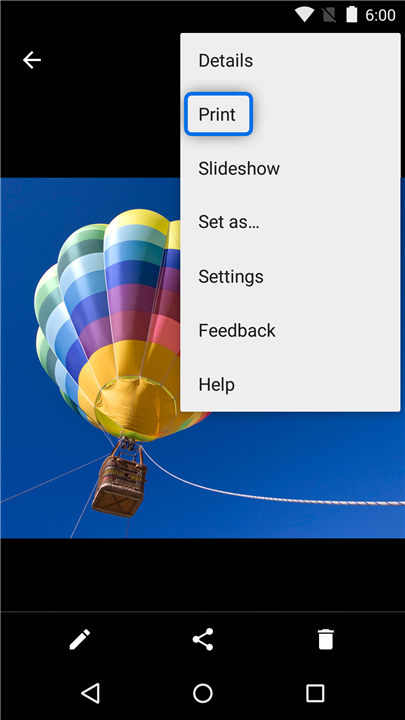
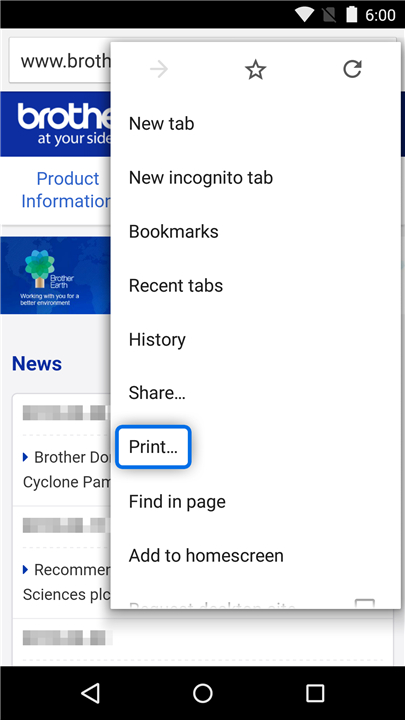
• When you hit the Print option in certain Android apps, voilà—printing magic!
As of March 2015, it plays nicely with:
• Chrome Browser
• Gmail
• Photos
• Google Sheets
• Google Slides
• Google Docs
• Google Drive
Your Printing Powers
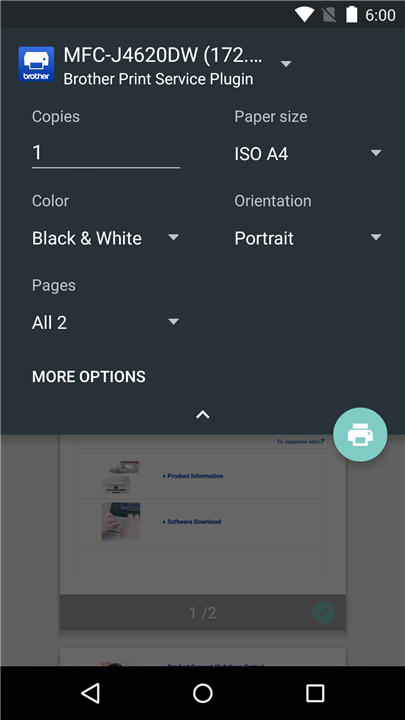
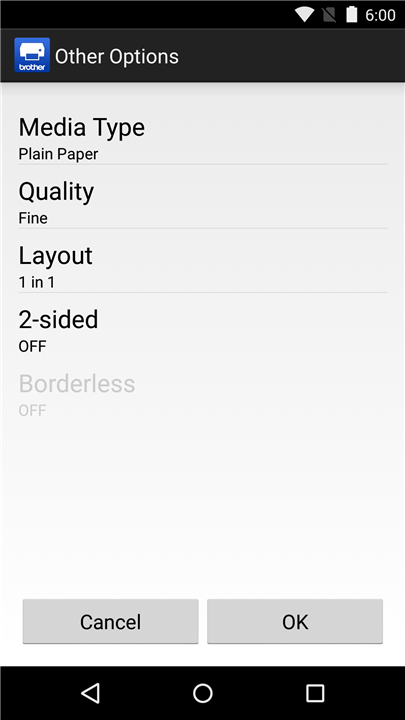
Depending on your printer model, you can fine-tune your prints with a range of options—because one size definitely doesn’t fit all:
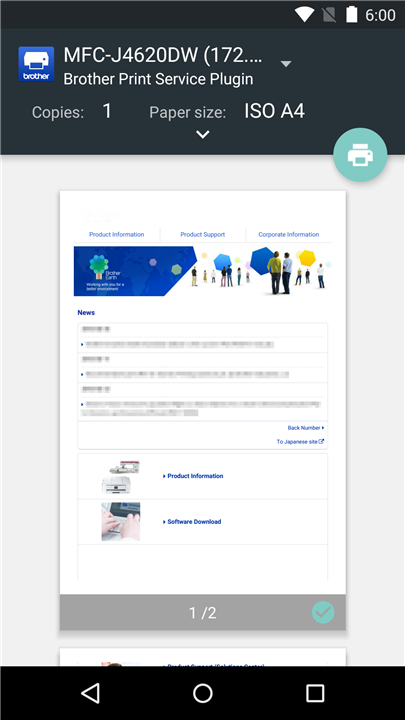
• Number of copies
• Paper size
• Color or black-and-white
• Portrait or landscape orientation
• Paper type
• Print quality
• Page layout
• Double-sided printing
• Borderless printing
How to Activate It
Installation alone doesn’t make the magic happen—you’ll need to give it the green light. Here are two ways:
1. Right after installation, tap the notification that pops up and enable the plugin.
2. Or, take the scenic route: go to your device’s Settings → Printing → Brother Print Service Plugin, and flip the switch to “on.”
Once that’s done, your Android will start spotting nearby Brother printers like a pro.
For More Info
If you’re wondering whether your printer is on the guest list, check your local Brother website for compatible models.
• Got ideas, complaints, or spontaneous bursts of appreciation?
• Send your thoughts to Feedback-mobile-apps-lm@brother.com.
• They might not reply individually, but they do read every note (probably over coffee).
Because sometimes, printing should just work—without summoning the household IT expert.
FAQ
Q: Which devices can use this plugin?
A: Any Android device running version 5.0 (Lollipop) or higher can use the Brother Print Service Plugin. If your phone or tablet meets that requirement and shares the same wireless network as your Brother printer, you’re set.
Q: Do I need special cables or hardware to make it work?
A: No cables, no extra boxes—just Wi‑Fi. The plugin works wirelessly, so as long as your Android device and Brother printer are connected to the same network, printing happens seamlessly without a physical connection.
Q: How do I activate the plugin after installing it?
A: After installation, you’ll be prompted with a notification asking if you’d like to enable the Brother Print Service Plugin. Tap that message to activate it instantly. If you miss the prompt, you can manually enable it by heading to Settings → Printing → Brother Print Service Plugin and switching it on.
Version History
v1.16.0——15 Oct 2025
You can print from Brother printers using the built-in menu of Android apps. Download the latest version of Brother Print Service Plugin to enjoy new features and updates immediately!
*1.16.0
Added a new feature that allows you to manually search for and add a printer using its IP address.
*1.15.1
Software Update
*1.15.0
Minor fixes for improved functionality









Ratings and reviews
There are no reviews yet. Be the first one to write one.