

Yubico Authenticator
Elevate Your Digital Security
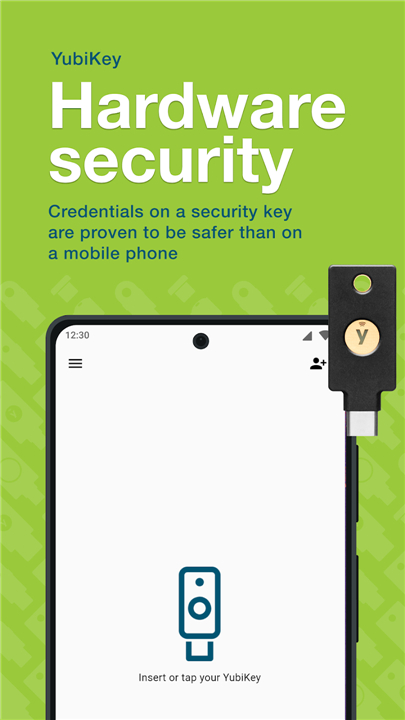
• Stop keeping your identity at risk by storing sensitive credentials directly on your mobile device.
• Yubico Authenticator shifts the paradigm of protection, moving your secrets from vulnerable phone storage to the impenetrable hardware of a YubiKey.
• Whether you are on desktop or mobile, you can now enjoy seamless, hardware-backed security that effectively eliminates the threat of account takeovers.
Why Choose Yubico Authenticator:
1. Superior Protection:
• Your authentication secrets reside exclusively on your YubiKey—never on your phone—providing robust, hardware-based two-factor authentication.
2. True Portability:
• Access your accounts from any device.
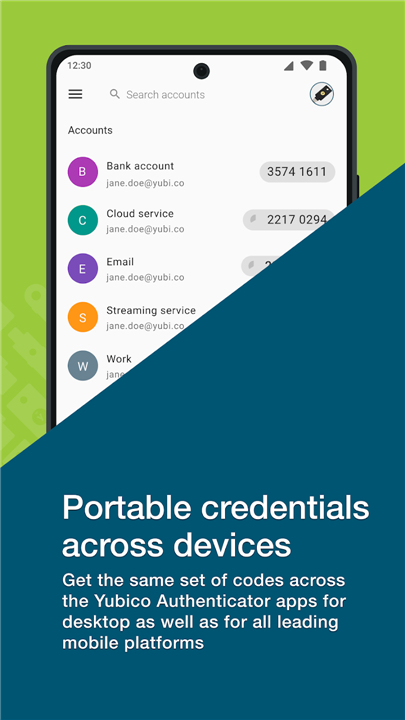
• Your credentials remain synchronized and available across all major mobile platforms and desktop operating systems.
3. Zero Connectivity Required:
• Generate verification codes instantly, even when offline, ensuring you are never locked out of your services.
4. Physical Verification:
• Require a physical touch or NFC tap on your YubiKey to generate codes, ensuring that you are the only one authorizing access to your most sensitive accounts.
5. Universal Compatibility:
• If a service supports standard authentication apps, it works with Yubico.
• Use it for your personal accounts and professional profiles simultaneously.
Getting Started:
1. Simple Integration:
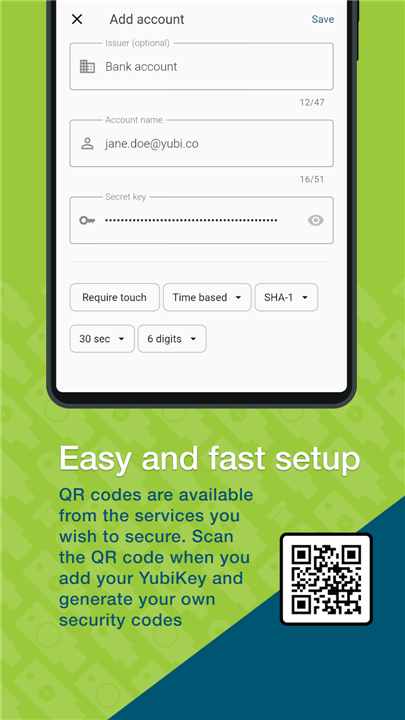
• Quickly add accounts by scanning the standard QR codes provided by your favorite services.
2. Versatile Connectivity:
• Connect effortlessly via USB or simply tap your YubiKey against an NFC-enabled device.
3. Customizable Workflow:
• Fine-tune your experience, including how your keys behave when the app is running in the background.
Secure your digital life today
• Experience the peace of mind that comes with modern, professional-grade security.
• Visit https://www.yubico.com/products/yubico-authenticator
FAQ
Q: Is it possible to use Yubico Authenticator if I do not have a constant internet connection?
A: Yes, you can generate your verification codes completely offline. Since the YubiKey stores the secrets and computes the codes locally, you will never be locked out of your accounts due to a lack of cellular service or a weak Wi-Fi connection.
Q: What happens if I lose my phone?
A: Because your secrets are stored on the YubiKey and not on the phone itself, your credentials remain secure. You can simply plug your YubiKey into a new phone or computer, download the Yubico Authenticator app, and regain immediate access to all your accounts.
Q: Does the app work on both desktop and mobile platforms?
A: Absolutely. Yubico Authenticator is designed for cross-platform compatibility, allowing you to manage your credentials across Windows, macOS, Linux, Android, and iOS devices seamlessly.
Version History
v7.4.1——8 Jul 2026
Allows you to use a YubiKey to store 2-factor authentication credentials. Download the latest version of Yubico Authenticator to enjoy new features and updates immediately!
*7.4.1
- Fixed an issue where quickly tapping a navigation menu item could leave a blank screen.
- Updated dependencies and other maintenance improvements.
*7.4.0
- Improved accessibility.
- Fixed NFC HAL crash on startup.
- Added landscape orientation support.
- Redesigned QR scanner UI.
- Added support for Bulgarian and Hebrew.
*7.3.2
- Added support for Portuguese (Brazil), Italian, Hungarian and Dutch.
- Bug-fixes for user reported issues











Ratings and reviews
There are no reviews yet. Be the first one to write one.