

Crestron Home
Your Smart Home Control Hub
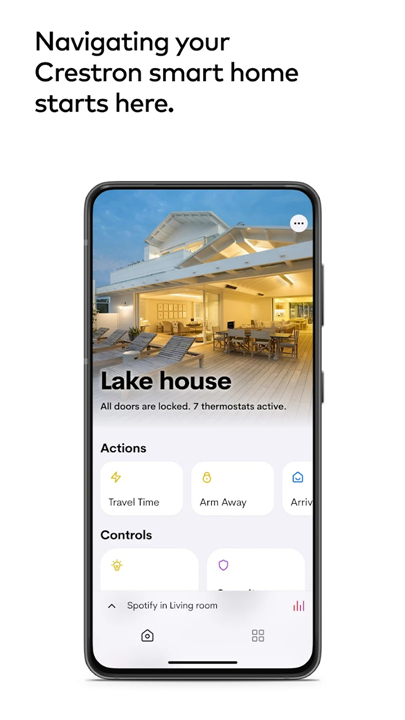
• The Crestron Home™ app provides effortless access to and control over every facet of your smart home.
• With just a tap on your Android™ device or a simple voice command, you can manage:
+ Lighting: Set the perfect ambiance for any occasion.
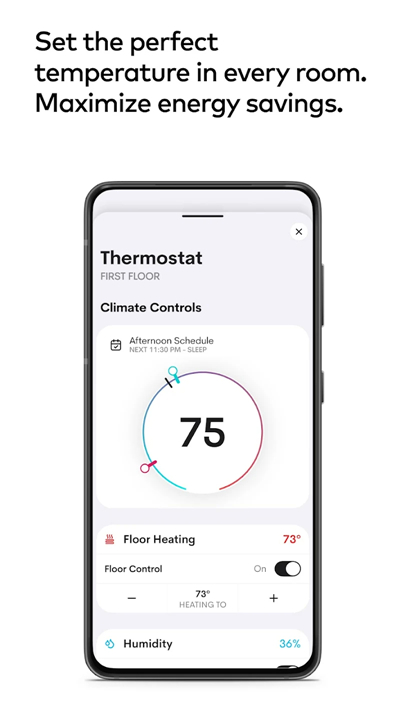
+ Climate: Adjust the temperature to your comfort level.
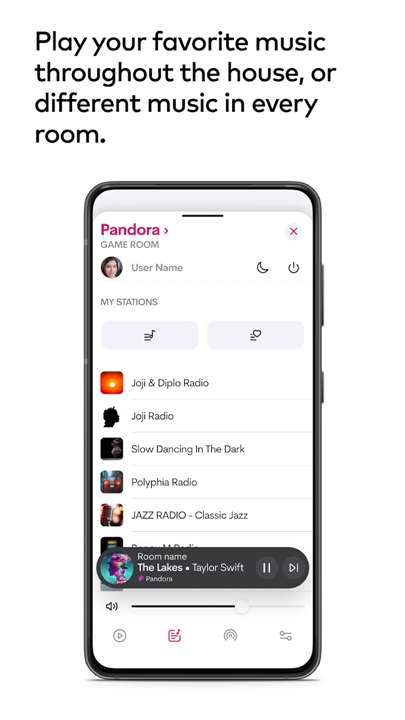
+ Audio & Video: Stream your favorite content with ease.
+ Shades: Control natural light with a touch.
+ Security: Keep your home safe, whether you’re inside or away.
• Imagine a home that responds to your needs with a single touch, creating environments that reflect your mood.
• Experience the tranquility of knowing your home is secure at all times.
• Crestron Home transforms ordinary tasks into extraordinary experiences.
Tailored for You
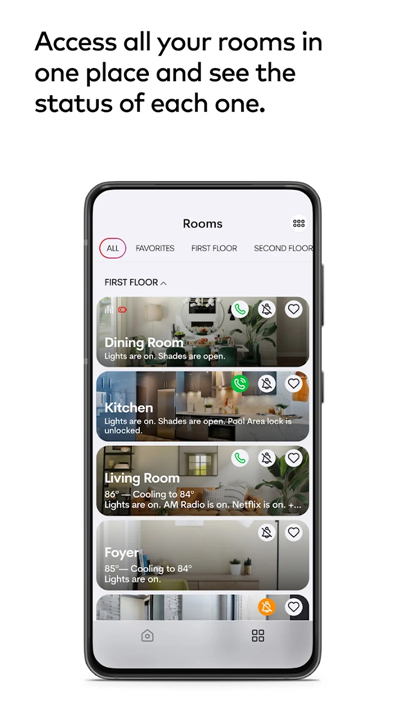
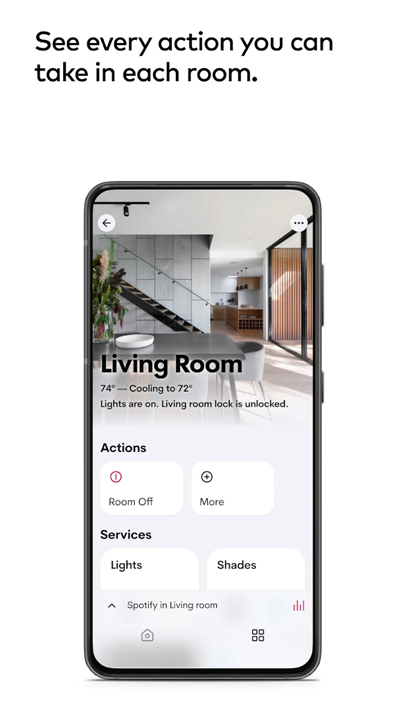
• Personalization: Customize your experience in every room.
• Scenes: Create one-touch commands to control multiple features simultaneously.
• Visual Customization: Easily update room images and screensavers to match your style.
Smooth Control
• Versatile Management: Effortlessly oversee one or multiple homes, whether you’re on-site or remote.
Intuitive Navigation
• User-Friendly Interface: Access your home’s information with smooth animations and responsive icons.
• Favorites: Organize your favorite features and personalize each space with images of your choice.
Instant Accessibility
• On-Demand Control: Activate any level of functionality with a simple command.
Dynamic Functionality
• Real-Time Feedback: Experience commands that visually respond, such as adjusting your climate settings and witnessing the change instantly.
Connected Entertainment
• Multimedia Experience: Access your favorite entertainment services with ease, ensuring that enjoyment is always at your fingertips.
*Important Note:
• To use the Crestron Home app, you need a Crestron smart home system installed and licensed by an authorized Crestron dealer.
• To find a dealer near you, visit our Dealer Locator: https://www.crestron.com/en-US/How-To-Buy/find-a-dealer-or-partner/Elite-Platinum-Residential-Dealers
FAQ
Q: How does the Crestron Home app enhance my smart home experience?
A: The Crestron Home app provides effortless access to your smart home features, allowing you to create customized environments with just a tap or a voice command. Whether you want to dim the lights for a movie night or adjust the thermostat for comfort, the app makes it easy.
Q: Can I personalize my Crestron Home experience?
A: Yes, the Crestron Home app allows for significant personalization. You can customize the experience in each room, create scenes that control multiple features at once, and update room images and screensavers to reflect your personal style.
Q: What types of scenes can I create with the app?
A: You can create a variety of scenes that combine different smart home features. For instance, a "Movie Night" scene could dim the lights, lower the shades, and turn on your favorite streaming service, all with a single command.
Version History
v4.8.10+pr——29 Jan 2026
Easily control everything in the Crestron smart home with the Crestron Home app Download the latest version of Crestron Home to enjoy new features and updates immediately!
*4.8.10+pr
Whole House Shade Control tile on the Home Screen
Modified order of extension UI tiles to list in alphabetical order
Improved German and Chinese Translations
Implemented additional bug fixes and performance improvements
*4.7.9+pr
Enhanced connection speed when accessing a home with the app running in the background or during startup.
Fixed the issue with multi-room volume control not scrolling correctly.
Ensured consistent appearance of the back icon across all media pages.
Implemented additional bug fixes and performance enhancements.
*4.6.18+pr
Enhanced Music Experience: Streamlined existing features to reduce the time required to initiate music playback across the system.
Improved Music Group Creation and Editing: Simplified the process for creating and editing music groups.
Performance Enhancements: Implemented optimizations to boost overall system performance.
Bug Fixes and User Interface Improvements: Resolved various bugs and made enhancements to the user interface for a more intuitive experience.









Ratings and reviews
There are no reviews yet. Be the first one to write one.