

S-pushTAN - sichere Freigaben APK
5.0.1
S-pushTAN - sichere Freigaben
S-pushTAN - sichere Freigaben APK
Download for Android
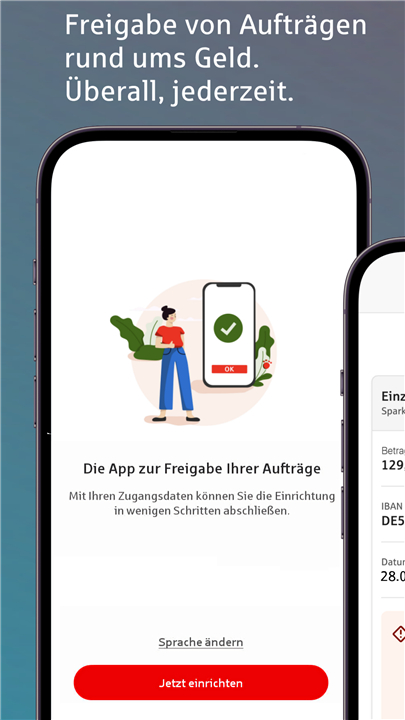


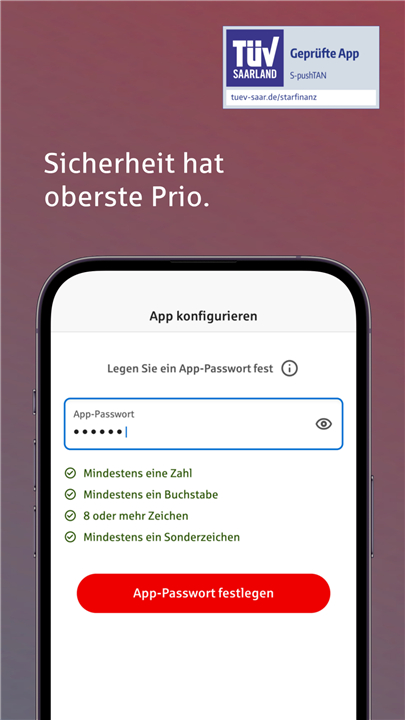
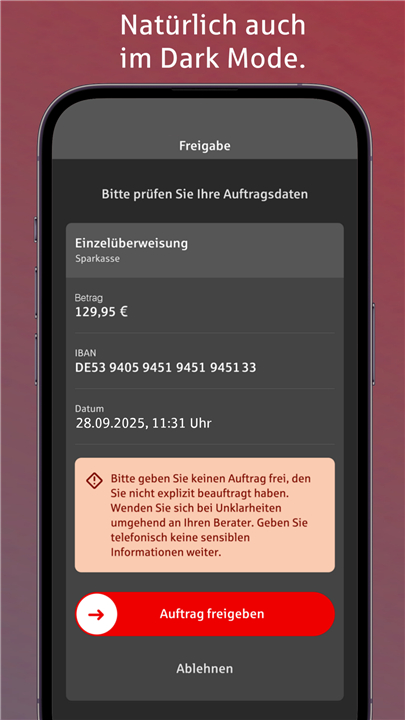

S-pushTAN – Secure Approvals Made Simple
Stay in Control, Stay Protected
• Experience modern mobile banking security with the S-pushTAN app.
• It brings your Sparkasse’s trusted authorization process directly to your smartphone or tablet, giving you a fast, convenient, and safe way to confirm your banking transactions anytime and anywhere.
How It Works
Online banking with S-pushTAN is quick and effortless:
• Place your order – Initiate your transactions as usual on your computer, tablet, or smartphone.
• Confirm securely – The S-pushTAN app instantly displays the order details on your device. Review everything and approve the transaction with a single tap.
• Use it everywhere – Whether transferring money, adjusting standing orders, managing securities, or approving service requests, pushTAN covers all processes requiring a TAN or authorization.
Getting Started
• You can begin using S-pushTAN once your savings bank has activated you for the pushTAN process and you have received your personal registration letter.
Step-by-step setup:
1. Apply for pushTAN at your local savings bank or switch online via your Sparkasse’s digital branch.
2. Download the free S-pushTAN app on your smartphone or tablet.
3. Activate and set up the app as soon as your registration letter arrives.
Your Security – Our Priority
S-pushTAN stands for the highest level of digital security in mobile banking.
• Encrypted communication: Data is transmitted only through tested, secure interfaces following German online banking standards.
• Personal protection: Access is secured with your personal password and, if you prefer, biometric login such as fingerprint or face recognition.
• Automatic lock: The app locks itself after a short period of inactivity to keep your data safe even if your device is lost or stolen.
Important Information
For the best app experience, please note the following:
• Activation by your Sparkasse and your registration data are required for setup.
• The latest app version supports Android 6 or higher.
• For security reasons, rooted devices or beta operating systems are not supported.
• Only the system keyboard can be used—please select “Standard,” “Default,” or “System Keyboard” in your device settings.
• All required permissions must be granted during setup for proper functionality.
• The app itself is free, but usage fees may apply depending on your Sparkasse’s policy.
Data Protection and Legal Information
• We take the safeguarding of your personal information very seriously. Your data is handled according to our privacy policy.
• By downloading or using the S-pushTAN app, you accept the Star Finanz GmbH End User License Agreement.
Further information:
• Privacy Policy: https://cdn.starfinanz.de/s-pushtan-datenschutz
• Terms of Use: https://cdn.starfinanz.de/s-pushtan-lizenzbestimmung
• Accessibility Statement: https://www.sparkasse.de/pk/produkte/konten-und-karten/finanzen-apps/s-pushtan.html
Bank securely. Approve confidently. With S-pushTAN, your Sparkasse’s digital security is always one step ahead.
FAQ
Q: How does a transaction get approved with S‑pushTAN?
A: When you initiate a banking operation—whether it’s a money transfer, a change to a standing order, a securities trade, or any other action that normally requires a TAN—the online banking system sends the request to the S‑pushTAN server. In a matter of seconds a push notification appears on your device, displaying the full details of the order. After you verify the information, you confirm the transaction by tapping the “Approve” button (or using your chosen biometric method).
Q: Do I need any special hardware to use S‑pushTAN?
A: No special hardware is required. All you need is a compatible smartphone or tablet that runs Android 6 or higher, the free S‑pushTAN app downloaded from the Google Play Store, and a personal password (or biometric login) that you set up during activation.
Q: What steps are involved in setting up S‑pushTAN for the first time?
A: First, apply for pushTAN at your local Sparkasse or via the digital branch on the Sparkasse website. After the bank has activated you, you will receive a personal registration letter. Then you download the S‑pushTAN app, launch it, and follow the on‑screen wizard to enter the activation code from your letter, choose a password and, if you wish, enable fingerprint or face recognition. Once the setup is finished, the app is ready to receive push‑messages.
Version History
v5.0.1——14 Oct 2025
Experience secure mobile banking with the S-pushTAN app—confirm transactions safely and easily on your smartphone. Download the latest version of S-pushTAN - sichere Freigaben to enjoy new features and updates immediately!
*5.0.1
+ App-Einrichtung +
Neben dem bekannten Postweg können Sie Ihre Registrierungsdaten jetzt auch direkt per SMS erhalten. Ihre Identität bestätigen Sie dabei sicher und bequem über die Online-Ausweisfunktion Ihres Personalausweises oder mit Ihrer Sparkassen-Card (Debitkarte) – direkt während der Einrichtung in der App.
+ Verbesserungen +
Zudem finden Sie wieder kleinere Verbesserungen für eine optimierte Nutzung und für noch mehr Sicherheit und Komfort im Banking.
*5.0.0
+ Barrierefreiheit +
Die S-pushTAN wird durch kleine Optimierungen noch barrierefreier, sodass sie von allen Nutzenden ohne Hilfe verwendet werden kann. Barrierefreiheit sorgt dafür, dass alle ihre Finanzen einfach, sicher und selbstbestimmt im Griff haben.
+ Verbesserungen +
Zudem haben wir die S-pushTAN optimiert. Sie behalten alles im Griff – beim mobilen Banking per Sparkassen-App und beim Online-Banking in der Internet-Filiale.
*4.8.2
Minor bug fixes and improvements. Install or update to the newest version to check it out!









Ratings and reviews
There are no reviews yet. Be the first one to write one.