

Komelia
Overview and Server Integration
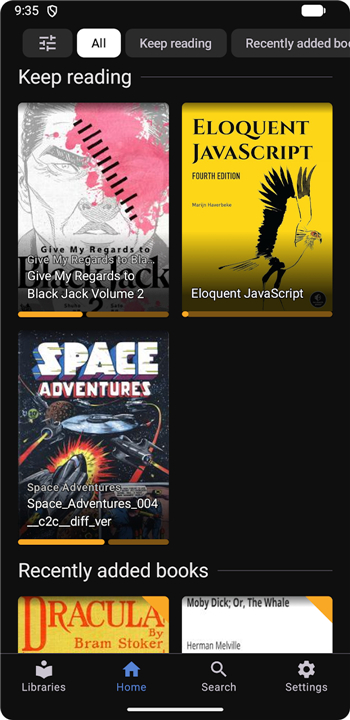
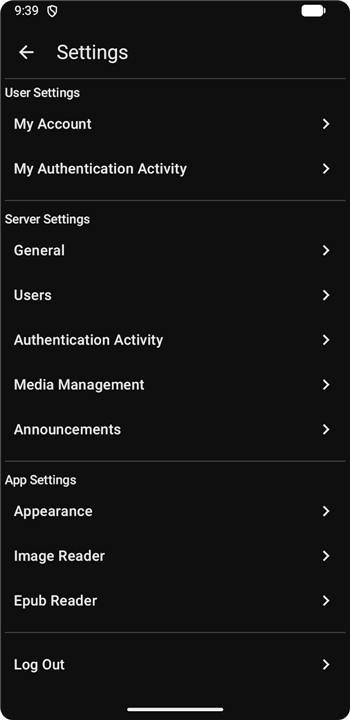
• Komelia serves as a dedicated, cross-platform client application designed specifically to interface with Komga, the popular open-source media server.
• It provides a responsive desktop and mobile experience, allowing users to seamlessly access and stream their self-hosted digital libraries without needing a web browser.
Format Support and Library Organization
• The application fully supports a wide range of popular digital file formats, including CBZ, CBR, PDF, and EPUB.
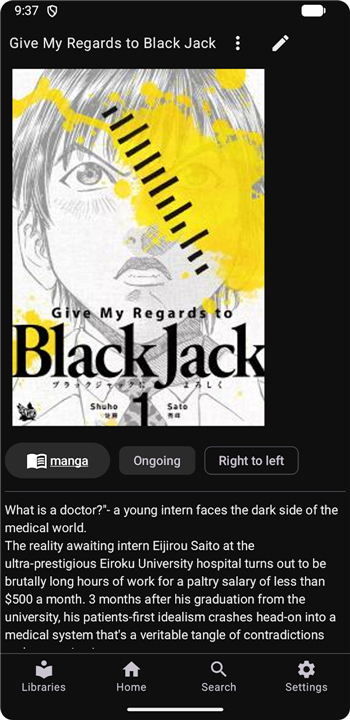
• It enables the organization of diverse media types such as Western comics, Japanese manga, European bande dessinees, magazines, and traditional eBooks.
• Users can easily categorize their media into distinct libraries, custom collections, and personalized reading lists to keep their digital shelves tidy.
Metadata and Library Management
• Komelia allows users to view, manage, and edit metadata for individual books as well as entire series directly through the client interface.
• It synchronizes reading progress, read/unread states, and library updates in real-time with your Komga server.
Advanced Built-In Reader
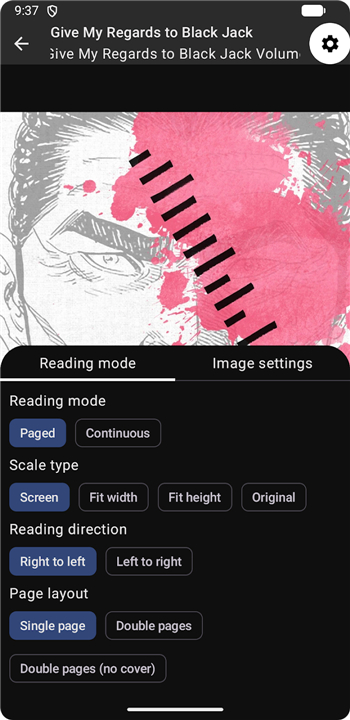
• Features a highly customizable built-in reader designed to accommodate both image-heavy comics and text-based eBooks.
• Supports multiple viewing modes, including single-page view, double-page spread, and continuous vertical scrolling.
• Offers adaptable reading directions, such as right-to-left layout optimization for manga and left-to-right layout for standard books.
FAQ
Q: Do I need to install anything on my server to use Komelia?
A: No, Komelia works with any standard Komga installation. As long as your Komga server is reachable over HTTP or HTTPS (including via a reverse proxy or VPN), Komelia can connect using the server’s base URL and your regular login credentials—no extra plugins or server‑side changes required.
Q: Which operating systems and devices support Komelia?
A: Komelia provides native builds for Windows, macOS, and Linux desktops, as well as Android and iOS mobile apps. The interface adapts to screen size, so you get a consistent experience whether you’re on a laptop, tablet, or phone.
Q: What file formats can Komelia read directly from Komga?
A: Komelia handles the most common digital comic and eBook containers: CBZ, CBR, PDF, and EPUB. When Komga serves these files, Komelia streams them smoothly, preserving the original quality and allowing you to switch between formats without leaving the app.
Version History
v0.18.6——26 Aug 2026
Komelia - The ultimate cross-platform client for Komga servers. Seamlessly stream and read manga, comics, and eBooks. Download the latest version of Komelia to enjoy new features and updates immediately!
*0.18.6
Fixed bulk read list edit affecting all items in read list instead of only selected
Fixed series tag filter not including tags from books
Fixed offline download error for users that don't have access to all libraries
Added rar support to offline downloads
*0.18.5
Fixed login error with latest Komga version
Fixed padding values in library list navigation drawer
Updated onnxruntime
*0.18.4
Fixed issue with read progress being reset to first page when loading next book in continuous image reader
Fixed home screen custom filter "NotEquals" condition being reset to "Equals" when reopening edit screen
Fixed Android crash when app is minimized and later restored on home edit screen











Ratings and reviews
There are no reviews yet. Be the first one to write one.