

NetSuite SuiteProjects Pro APK
5.3.3
NetSuite SuiteProjects Pro
NetSuite SuiteProjects Pro APK
Download for Android
NetSuite SuiteProjects Pro
Mobile for Android
• SuiteProjects Pro Mobile for Android enables professionals to remain connected to their projects and administrative tasks no matter where they are.
• Designed for efficiency and convenience, the app allows you to track your time, manage expenses, and streamline approvals directly from your mobile device.
• This ensures you can maintain productivity in the office, at home, or while traveling.
Key Features and Capabilities
1. Overview and Quick Access
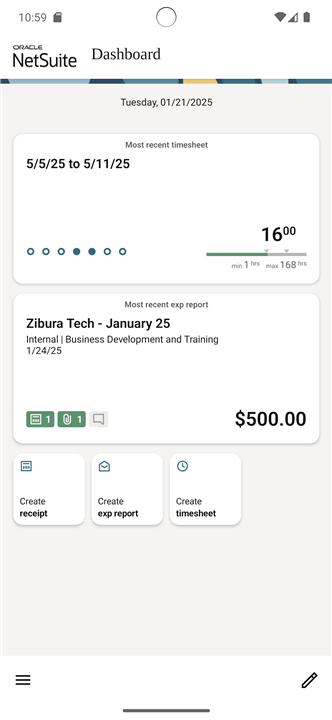
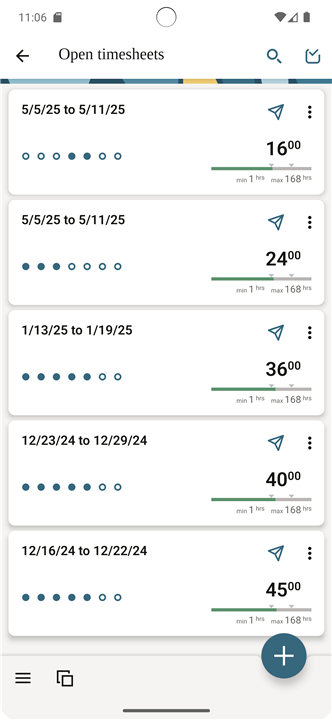
• List Views provide a concise snapshot of recorded time entries and expenses, enabling users to quickly assess work progress and costs.
• Immediate visibility into your work records without navigating through complex menus.
2. Time Management
• Full support for viewing, creating, and editing timesheets.
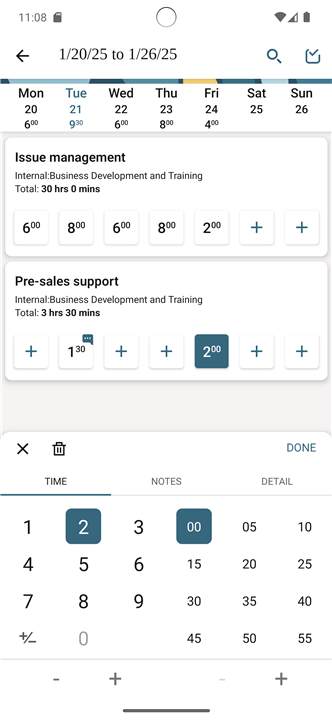
• Weekly calendar view displays all time entries at a glance, making it easier to manage workloads.
• Simple, intuitive time picker lets you add or modify multiple entries simultaneously with minimal effort.
3. Expense Tracking
• Expense reports enable you to categorize and record spending in detail.
• Capture receipts using your device’s camera or attach existing files from your library.
• Keep a clear, organized record of all business expenses for accurate reporting.
4. Approval Workflow
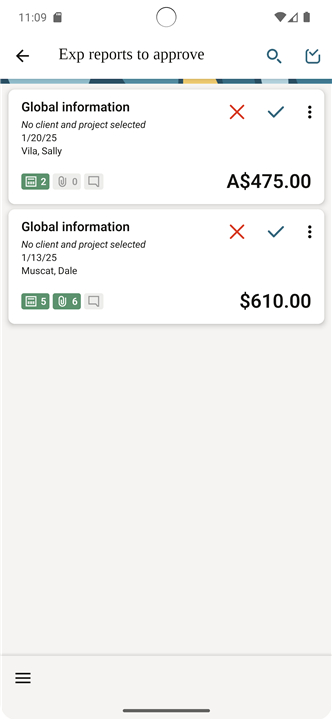
• Submit timesheets and expense reports from anywhere for managerial review.
• Approvers can review, approve, or reject submissions directly within the app.
5. Data Synchronization
• Changes made to timesheets, expense reports, or receipts are synced immediately, ensuring your data is always current both on mobile and desktop.
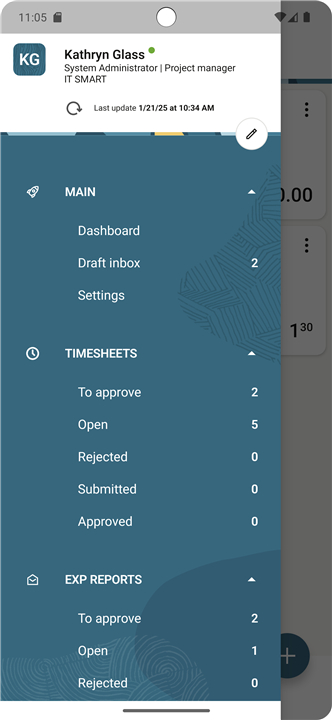
6. Draft Inbox
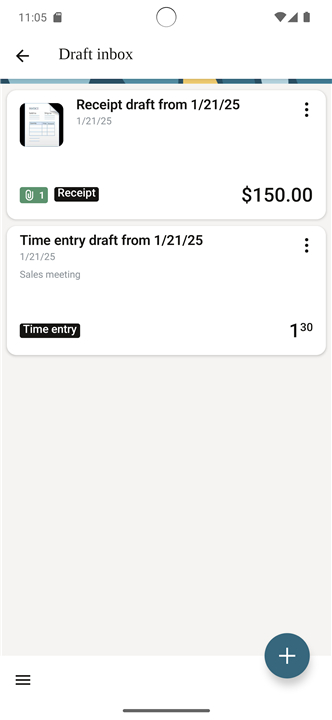
• Save incomplete time entries or expense data in a draft inbox.
• Pull drafts later when ready to finalize and submit.
Additional Information
• Full documentation is available at: https://app.netsuitesuiteprojectspro.com/download/Mobile.pdf
Access Requirements
• To log in, users must have Mobile Device Access permission enabled. Contact your account administrator for assistance if access is restricted.
FAQ
Q: What kind of information can I see at a glance?
A: The app’s List View gives you a quick snapshot of your recorded time entries and expense reports. This makes it easy to check progress or review costs without navigating through multiple screens. You’ll immediately see relevant data to help you make quick decisions.
Q: Can I create and edit timesheets using my phone?
A: Yes, the app fully supports viewing, creating, and editing timesheets. You can use the weekly calendar view to quickly see all entries for the week, and the intuitive time picker makes adding or modifying entries fast and simple, even if you need to adjust multiple entries at the same time.
Q: How does the weekly calendar view help me?
A: The weekly calendar view provides a visual overview of all your time entries for the week. This makes workload management much easier because you can spot gaps or overlaps in your schedule and ensure all billable time is accurately recorded.
Version History
v5.3.3——5 Nov 2025
Manage time, expenses & approvals on-the-go with NetSuite SuiteProjects Pro Mobile for Android. Download the latest version of NetSuite SuiteProjects Pro to enjoy new features and updates immediately!
*5.3.3
- minor bug fixes









Ratings and reviews
There are no reviews yet. Be the first one to write one.