

Photo and Music Video Creator APK
1.0.9
Photo and Music Video Creator
Photo and Music Video Creator APK
Download for Android
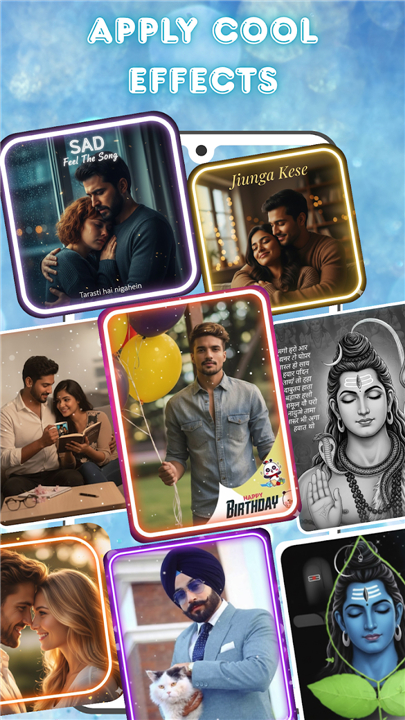

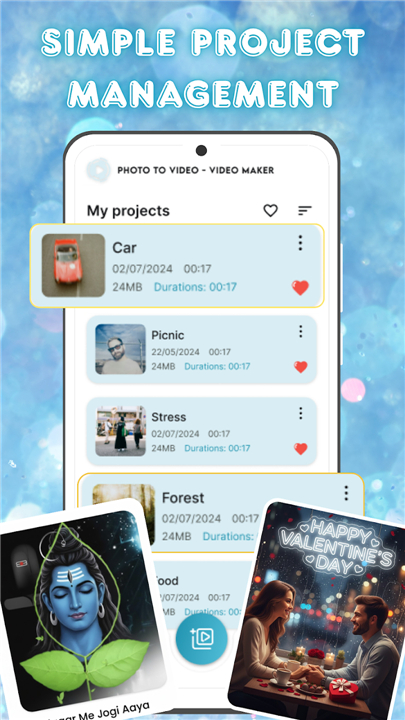
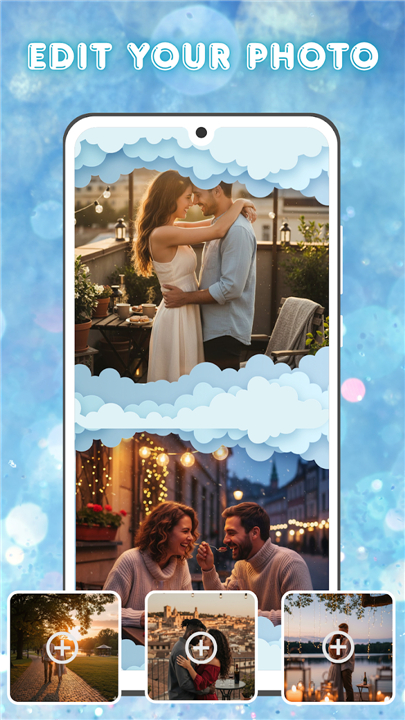

Photo and Music Video Creator
Overview
• Bring your precious memories to life with a versatile and easy-to-use photo-to-video creation tool.
• Whether you’re putting together a heartfelt slideshow for a special occasion or crafting a quick, engaging reel for social media, this app provides everything you need to transform still images into dynamic, visually stunning videos.
• Designed for both beginners and experienced creators, it offers speed, simplicity, and professional-level results.
Key Features
1. Easy Photo-to-Video Conversion
• Effortlessly turn your favorite images into moving stories in just a few simple steps.
• Ideal for creating event highlights, travel diaries, celebration videos, or everyday moments.
• Multiple format options for different platforms and sharing needs.
2. Built-in Photo Enhancer
• Refine and perfect your images before incorporating them into videos.
• Adjust brightness, contrast, saturation, and sharpness for optimal visual impact.
• Crop, rotate, and apply corrections to ensure each photo looks its best.
• Enhance clarity and detail without requiring separate editing software.
3. Intuitive Video Editing Suite
• Apply smooth transitions to create a seamless flow between images.
• Choose from a variety of stylish filters to set the mood and tone.
• Add background music to match the emotion or energy of your video.
• Control playback speed, sequence order, and special effects for complete creative freedom.
4. Simple Project Management
• Store and organize all video projects in one convenient dashboard.
• Easily access, edit, and update projects at any time.
• Keep track of progress and maintain a consistent creative workflow.
Why Choose This App
• With a focus on ease of use and powerful creative tools, this photo and music video creator helps you turn cherished moments into shareable works of art.
• Whether you’re preparing a gift for a loved one or building a professional portfolio, the process is fast, enjoyable, and rewarding.
Start transforming your memories today—download the app and let your stories move.
FAQ
Q: How many photos can I include in one video project?
A: There’s no strict limit on the number of photos you can add, but in practice performance may vary depending on your device’s memory and the resolution of the images. For a smooth editing experience, keeping your project under 200 high-resolution photos is recommended. If you need more, you can split them into multiple shorter projects and then combine the exported clips into a final compilation.
Q: Can I adjust individual photo durations and transition timings?
A: Absolutely. Once your photos are in the timeline, you can click on each image to set its display duration down to fractions of a second or extend it for a lengthier slideshow feel. Transition lengths are equally customizable—you can make fades, slides, or wipes instant or long-drawn-out to match the pacing you want for your narrative.
Q: How do I add background music or voiceovers to my video?
A: Adding audio is as easy as tapping the “Add Music” button in the editing suite. You can choose from the app’s built-in royalty-free library, import tracks from your device, or record a live voiceover directly in the app. Once the audio is placed, you can trim the track, adjust fade-ins and fade-outs, and match it precisely to key visual moments in your video.
Version History
v1.0.9——13 Jan 2026
Photo and Music Video Creator into Stunning Videos—Effortlessly Download the latest version of Photo and Music Video Creator to enjoy new features and updates immediately!
*1.0.9
Minor bug fixes and improvements. Install or update to the newest version to check it out!
*1.0.8
Minor bug fixes and improvements. Install or update to the newest version to check it out!
*1.0.7
Minor bug fixes and improvements. Install or update to the newest version to check it out!









Ratings and reviews
There are no reviews yet. Be the first one to write one.