

Screen ON (Stay awake) APK
2.5.5
Screen ON (Stay awake)
Screen ON (Stay awake) APK
Download for Android
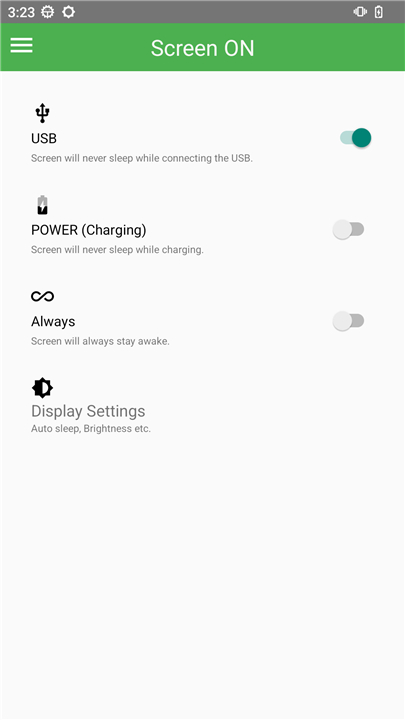
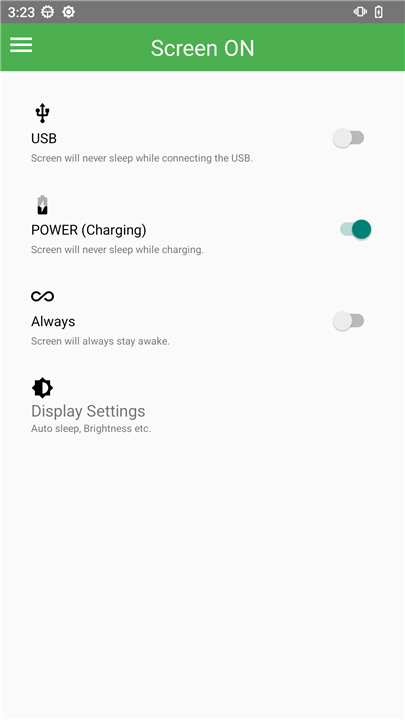
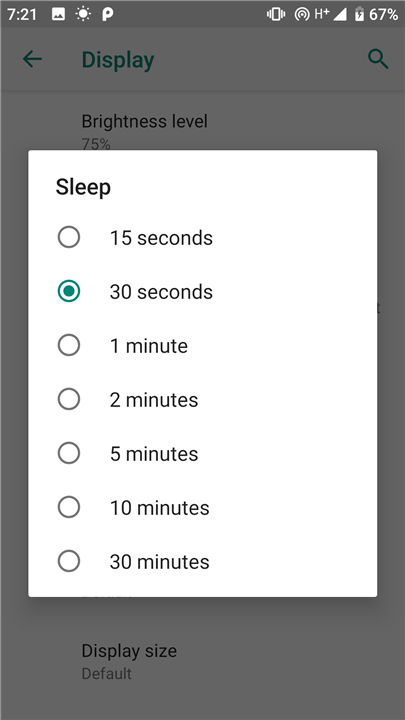
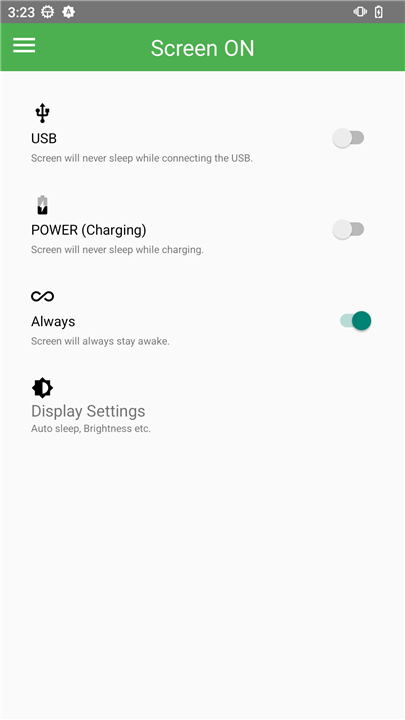
Expanded Explanation: Screen ON (Stay Awake) Feature
Overview of Screen ON Functionality
• The "Screen ON" (or "Stay Awake") feature is designed to prevent your smartphone’s display from automatically turning off or going to sleep after a period of inactivity.
• This ensures that your screen remains active, allowing uninterrupted viewing, reading, or interaction—particularly useful when you need extended screen visibility without constant manual wake-ups.
+ Prevents automatic screen timeout, so the display does not dim or lock based on inactivity.
+ Customizable control lets you keep the screen on according to your usage needs.
+ Useful for presentations, reading, or continuous monitoring where screen inactivity should not interrupt the task.
Compatibility with Smartphone Settings
The "Screen ON" option works alongside your device’s default display timeout settings and can be adjusted based on preference.
• Operates in parallel with the standard sleep mode (screen timeout) in your phone’s display settings.
• Adjustable settings allow users to manually define how long the screen stays on before sleeping.
• Can be overridden by power-saving modes, which may force the screen to turn off sooner to conserve battery.
Advanced Control in Developer Options (Android)
In Android devices, additional control over screen behavior is available in Developer Options, offering extended functionality.
• "Stay awake while charging" mode keeps the screen active only when the phone is plugged in, preventing sleep during charging sessions.
• Developer Options must be enabled (usually by tapping the build number multiple times in "About phone").
• Battery impact must be considered, as keeping the screen on continuously may drain power faster.
Scenarios for Using "Screen ON"
This feature is particularly beneficial in multiple use cases:
• Reading long documents or e-books without repeatedly unlocking the screen.
• Following a recipe or tutorial where screen interruptions are inconvenient.
• Monitoring real-time data (e.g., navigation, sports scores, or live streams).
• Demonstrations & presentations, ensuring the screen doesn’t go dark unexpectedly.
Limitations and Considerations
While the "Screen ON" feature is helpful, there are key factors to keep in mind:
• Battery consumption increases since the display remains active.
• Potential screen burn-in risk for OLED displays if static content is left on for too long.
• May not override some system power-saving restrictions (e.g., extreme battery saver modes).
The "Screen ON" setting provides flexibility in managing your smartphone’s display behavior, allowing users to customize screen wakefulness based on their needs.
By working alongside standard timeout and developer settings, this feature ensures that your screen remains active when needed while still offering power-saving alternatives when required.
Adjusting these settings appropriately optimizes usability without compromising battery life.
FAQ
Q: Why would I need the Screen ON feature?
A: It’s useful for activities like reading, following tutorials, monitoring live data, or giving presentations where having the screen stay awake without manual input is beneficial.
Q: How do I enable the Screen ON feature?
A: On most phones, you can adjust this in the Display settings by modifying the screen timeout duration. Alternatively, Android users can enable "Stay awake while charging" in Developer Options if they need the screen to stay on only when plugged in.
Q: Does the Screen ON feature override all other power settings?
A: No. Battery saver modes or extreme power-saving settings may still force the screen to turn off to conserve energy, regardless of the Screen ON setting.
Version History
v2.5.5——26 Aug 2025
USB, Battery Charging (screen stay awake) Download the latest version of Screen ON (Stay awake) to enjoy new features and updates immediately!
*2.5.5
Minor bug fixes and improvements. Install or update to the newest version to check it out!
*2.5.2
Minor bug fixes and improvements. Install or update to the newest version to check it out!
*2.5.1
Minor bug fixes and improvements. Install or update to the newest version to check it out!









Ratings and reviews
There are no reviews yet. Be the first one to write one.