

OPNsense Manager
Overview
• Empower your network administration and secure your infrastructure from anywhere.
• OPNsense Manager brings the full strength of your firewall directly to your mobile device, giving you ultimate control, visibility, and peace of mind on the go.
Real-Time Network Visibility
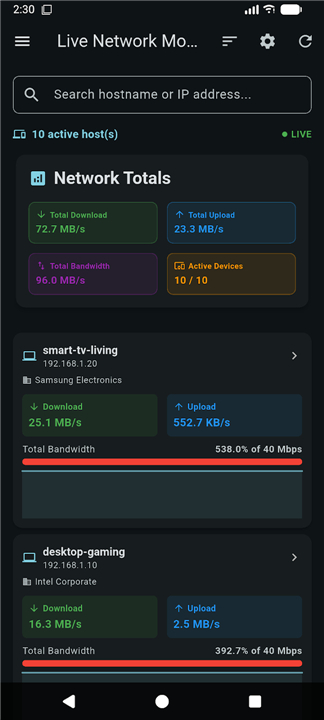
• Track live network activity, bandwidth rates, and active connections instantly.
• Discover connected devices automatically and block threats directly from your screen.
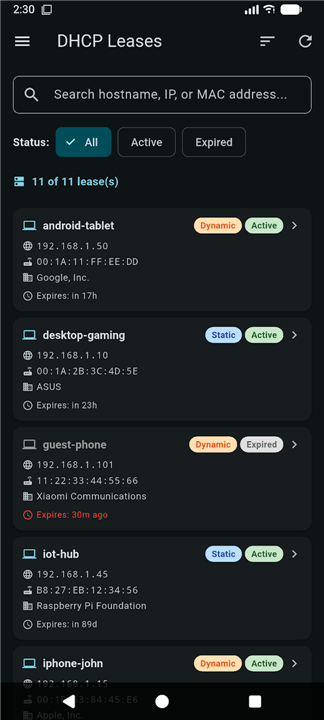
• View comprehensive DHCP lease information, including IP addresses, MAC addresses, and hostnames.
Advanced Firewall and System Control
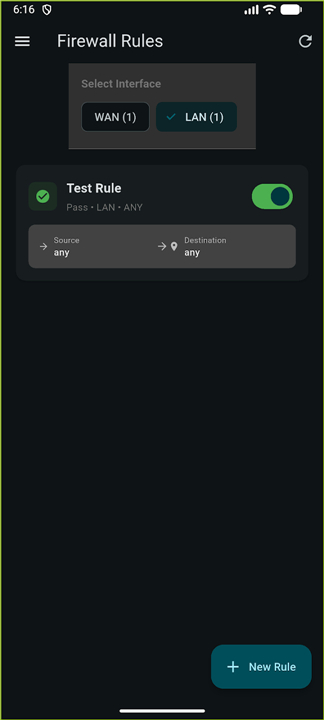
• Update, create, and toggle firewall rules instantly with intuitive configuration tools.
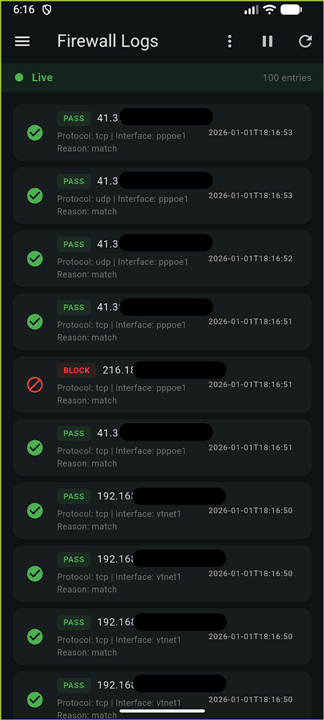
• Analyze live traffic logs with smart filtering to isolate and resolve network issues.
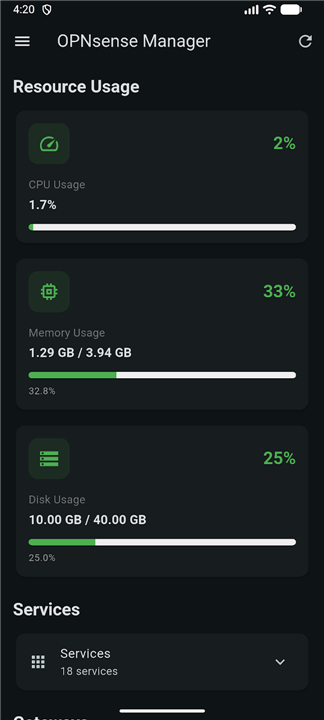
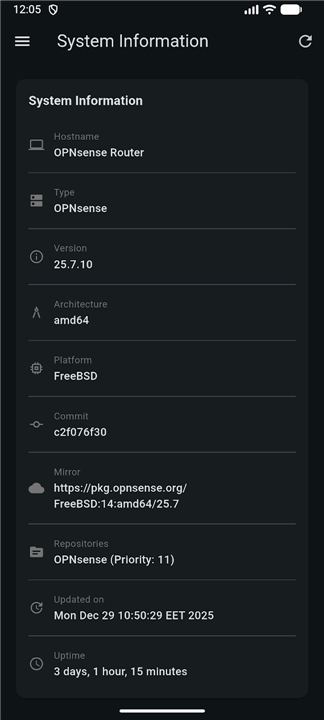
• Monitor resource usage, system health, and gateway status through a dynamic dashboard.
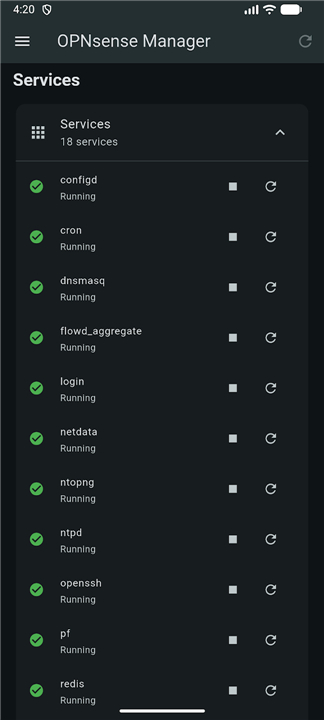
• Manage essential services, handle VPN connections (OpenVPN and Tailscale), and execute safe remote reboots.
Uncompromising Security
• Protect your credentials using encrypted, platform-specific keychain storage.
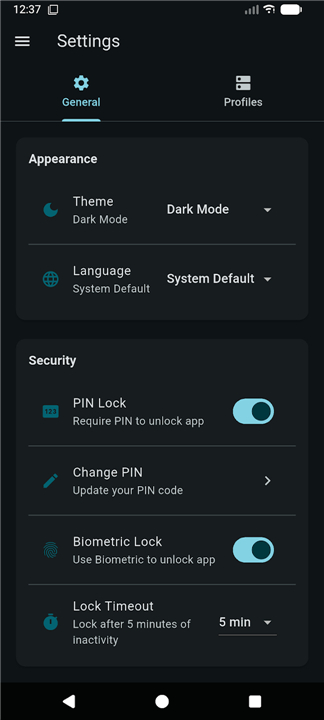
• Restrict app access with integrated biometric authentication and customizable auto-lock timers.
• Secure your configurations with flexible support for self-signed certificates.
Seamless and Intuitive Experience
• Test-drive every feature instantly using the interactive Demo Mode without any initial setup.
• Manage and switch between multiple firewall profiles seamlessly.
• Backup and share your connection profiles using secure JSON import and export options.
• Enjoy a modern, responsive design with dark mode support, offline functionality, and multi-language capabilities.
FAQ
Q: How does the app connect to my OPNsense firewall?
A: The app communicates with the firewall over HTTPS using the REST API that OPNsense exposes. After you enter the firewall’s IP address (or hostname), a port number, and a valid API key, the connection is encrypted end‑to‑end. You can also enable Two‑Factor Authentication on the firewall to add an extra layer of protection for the API calls.
Q: Can I see live traffic and bandwidth usage from my phone?
A: Yes. Once you’re connected, the dashboard instantly displays real‑time graphs of total bandwidth, top talkers, and current active connections. The data is refreshed every few seconds, so you always have an up‑to‑date view of what’s happening on your network.
Q: Is it possible to block a device or an IP address on the spot?
A: Absolutely. The “Connected Devices” screen lists every host the firewall has detected, complete with MAC address, IP, and hostname. By tapping a device you can bring up a quick‑action menu that lets you add the address to a deny rule, quarantine it, or even create a temporary rule that expires after a set period.
Version History
v1.8.0-Beta.1——18 Aug 2026
Control your network on the go with OPNsense Manager. Monitor live traffic, update firewall rules, and secure your system from your phone. Download the latest version of OPNsense Manager to enjoy new features and updates immediately!
*1.8.0-Beta.1
Minor bug fixes and improvements. Install or update to the newest version to check it out!
*1.7.2
Minor bug fixes and improvements. Install or update to the newest version to check it out!
*1.7.1
Minor bug fixes and improvements. Install or update to the newest version to check it out!











Ratings and reviews
There are no reviews yet. Be the first one to write one.