

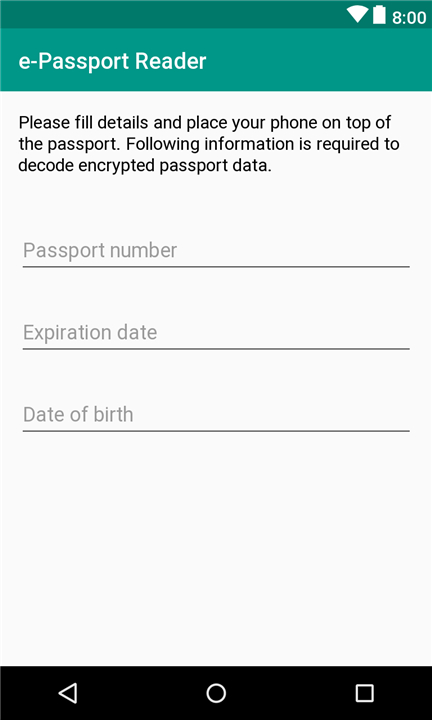
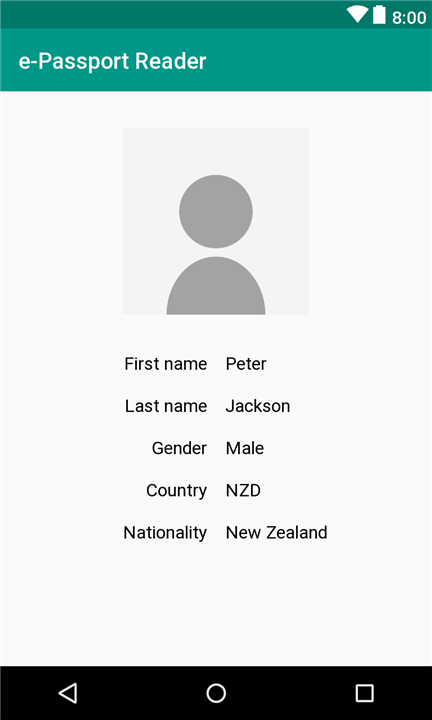
e-Passport NFC reader
Core Features and Integration
• Utilizes the native Android NFC hardware chip to establish secure, wireless communication with electronic passports.
• Extracts embedded biometric information, personal details, and digital signatures stored on the passport's RFID microchip.
• Features built-in Android Action and Intent support, enabling third-party applications to seamlessly initiate scans and retrieve passport data for verification purposes.
• Directs users to an official website for comprehensive documentation, integration guides, and project updates.
Privacy and Security Standards
• Fully open-source codebase, allowing developers and privacy advocates to independently audit the application for security vulnerabilities.
• Maintains a strict zero-data-collection policy to guarantee user anonymity and privacy.
• Holds all extracted passport details temporarily in volatile system memory, ensuring all information is permanently erased the moment the application is closed.
• Operates entirely offline; no personal data or scanned information is ever transmitted to remote servers.
Compatibility and User Support
• Successfully tested and verified to work reliably with official Russian electronic passports.
• Global compatibility may vary due to differing international cryptographic and hardware implementation standards.
• Encourages users facing compatibility issues with other passports to open a technical ticket on the official GitHub repository.
• Requests constructive feedback and direct bug reports on GitHub to help developers resolve issues, rather than leaving negative ratings on the app store.
FAQ
Q: Can third-party developers integrate this e-Passport reader into their own Android applications?
A: Yes, the application includes built-in Android Action and Intent support. This allows third-party developers to easily trigger passport scans from within their own applications and seamlessly receive the retrieved data for identity verification tasks.
Q: Where can I find integration guides and technical documentation for this tool?
A: You can access comprehensive documentation, step-by-step integration guides, and the latest project updates by visiting the official website provided with the application.
Q: How can I verify that the application is secure and transparent?
A: The application features a completely open-source codebase. This means developers, security researchers, and privacy advocates can freely inspect and audit the source code to ensure there are no hidden security vulnerabilities or unwanted behavior.
Version History
v3.4——27 Jul 2026
Read data from ePassports Download the latest version of e-Passport NFC reader to enjoy new features and updates immediately!
*3.4
Minor bug fixes and improvements. Install or update to the newest version to check it out!
*3.3
Minor bug fixes and improvements. Install or update to the newest version to check it out!
*3.2
Minor bug fixes and improvements. Install or update to the newest version to check it out!











Ratings and reviews
There are no reviews yet. Be the first one to write one.