

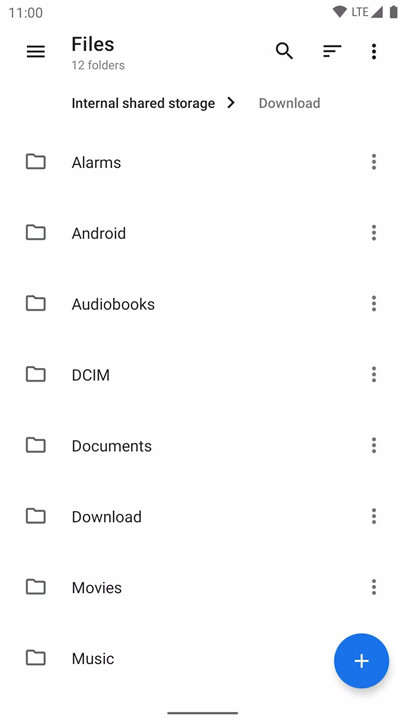
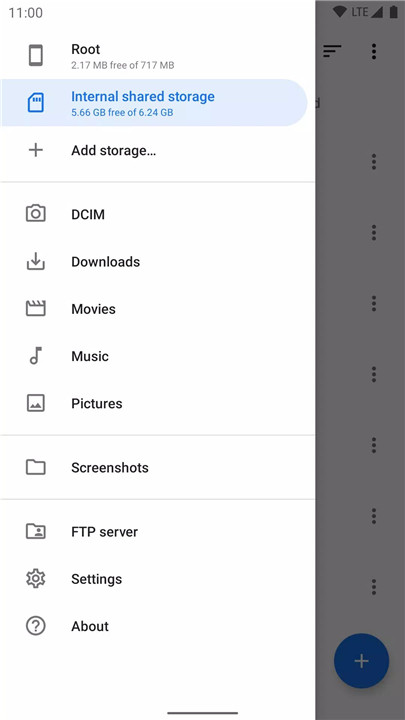
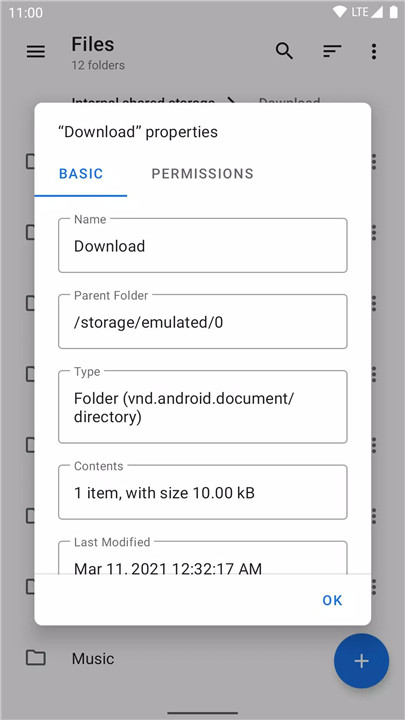
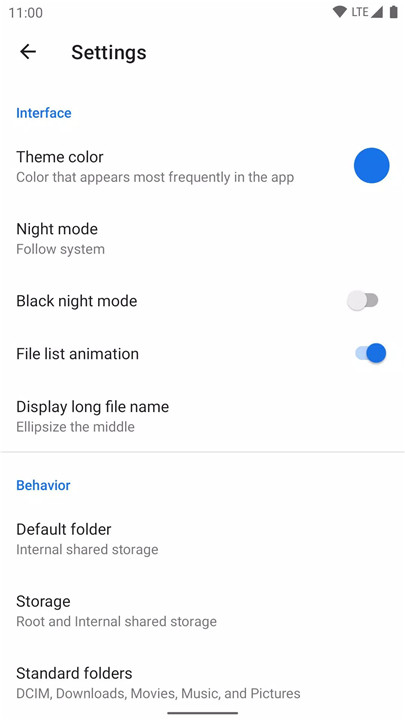
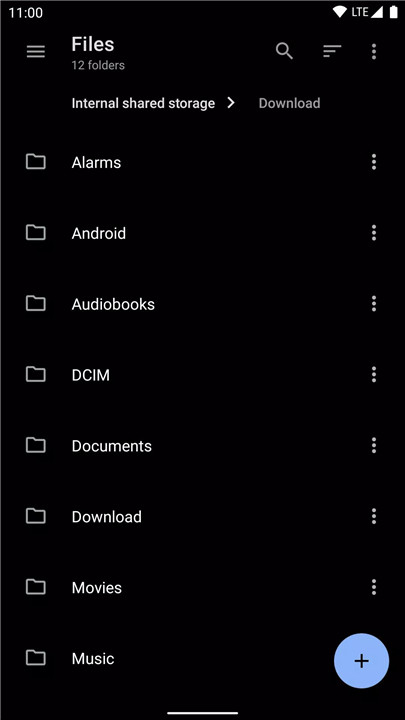
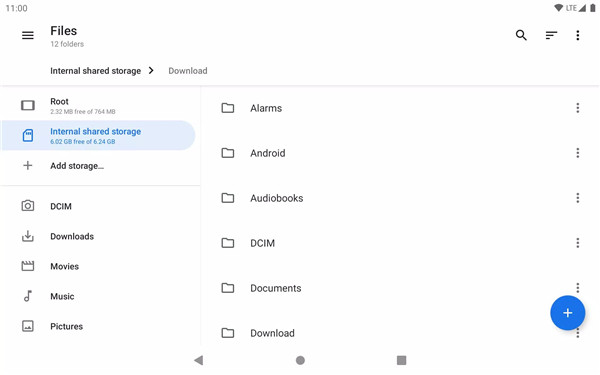
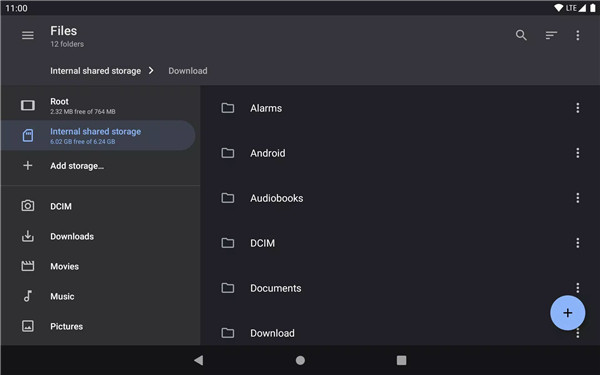
Material Files is an open-source file manager designed for users who prioritize a clean, secure, and intuitive interface. Built with Material Design principles, this app offers a modern and efficient way to manage your files while ensuring smooth navigation and robust features.
Open Source
Material Files is an open-source project developed by Hai Zhang, making it freely available for anyone to use and contribute to. The app is lightweight, clean, and designed with security in mind. You can access the full source code on GitHub: https://github.com/zhanghai/MaterialFiles
Material Design
Following the Material Design guidelines, Material Files provides a visually appealing, easy-to-navigate interface. Every element of the app is crafted with attention to detail, ensuring a consistent and user-friendly experience. With its modern and sleek look, the app doesn't just function well; it also looks great, making file management a pleasant task.
Breadcrumbs Navigation
The app features breadcrumbs that allow you to navigate the filesystem effortlessly. This simple yet effective tool helps you stay oriented as you move through different directories. Breadcrumb navigation is ideal for users who need to manage complex file structures, as it offers a quick way to jump between folders without getting lost.
Root Support
Material Files comes with root access support, enabling users to view and manage system files with administrative privileges. This feature is particularly useful for advanced users who need to modify or inspect system-level files. Root support provides the necessary flexibility to perform administrative tasks on your device.
Archive Support
Handling compressed files is made easy with Material Files. The app supports common archive formats, allowing you to view, extract, and create compressed files.
NAS Support
Access and manage files on remote servers with support for various network protocols such as FTP, SFTP, SMB, and WebDAV. Material Files makes it easy to connect to Network Attached Storage (NAS) devices or remote servers, giving you full control over your files even when they’re not stored locally.
Customizable Themes
Personalize your file manager experience with Material Files' customizable UI colors. You can adjust the theme to suit your style and preferences, including an optional night mode that features a true black background for a comfortable viewing experience in low-light conditions.
Linux-Aware
Material Files is optimized for Linux systems, fully aware of symbolic links, file permissions, and SELinux contexts. It integrates deeply with the Linux environment, ensuring that file attributes are properly managed and displayed. This makes it a great choice for users who are familiar with Linux and need a tool that works seamlessly with the operating system’s native features.
Robust and Efficient
Under the hood, Material Files uses Linux system calls, not just a generic ls parser, to deliver superior performance and efficiency. The app ensures that file management tasks are handled directly at the system level for faster and more reliable operations.
Well-Implemented Architecture
Material Files is built using robust technologies like the Java NIO2 File API and LiveData, ensuring that the app remains reliable and responsive. The app's architecture is designed to be efficient and effective, providing users with an optimal file management experience.
FAQs
1. Is Material Files open source?
Yes, Material Files is an open-source app developed by Hai Zhang. The app is available for free, and the source code can be accessed on GitHub for anyone to view or contribute.
2. Who developed Material Files?
Material Files was created by Hai Zhang. It is an open-source project designed to provide a clean and secure file management experience for users.
3. Is Material Files free to use?
Yes, Material Files is completely free to use. It is an open-source app provided by Hai Zhang with no cost, designed for personal and professional use.
4. How can I contribute to Material Files?
You can contribute to the Material Files project by accessing its source code on GitHub. Since it's open-source, you are welcome to submit improvements or report issues to help enhance the app.
5. Does Material Files support root access?
Yes, Material Files supports root access. This allows you to view and manage system files with administrative privileges, offering advanced users greater control over their devices.
Version History
v1.7.4—3 Jul, 2024
- Fixed crash when opening archive files directly.
- Fixed FTP server Quick Settings tile crash on Android 14.
- Material Design 2 theme may be removed in the upcoming version 1.8.0.
- Other bug fixes and improvements.
v1.7.2—26 Apr, 2024
- Added "Save as" functionality.
- Added "Checksum" properties tab.
- Improved UI to allow easier shortcut into Android/data subfolders.
- Marked user-installed certificates in system credential storage as trusted for WebDAV with self signed certificate.
- Fixed SMB issue with guest and anonymous authentication.
- Material Design 2 theme may be removed in the upcoming version 1.8.0.
- Other bug fixes and improvements.
v 1.7.1—31 Mar, 2024
- Added WebDAV support.
- Added keyboard shortcut support.
- Added Android TV launcher icon.
- Added predicative back gesture support.
- Added Catalan translation.
- Fixed storage permission support for Android TV 11, 12 and 12L.
- Material Design 2 theme may be removed in the upcoming version 1.8.0.
- Other bug fixes and improvements.









Ratings and reviews
There are no reviews yet. Be the first one to write one.