

CPU Stats
Overview
• CPU Stats is a specialized system monitoring utility designed for Android devices.
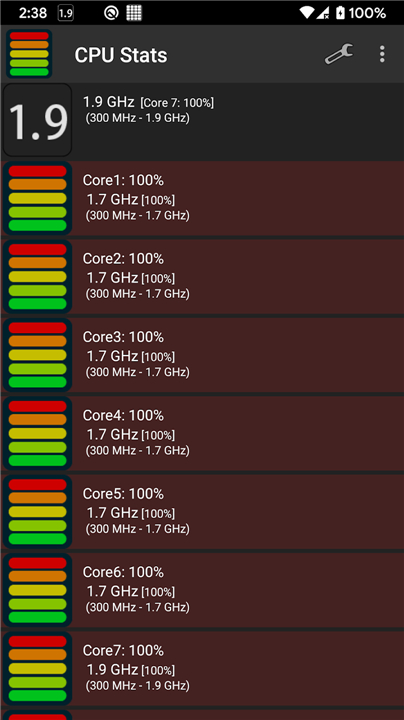
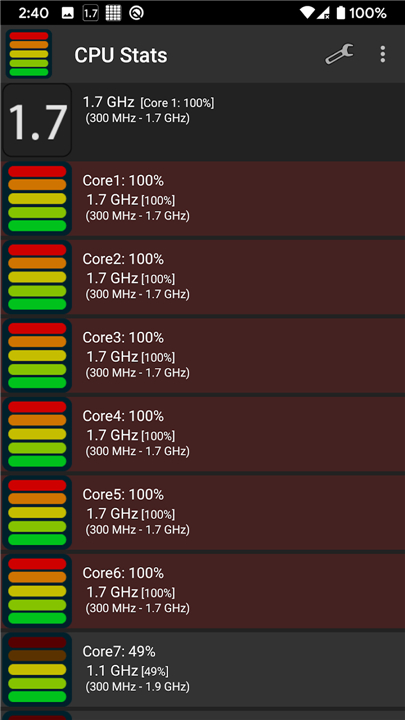
• Its primary function is to provide users with a continuous, real-time overview of their processor's performance metrics.
• By integrating directly into the mobile operating system, the application ensures that critical hardware data is always visible without requiring the user to switch between different apps or dashboards.
Processor Compatibility
The application is engineered to support a diverse range of hardware architectures, from legacy mobile devices to more modern high-performance chipsets.
• Support for Single Core, Dual Core, and Quad Core configurations.
• Specific optimization for NVIDIA Tegra 2 and NVIDIA Tegra 3 processors.
• Comprehensive support for high-end 6-core and 8-core CPU architectures.
• Implementation of a dual-notification icon system to accommodate the display of data for devices with high core counts.
Status Bar Integration
To maximize utility and minimize distraction, the app utilizes the status bar for all major data readouts.
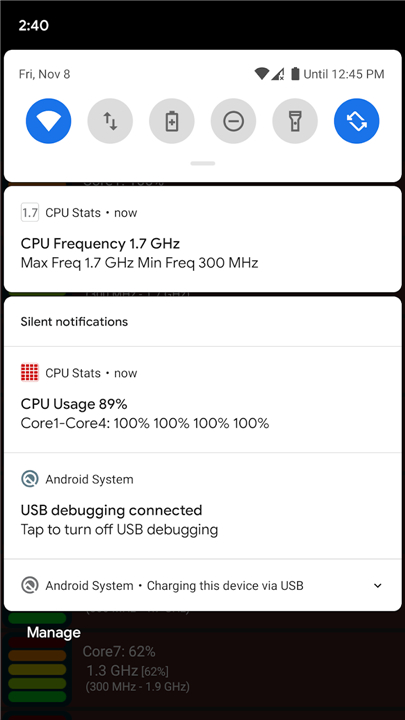
• Real-time CPU usage percentage is displayed as a persistent icon.
• Live CPU frequency monitoring allows users to track clock speeds and identify potential thermal throttling.
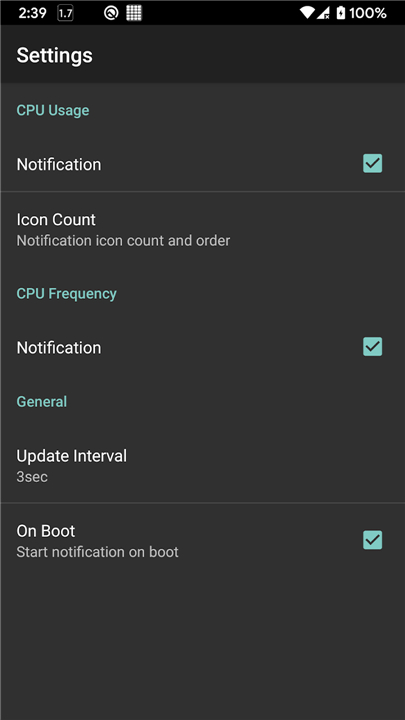
• Customizable notification settings ensure that performance data is accessible at a glance from any screen or application.
Development and Accessibility
CPU Stats is an open-source project, making it a transparent and community-focused tool for power users and developers alike.
• The complete source code is publicly hosted on GitHub under the user takke.
• Designed with a lightweight footprint to ensure that the monitoring process does not significantly impact the system resources it is measuring.
• Continuous updates and community contributions help maintain compatibility with evolving Android hardware standards.
FAQ
Q: How does the application let me view my performance data without interrupting my current tasks?
A: The app is clever enough to integrate directly with your Android status bar. This means your real-time CPU performance metrics are displayed right at the top of your screen, allowing you to monitor your hardware at a glance while playing a game, browsing the web, or using any other application.
Q: Which processor architectures and core configurations are compatible with CPU Stats?
A: You will be glad to know that the app supports a wide variety of hardware. It is fully compatible with legacy single-core, dual-core, and quad-core setups, as well as modern high-performance six-core and eight-core processors.
Q: I have an older device with an NVIDIA processor; will CPU Stats work for me?
A: Yes, it absolutely will. The developers have designed the app with specific optimizations for older but popular mobile chipsets, including the NVIDIA Tegra 2 and NVIDIA Tegra 3 processors, ensuring you get accurate readings on these classic devices.
Version History
v3.0.1——17 Aug 2026
Compact CPU Usage Monitor Download and install old versions of CPU Stats that suits your device model and enjoy your favorite features!
*3.0.1
Minor bug fixes and improvements. Install or update to the newest version to check it out!
*3.0.0
Minor bug fixes and improvements. Install or update to the newest version to check it out!
*2.2.4
Minor bug fixes and improvements. Install or update to the newest version to check it out!











Ratings and reviews
There are no reviews yet. Be the first one to write one.