



LIFX brings you the next generation of smart lighting—designed to be as smart as you are. With the LIFX app, the possibilities for controlling your lights are limitless. From automating your daily routine to creating vibrant lighting effects for special occasions, LIFX makes it easy to enhance any space.
The Basics: On/Off, Dimming, Color & Temperature Adjustment
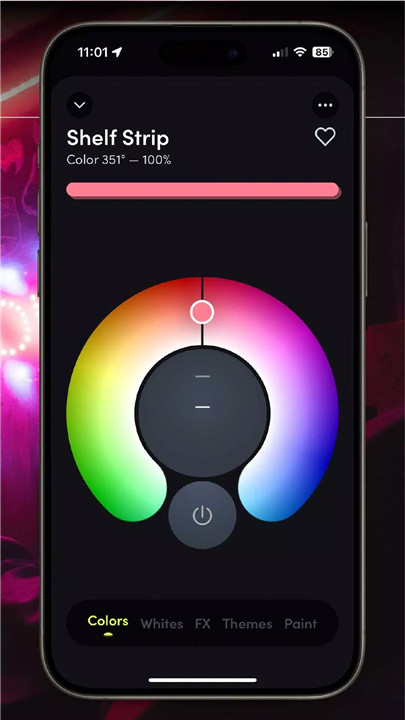
The LIFX app allows you to control your lights with ease. Turn them on or off, adjust the brightness, change the color, or modify the white temperature—all with just a tap of your finger.
Groups
Control multiple lights at once with LIFX’s group feature. You can manage all lights within a group easily, adjusting settings like on/off or dimming simultaneously from the Home Dashboard. Want to group your living room lights or your bedroom lights? It’s all done in just one touch.
Schedules
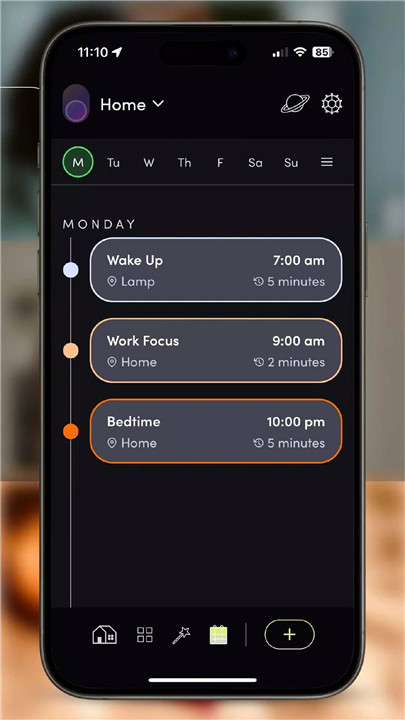
Automate your lighting based on your personal routine. Set your lights to fade, change colors, or turn on/off automatically with a calendar-style schedule.
Effects
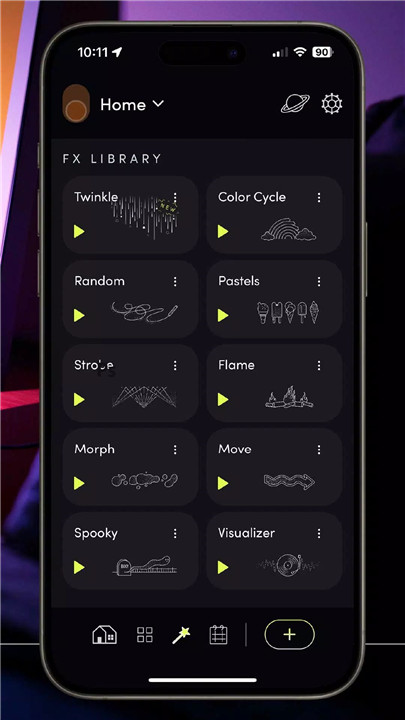
Get creative with LIFX’s special effects! Play with music visualizers, fire effects, candle flickers, and more. Perfect for entertaining, these effects bring an extra layer of fun to your space, transforming your lighting into a dynamic show.
Scenes & Themes
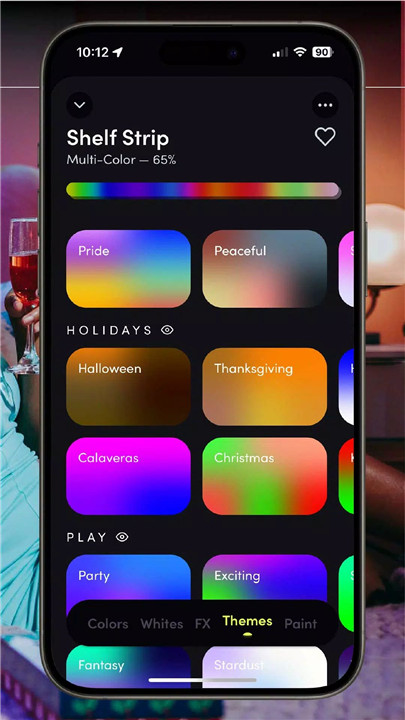
Customize your lighting to match your mood or activity. Save your favorite setups as Scenes for easy recall later. Explore the app’s library of pre-set Themes, offering one-click color combinations like ‘Soothing’ or ‘Proud’ to perfectly suit your space.
Paint & Custom Color Palettes
Get hands-on with your lights using the Paint feature, where you can literally ‘paint’ color onto your LIFX Z, Beam, Tile, or Candle lights. Create your own custom color palettes to save and use your favorite shades whenever you like.
Smart Integration & Switches
LIFX integrates with platforms like Apple HomeKit, so you can control your lights using voice commands through Siri, Amazon Alexa, or Google Assistant. You can also configure switches to control lights, groups, and scenes, giving you even more control over your smart home.
FAQs
1. Can you control LIFX away from home?
Yes! As long as your LIFX lights are powered and connected to the LIFX Cloud, you can control them from anywhere with an internet connection using the LIFX app.
2. Does LIFX need 2.4 GHz Wi-Fi?
Yes, the LIFX switch only works on the 2.4 GHz Wi-Fi band. It is not compatible with 5 GHz Wi-Fi routers.
3. Can multiple people use the LIFX app?
Yes, multiple users in the same household can control LIFX lights using their own iOS or Android devices. Each user can have their own LIFX Cloud account, and the main account can create and edit groups.
4. How do I set up schedules with LIFX?
You can set up schedules directly in the LIFX app. The app provides a calendar-style view where you can automate your lights to fade, change color, or turn on/off according to your preferred routine.
5. Can I control LIFX lights with my voice?
Yes, LIFX integrates with voice assistants like Amazon Alexa, Google Assistant, and Apple Siri. This allows you to control your lights hands-free, making it easier to manage your lighting from anywhere in your home.
Version History
v4.45.0—22 Jul, 2024
Various bug fixes and stability improvements
v4.44.0—1 Jul, 2024
Various bug fixes and stability improvements
v4.43.0—19 Jun, 2024
Various bug fixes and stability improvements









Ratings and reviews
There are no reviews yet. Be the first one to write one.