

Fulguris Web Browser
Overview
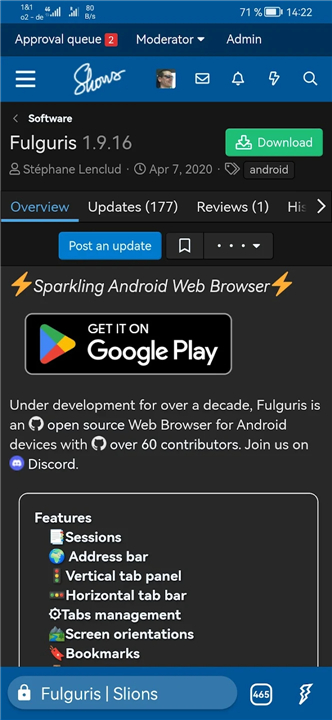
• Unlock a browsing experience that adapts to your life, not the other way around.
• Fulguris is designed for thinkers, creators, and explorers who need a tool as fast and flexible as their imagination.
• Discover a digital space where organization meets elegance.
Master Your Flow
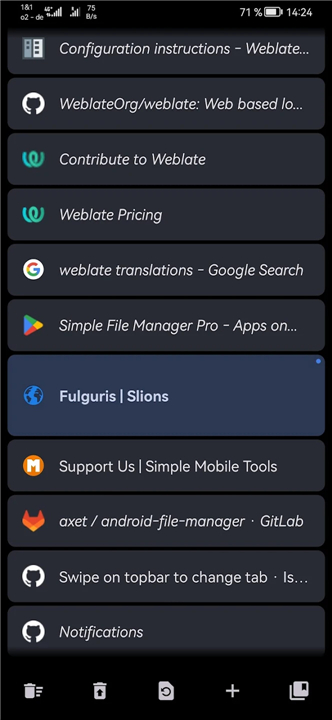
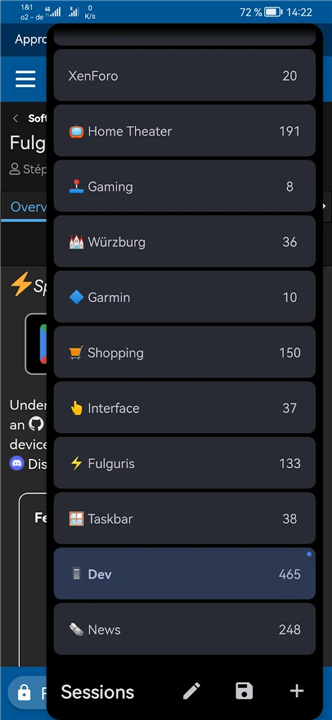
• Organize your digital life into named sessions, allowing you to switch between projects instantly without losing focus.
• Navigate hundreds of tabs effortlessly with your choice of a vertical panel or a classic horizontal bar.
• Experience intelligent tab management where new pages appear exactly when you need them, keeping your momentum steady.
Tailored to Your Vision
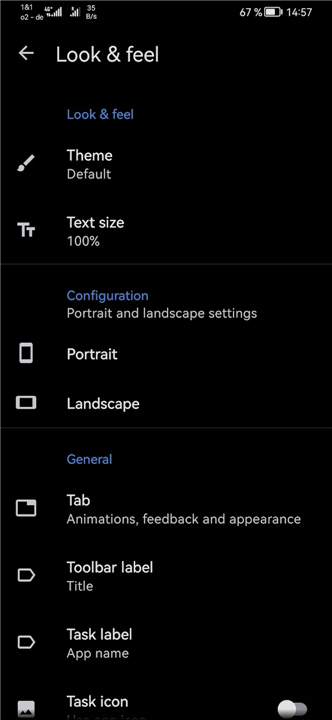
• Optimize every inch of your screen with unique layouts for both portrait and landscape orientations.
• Personalize your interface with a smart, movable address bar and themes that blend beautifully with the websites you love.
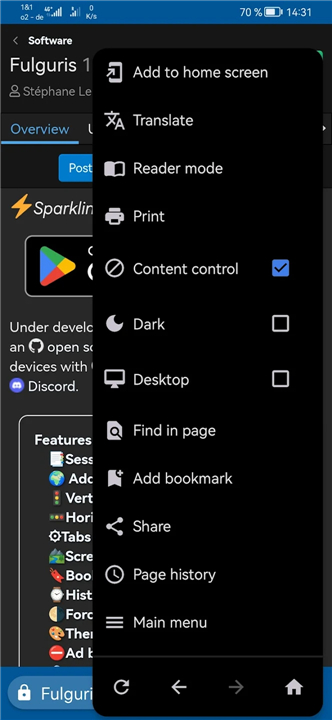
• Protect your eyes and enhance your late-night reading with a powerful forced dark mode for every page.
Uncompromising Freedom and Privacy
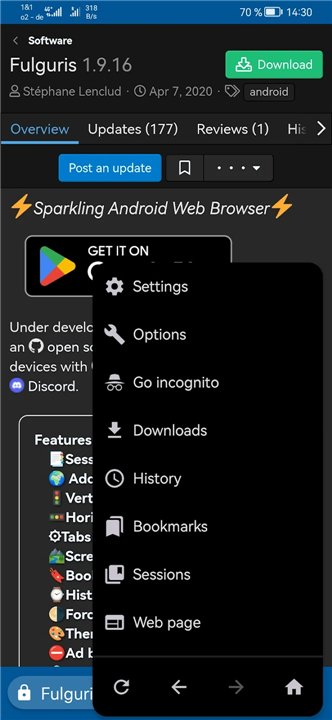
• Take control of your data with advanced privacy tools, incognito modes, and comprehensive cookie management.
• Reclaim the web with a customizable ad blocker that supports local and online filter lists.
• Extend your browser’s capabilities by installing userscripts or creating your own to automate and enhance your experience.
Performance and Accessibility
• Feel the speed of hardware acceleration that makes the most of your device’s processing power.
• Navigate with precision using intuitive touch gestures and comprehensive keyboard shortcuts.
• Ensure the web is open to everyone with dedicated reader modes and high-contrast rendering options.
Reliability Across Devices
• Whether you are using a modern smartphone, a tablet in desktop mode, or a specialized mobile device, Fulguris is engineered to deliver a premium, high-performance experience.
• Explore the web on your own terms.
FAQ
Q: How does Fulguris help me organize my digital life?
A: Fulguris offers a powerful feature called "named sessions." This allows you to group related tabs and projects into distinct, labeled sessions, enabling you to instantly switch between different tasks or projects without losing your focus or current progress.
Q: I often have many tabs open. How does Fulguris manage this efficiently?
A: We understand the challenge of many tabs! Fulguris provides flexible tab management, allowing you to navigate hundreds of tabs effortlessly with your choice of either a vertical panel or a classic horizontal bar. It also uses intelligent tab management to ensure new pages appear precisely when you need them, keeping your momentum steady.
Q: Can I customize the look and feel of Fulguris to my personal preferences?
A: Absolutely! Fulguris is highly customizable, allowing you to tailor it to your vision. You can optimize every inch of your screen with unique layouts for both portrait and landscape orientations, personalize your interface with a smart, movable address bar, and select themes that beautifully blend with the websites you frequent.
Version History
v2.0.8——16 Mar 2026
Fast, customizable with sessions, ad blocking & privacy features Download the latest version of Fulguris Web Browser to enjoy new features and updates immediately!
*2.0.8
• Improved delete all bookmarks confirmation dialog
• Long press menu navigation buttons to access page history
• Fix page title and menu navigation buttons issues when navigating page history
• Various improvements and bug fixes
*2.0.6
• Progressive Downloads list
• Sessions manager improvements
• Export sessions through system settings without starting the app
• Long press back/forward buttons to view page history
• Various improvements and bug fixes
*2.0.4
• Improve download dialog with file type detection
• Fix crash on start-up with invalid favicon
• Hide launch menu item for bookmarks, history tab and other built-in pages









Ratings and reviews
There are no reviews yet. Be the first one to write one.