

SpeechCut
Overview
• SpeechCut is a professional-grade video editing tool designed to bridge the gap between transcription and post-production.
• By shifting the focus from complex visual timelines to intuitive text processing, it creates a seamless workflow for content creators, podcasters, and filmmakers.
Core Functionality
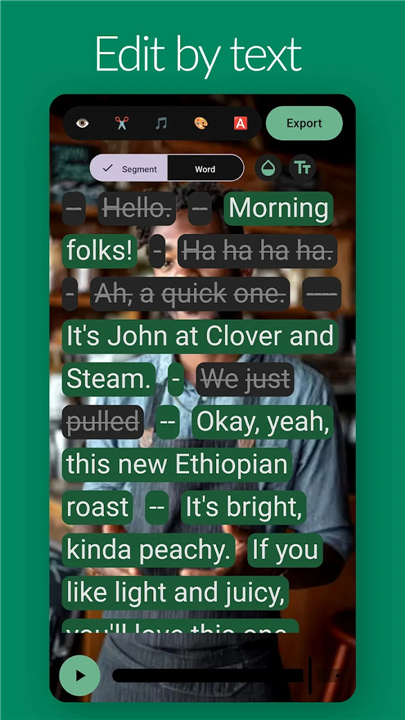
• Transcription Integration: Upon importing your raw video files, SpeechCut automatically generates an accurate, timestamped transcript.
• Text-Driven Editing: Instead of manually scrubbing through a timeline, you interact directly with the text. Simply select words, sentences, or paragraphs to remove.
• Real-Time Sync: Every cut made in the transcript instantly reflects in the visual export, ensuring the video always matches the edited text.
Efficiency and Workflow
• Eliminate Timeline Complexity: Say goodbye to managing multiple tracks, complex ripple edits, or tedious frame-by-frame scrubbing. The software handles the technical heavy lifting behind the scenes.
• Minimalist Design: The user interface is stripped of unnecessary clutter and overbuilt features. It is built for speed, allowing users to focus on the narrative rather than the software.
• Precise Control: Despite its simplicity, the tool allows for surgical accuracy. You can highlight specific filler words, pauses, or off-topic tangents and instantly excise them from the master file.
Value Proposition
• Focus on Content: By treating video like a document, SpeechCut encourages editors to prioritize the flow and impact of the spoken word.
• Rapid Turnaround: Ideal for creators who need to produce high-quality cuts quickly without sacrificing the professional polish of their final output.
• Intuitive Learning Curve: Whether you are an experienced editor looking to speed up your rough cuts or a beginner intimidated by traditional software, SpeechCut makes the editing process accessible, efficient, and direct.
Make Your Story Faster
• SpeechCut turns the chaotic process of video assembly into a linear, text-based task, helping you reach the heart of your story faster.
FAQ
Q: Is SpeechCut designed for professional filmmakers or just beginners?
A: SpeechCut is built for both. Whether you are an experienced editor looking to slash your rough-cut time in half or a beginner who feels overwhelmed by the complexity of standard non-linear editors, our tool provides a streamlined, intuitive interface that accommodates all skill levels.
Q: Does the software automatically generate my transcripts after I import a file?
A: Yes, once you import your raw video files, SpeechCut automatically processes them to generate a highly accurate, timestamped transcript. This ensures you can begin your editorial work almost immediately without needing to transcribe your footage manually.
Q: How do I actually remove a section of my video using this tool?
A: Editing with SpeechCut is as simple as highlighting text. When you identify a sentence, paragraph, or specific word in your transcript that you want to remove, you simply highlight it and delete it. The software then automatically applies that change to your underlying video file.
Version History
v0.8.3——21 May 2026
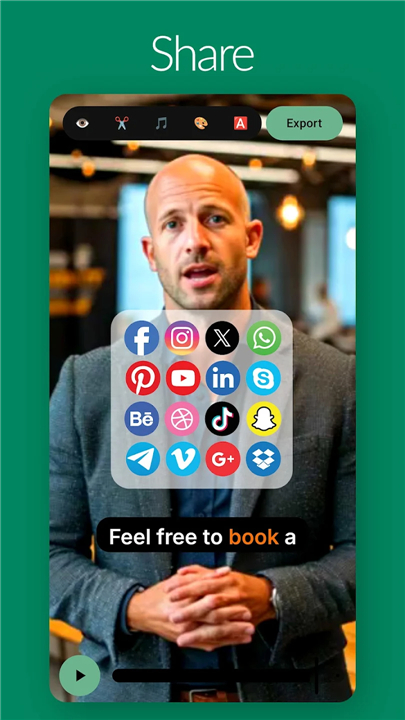
Edit videos by editing text. Cut filler. Share fast. Download the latest version of SpeechCut to enjoy new features and updates immediately!
*0.8.3
- Multi-take recording: record several takes easily to combine into single project.
- Still images in B-roll: add photos alongside clip B-roll, with better thumbnails and scrubbing.
- Record first, set up the project later. Pending captures stay in your library until you’re ready to edit.
- Import many video ideas at once with new import functionality.
- Faster, up-to-date speech-to-text engine.
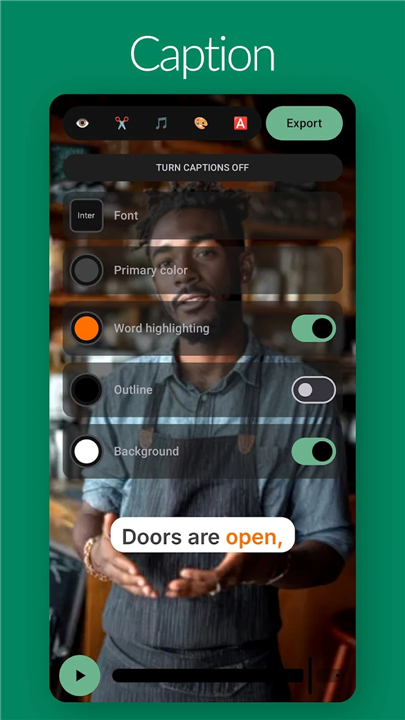
- New projects remember your preferred caption style.
- Refreshed app icon and small UI polish.
*0.8.1
- Multi-take recording: record several takes easily to combine into single project.
- Still images in B-roll: add photos alongside clip B-roll, with better thumbnails and scrubbing.
- Record first, set up the project later. Pending captures stay in your library until you’re ready to edit.
- Import many video ideas at once with new import functionality.
- Faster, up-to-date speech-to-text engine.
- New projects remember your preferred caption style.
- Refreshed app icon and small UI polish.
*0.7.9
- Multi-take recording: record several takes easily to combine into single project.
- Still images in B-roll: add photos alongside clip B-roll, with better thumbnails and scrubbing.
- Record first, set up the project later. Pending captures stay in your library until you’re ready to edit.
- Import many video ideas at once with new import functionality.
- Faster, up-to-date speech-to-text engine.
- New projects remember your preferred caption style.
- Refreshed app icon and small UI polish.











Ratings and reviews
There are no reviews yet. Be the first one to write one.