

Min Time - simple talk timer APK
2.0.1
Min Time - simple talk timer
Min Time - simple talk timer APK
Download for Android
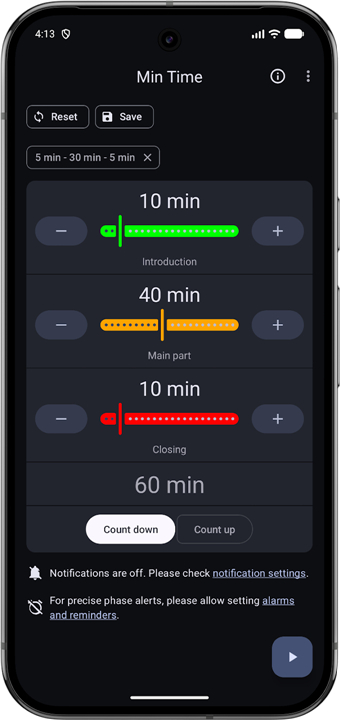
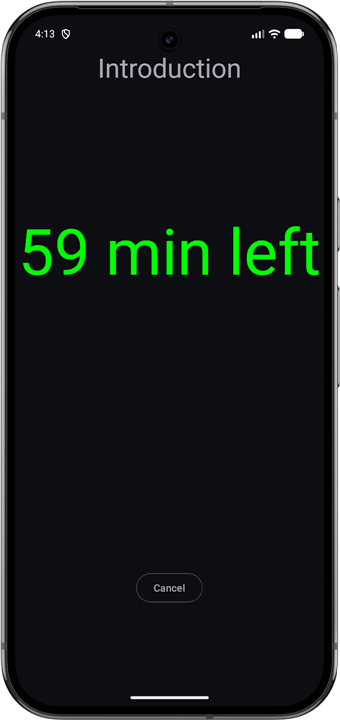
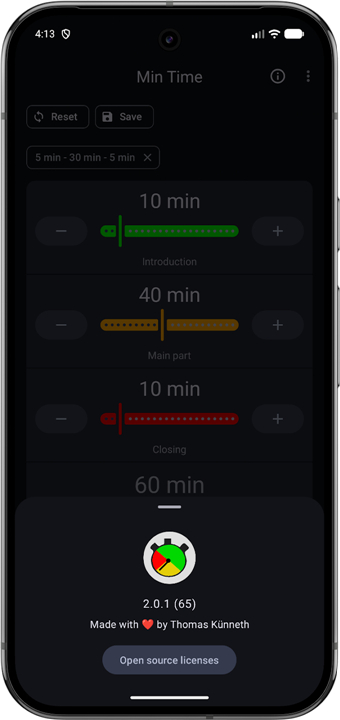
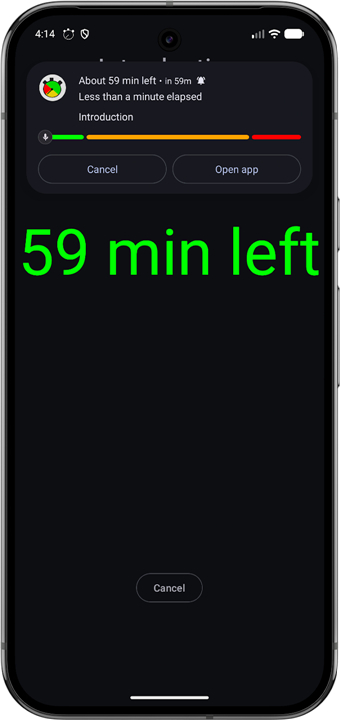
Min Time - simple talk timer
Overview
• Min Time is an intuitive talk timer designed to help speakers, lecturers, and presenters structure their speeches and manage their time efficiently.
Three-Phase Visual System
• Segment your total time into three custom phases: Green (safe zone), Yellow (warning), and Red (final wrap-up).
• Gain immediate visual clarity on remaining time with a simple glance at the screen.
• Example setup: Structure a 70-minute presentation into 50 minutes for main content (Green), 15 minutes for Q&A (Yellow), and 5 minutes for closing remarks (Red).
Flexible Timing Modes
• Countdown Mode: Counts down from your target duration to zero to ensure strict adherence to your schedule.
• Count-Up Mode: Measures elapsed time from zero while seamlessly applying the three-phase color transitions.
Smart Notifications and Alerts
• Automatic background tracking lets you switch to slide decks, presenter notes, or other apps without losing progress.
• Persistent live notifications keep you updated on current phase progress and exact remaining time.
• Discreet vibration alerts inform you the moment a new phase is reached, keeping you on track without distracting your audience.
Minimalist and User-Friendly Design
• Zero learning curve with a clean interface that requires only a few taps to start.
• Eliminates unnecessary clutter so you can focus entirely on delivering your message.
• Ensures your speeches, pitches, and meetings always finish punctually and professionally.
FAQ
Q: How does the three-phase visual system actually work?
A: The app uses a highly visual traffic-light style system that changes color as your time progresses. The Green phase represents your safe zone where you focus on your main content, the Yellow phase serves as a gentle warning that it is time to start wrapping up or transition, and the Red phase represents your final wrap-up period. This allows you to glance at your screen and immediately know where you stand without having to read tiny numbers.
Q: Can I customize the duration of the Green, Yellow, and Red phases?
A: Yes, you have complete control over how you structure your time. You can easily customize the exact length of each phase to match the natural flow of your speech. This flexibility allows you to tailor the timer to any format, whether you are giving a brief pitch or a lengthy academic lecture.
Q: What is an example of how I can set up my phases for a standard presentation?
A: If you have a seventy-minute slot, you could allocate fifty minutes to the Green phase for your main presentation content. You could then set the Yellow phase to fifteen minutes for a lively question-and-answer session, and finish with a five-minute Red phase to deliver your final closing remarks and summary.
Version History
v2.0.1——18 Aug 2026
A minimalistic talk timer to help structure your talks and presentations Download the latest version of Min Time - simple talk timer to enjoy new features and updates immediately!
*2.0.1
Minor bug fixes and improvements. Install or update to the newest version to check it out!
*2.0.0
Minor bug fixes and improvements. Install or update to the newest version to check it out!
*1.8.7
Minor bug fixes and improvements. Install or update to the newest version to check it out!











Ratings and reviews
There are no reviews yet. Be the first one to write one.