

WLED
Overview
• The WLED app offers a robust and intuitive solution for managing all your WLED light devices directly from your Android smartphone or tablet.
• Transform your mobile device into a comprehensive command center for your smart lighting system, ensuring easy and efficient control over your entire setup.
Core Management Features:
1. Effortless Device Discovery:
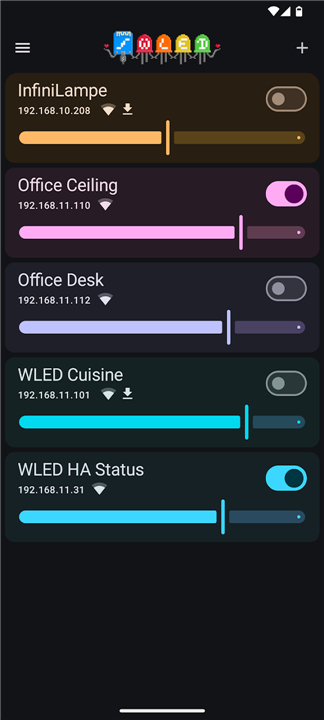
• The app intelligently utilizes mDNS protocols for automatic device detection, swiftly identifying and adding your WLED lights to a centralized list without complex manual setup.
2. Unified Device Access:
• All your detected WLED devices are conveniently accessible from a single, consolidated list, providing a streamlined overview and control point for your entire lighting network.
3. Seamless AP Mode Integration:
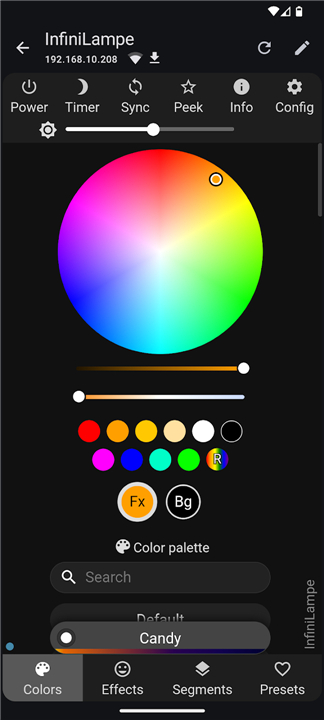
• For immediate interaction and configuration, the app automatically opens the full control user interface when connected to a WLED device operating in Access Point mode.
4. Flexible Device Management:
• Maintain a tidy and relevant device list by easily hiding devices you temporarily don't need or permanently deleting those no longer in use.
User Experience & Customization:
1. Personalized Device Naming:
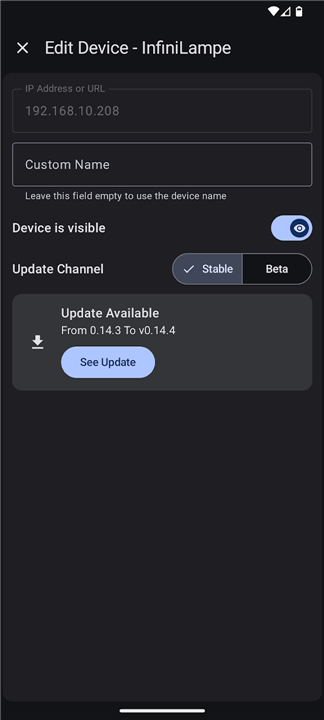
• Assign custom, memorable names to each of your WLED devices, making identification and control highly intuitive and tailored to your preferences.
2. Adaptive Visual Interface:
• Choose between a crisp light mode or a comfortable dark mode to suit your visual preference and ambient lighting conditions, enhancing readability and user comfort.
3. Broad Device Compatibility:
• The WLED app is fully optimized for both Android phones and tablets, offering a consistent, responsive, and aesthetically pleasing experience across all your mobile devices.
FAQ
Q: How does the app find my lighting devices without me having to type in complicated IP addresses?
A: The app utilizes an intelligent technology called mDNS protocols to perform effortless device discovery on your local network. This means it automatically scans your Wi-Fi for any active WLED controllers and adds them to your list instantly, saving you the hassle of manual configuration or technical troubleshooting.
Q: Can I use the app to set up a brand new controller that isn't on my home network yet?
A: Yes, the app features seamless integration for devices operating in Access Point mode. When your mobile device connects to the Wi-Fi signal emitted by a new WLED controller, the app automatically detects this and opens the full control user interface, making initial setup and configuration incredibly straightforward.
Q: Is it possible to organize a large number of lights so I don’t get confused about which is which?
A: Personalized device naming is a core feature that allows you to assign custom, memorable labels to every one of your controllers. By naming your devices based on their location or purpose, such as "Living Room Ceiling" or "Kitchen Cabinet," you can make your lighting management highly intuitive and perfectly tailored to your home layout.
Version History
v7.0.1——27 Jul 2026
Find, manage and control all your WLED devices from your android device Download the latest version of WLED to enjoy new features and updates immediately!
*7.0.1
What's New
Hotfix to help properly find the latest WLED version available.
Bug Fixes
• Fix version sorting by using SemVer instead of publishedDate
Maintenance
• chore: bump app version to 7.0.1
*7.0.0
**What's New**
• **New Widgets:** Redesigned interactive home screen widgets with quick actions, dynamic colors, and real-time syncing.
• **Device Controls:** Control lights directly from Android's quick settings.
• **Updates:** OTA update support for MoonModules and QuinLED boards.
• **Deep Linking:** Support for opening `wled://` links.
• **More:** German & Chinese translations, better auto-discovery, offline management, and bug fixes.
*6.1.0
- New native error screen when devices are unreachable
- Added Chinese translation
- Improved file downloads handling
- Increased connection timeout to 30 seconds for better stability
- Pressing "Back" now closes the navigation menu
- Fixed bugs with device addresses and visual sliders











Ratings and reviews
There are no reviews yet. Be the first one to write one.