

Clipboard CopyPaster
Master Your Workflow
• Stop losing valuable information to the limitations of a single-entry clipboard.
• Clipboard CopyPaster transforms how you handle data, acting as a powerful central hub for every text, link, and image you copy.
• Designed for professionals and power users, this tool ensures your workspace remains organized, secure, and lightning-fast.
Core Productivity Features
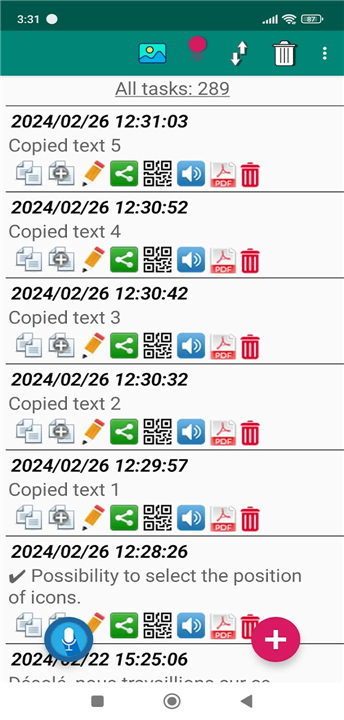
• Infinite History: Save everything you copy, surpassing the standard single-item clipboard.
• Organization: Create unlimited tabs, sort content, and merge notes for a clutter-free experience.
• Smart Management: Utilize duplicate checking, robust search, and quick-favorite tagging to find exactly what you need in seconds.
• Seamless Integration: Easily share content to social media and messaging platforms, or convert text and images into PDF files.
Advanced Tools and Customization
• Voice Integration: Create, edit, and listen to notes using voice commands for hands-free productivity.
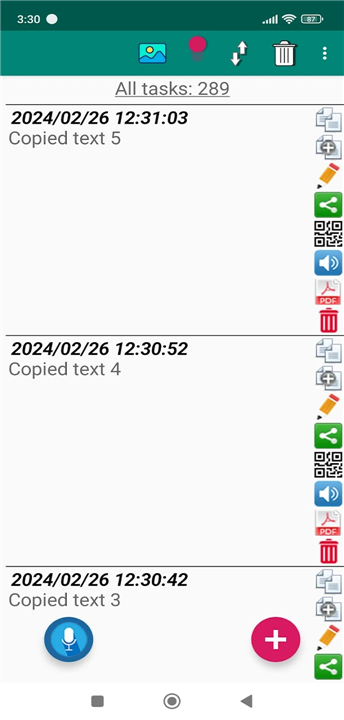
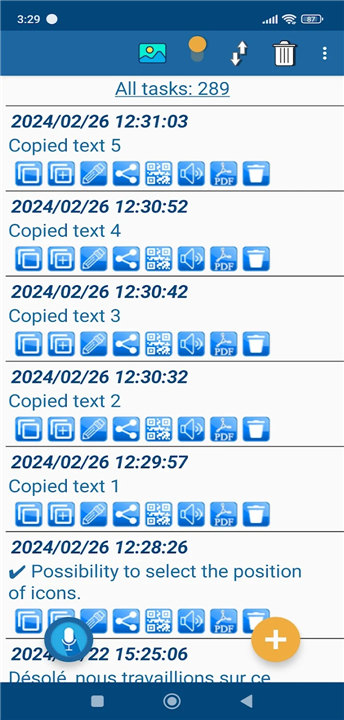
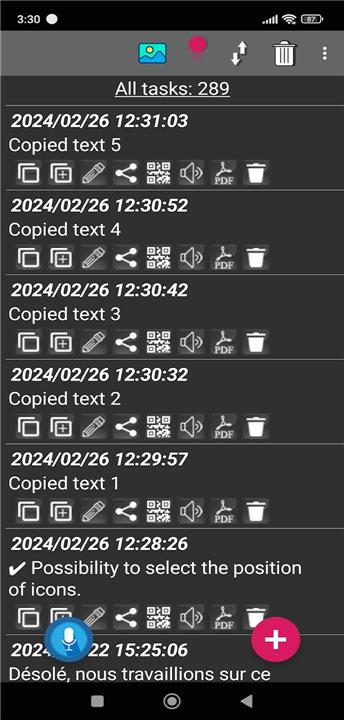
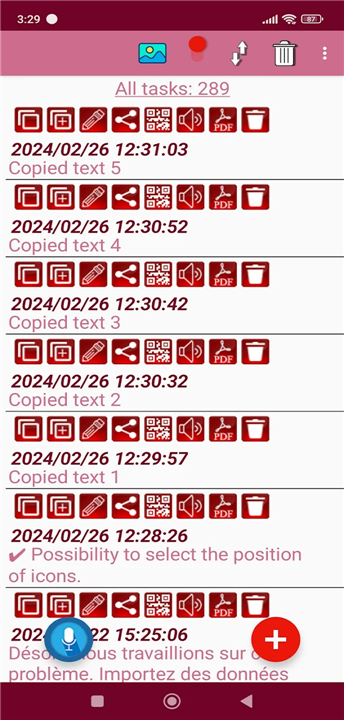
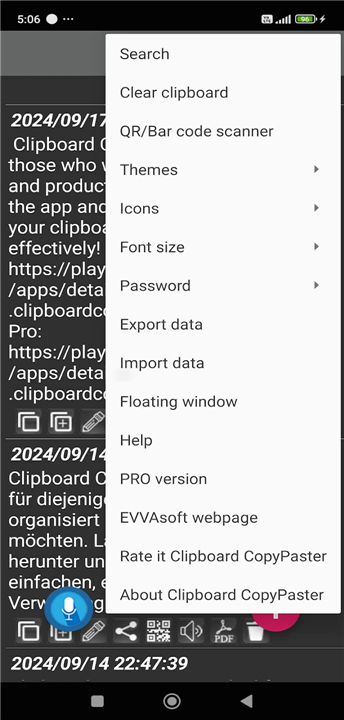
• Customization: Personalize your experience with adjustable font sizes, theme selection, and flexible icon positioning.
• Utility: Use the floating window for instant access over other applications and leverage built-in Google Translate for global communication.
• Transferability: Generate or scan QR codes for quick data sharing, and use import/export tools to sync your history across devices.
Security and Accessibility
• Encrypted Privacy: Protect your sensitive information with a secure password or biometric login.
• Instant Control: Clear your clipboard with one tap and manage your data with total confidence.
How to Start
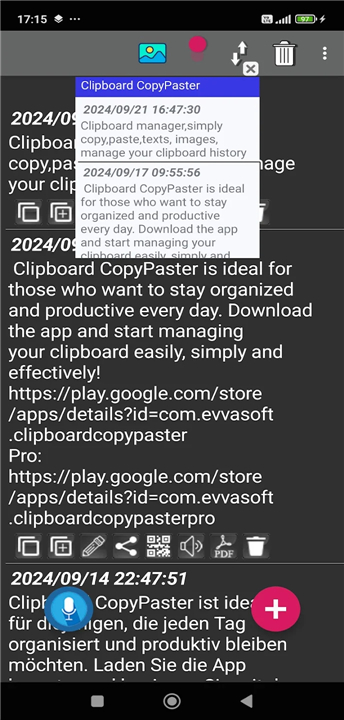
• For users on Android 10 and above, simply access your saved content via the notification panel immediately after copying.
Work Smarter
• Elevate your daily efficiency and reclaim your lost data.
• Download Clipboard CopyPaster today and experience a smarter way to work.
FAQ
Q: Can I use this tool to manage more than just plain text?
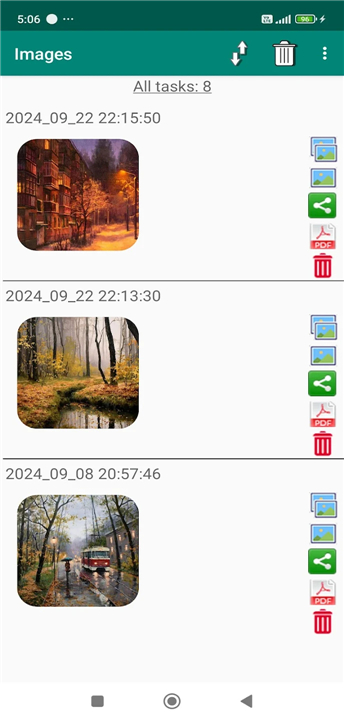
A: Absolutely, because Clipboard CopyPaster is designed to handle a wide range of data types. Beyond simple text, you can use the application to store links and images, making it a comprehensive solution for gathering all the resources you need for your projects in one organized space.
Q: Is it possible to organize my copied items so they aren't just one long list?
A: Yes, the application features robust organizational tools that allow you to create unlimited tabs and sort your content however you prefer. You can even merge notes together, which helps keep your workspace clean and ensures that your copied items remain clutter-free and easy to navigate.
Q: How can I quickly find a specific link or note I copied a while ago?
A: You can locate any stored item in seconds by utilizing the built-in search functionality. Additionally, the app includes features like duplicate checking and favorite tagging, which help you surface your most important or frequently used content without having to scroll through your entire history.
Version History
v82——24 Jun 2026
Clipboard manager,simply copy,paste,texts, images, manage your clipboard history Download the latest version of Clipboard CopyPaster to enjoy new features and updates immediately!
*82
Works on Android 10 and above. Saves images copied to the clipboard. Converts text or images to PDF files. Allows selection of icon positions. Supports voice editing in notes. Includes new design themes. Provides translation of saved text within the application via Google Translate. Added support for Spanish and French languages. Favorites.
*81
Works on Android 10 and above. Saves images copied to the clipboard. Converts text or images to PDF files. Allows selection of icon positions. Supports voice editing in notes. Includes new design themes. Provides translation of saved text within the application via Google Translate. Added support for Spanish and French languages. Favorites.
*80
Works on Android 10 and above. Saves images copied to the clipboard. Converts text or images to PDF files. Allows selection of icon positions. Supports voice editing in notes. Includes new design themes. Provides translation of saved text within the application via Google Translate. Added support for Spanish and French languages. Favorites.











Ratings and reviews
There are no reviews yet. Be the first one to write one.