

JPCSIM - PC Windows Simulator APK
1.4.11
JPCSIM - PC Windows Simulator
JPCSIM - PC Windows Simulator APK
Download for Android
JPCSIM – PC Windows Simulator
Overview
• JPCSIM is a computer simulation application designed primarily for educational and entertainment purposes.
• It allows users to experience the process of installing and operating various computer operating systems directly from their mobile devices.
• By using a collection of detailed images and simulated interfaces, the app recreates the appearance and workflow of a real computer environment without actually running the operating system code.
Main Features
1. Operating System Simulation:
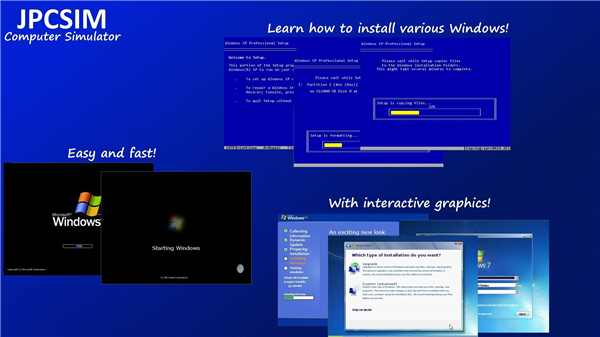
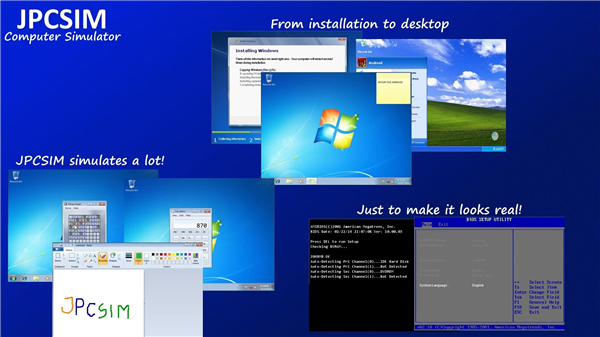
• Simulates the process from BIOS startup to system POST.
• Guides users through the installation process of different operating systems.
• Displays desktop environments for various systems in a realistic way.
2. Simulation of Computer Programs:
• Presents the visual interface of several common applications.
• Allows interaction in a simulated manner without executing real software.
3. Learning and Practice:
• Ideal for students and beginners who want to understand the steps of OS installation.
• Offers a safe, risk-free environment without affecting actual computer hardware or software.
Important Notes
• JPCSIM simulates, it does not emulate.
• This means it visually recreates the experience but does not run the actual operating system code.
• The focus is on education, demonstration, and light entertainment rather than full system functionality.
Use Cases
1. Educational Use:
• Learn the sequence and visual layout of installing different operating systems.
• Practice navigating through BIOS and setup menus.
2. Entertainment and Pranks:
• Create the illusion of having a full PC environment on your smartphone.
• Trick friends into thinking a desktop OS is running on your mobile device.
Developer Commitment
• Regular updates are released to include more operating systems and features.
• Suggestions and feedback are welcome via email or app reviews.
• The development team is committed to improving realism and adding variety over time.
Before rating or reviewing the app, remember its purpose: it is a simulator, not a fully functional emulator.
FAQ
Q: How does JPCSIM differ from a real emulator?
A: Unlike emulators, which translate and execute actual machine code, JPCSIM simply displays pre-rendered screenshots and animations to simulate the workflow. It does not process instructions, allocate real memory, or run executable files. This approach greatly reduces resource demands and eliminates compatibility issues, but also means you won’t experience live system performance or be able to install genuine software.
Q: Which operating systems can I simulate with JPCSIM?
A: At launch, JPCSIM offers simulations of several popular desktop systems, including Windows XP, Windows 7, and a classic Linux distribution. Future updates aim to introduce newer and more niche operating systems, but keep in mind that each environment is represented visually rather than executed. The app’s library grows over time in response to community requests.
Q: What level of interaction does the simulator offer?
A: Users can navigate through BIOS menus, click through installation prompts, adjust basic settings, and explore simulated desktop interfaces. Although you can move a mouse pointer and select icons, every action simply advances to the next pre-designed screen. This controlled interactivity helps learners understand each installation step without the unpredictability or risk of a real setup.
Version History
v1.4.11——22 Jan 2026
PC Simulator that will make you think you have an PC in your Smartphone. Download the latest version of JPCSIM - PC Windows Simulator to enjoy new features and updates immediately!
*1.4.11
Minor bug fixes and improvements. Install or update to the newest version to check it out!
*1.4.10
Minor bug fixes and improvements. Install or update to the newest version to check it out!
*1.4.9
Minor bug fixes and improvements. Install or update to the newest version to check it out!









Ratings and reviews
There are no reviews yet. Be the first one to write one.